M-Series Operator’s Manual 4/9/15 1-4
Machine Home
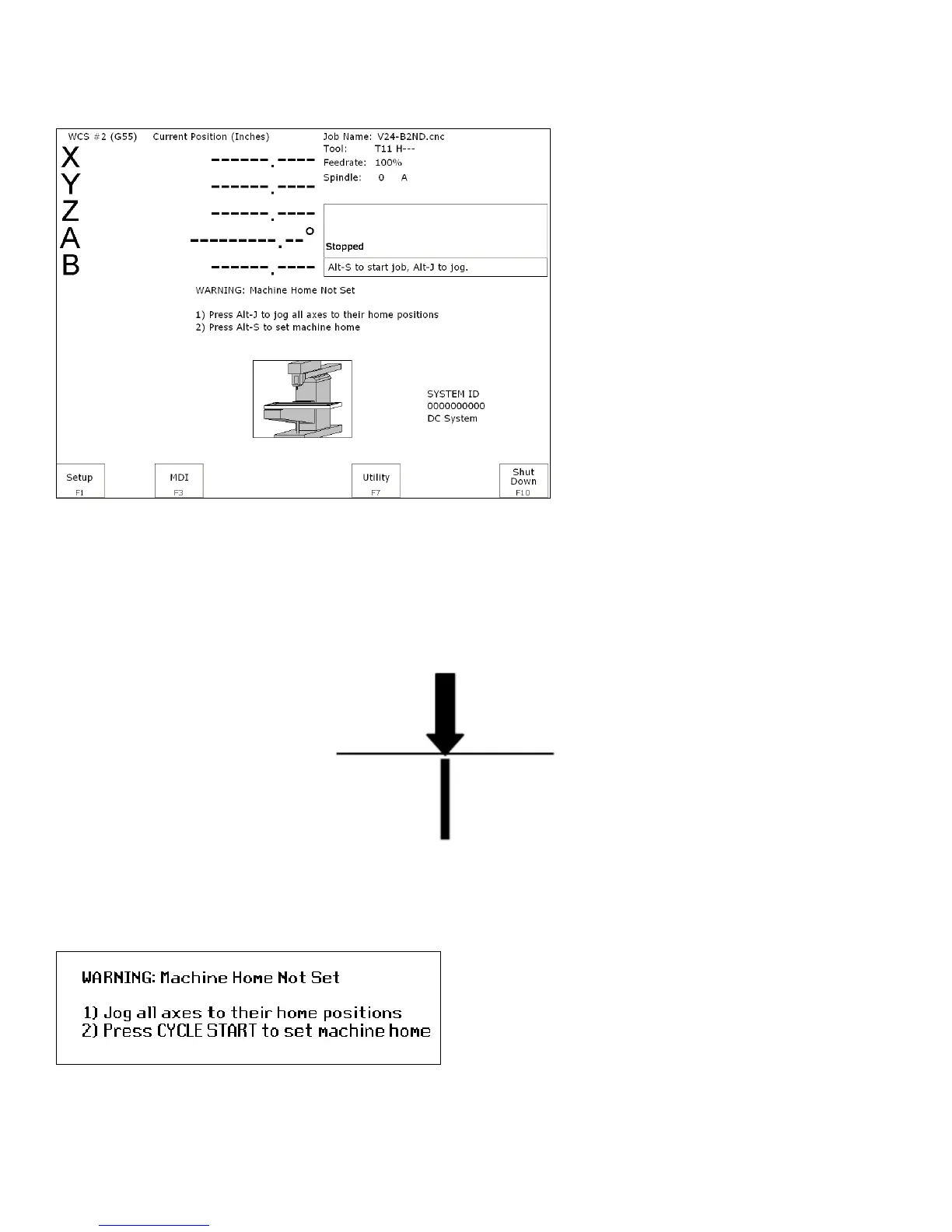
When the M-Series control is first started, the Main screen will appear as below.
Before you can run any jobs, you must set the machine home position. If your machine has home/limit switches,
reference marks or safe hard stops, the control can automatically home itself. If your machine has reference marks,
jog the machine until the reference marks are lined up, (see below), before you press CYCLE START to begin the
automatic homing sequence. The control will execute the G-codes in a file called cncm.hom in the c:\cncm
directory. By default, this file contains commands to home Z in the plus direction, then X in the minus and Y in the
plus direction.
Typical Reference Marks
If your machine does not have home/limit switches or safe hard stops, the following message will appear instead.
In this case you must move the machine to its home position yourself, using either the jog keys or the handwheels.
Once all axes are at their home positions, press CYCLE START to set machine home.



 To Next Page