M-Series Operator’s Manual 4/9/15
5-1
Chapter 5
Tool Setup
(from Main Screen: F1 Setup ► F2 Tool)
Tool Setup allows you to specify information about the tools you will be using.
Press F1 - Offset Library, to edit the Height Offset and Diameter (H and D) values, or
Press F2 - Tool Library to edit the tool descriptions., or
Press F3 - Tool Life to edit the Tool Life Management settings.
Offset Library
(from Main Screen: F1 Setup ► F2 Tool ► F1 Offset Lib)
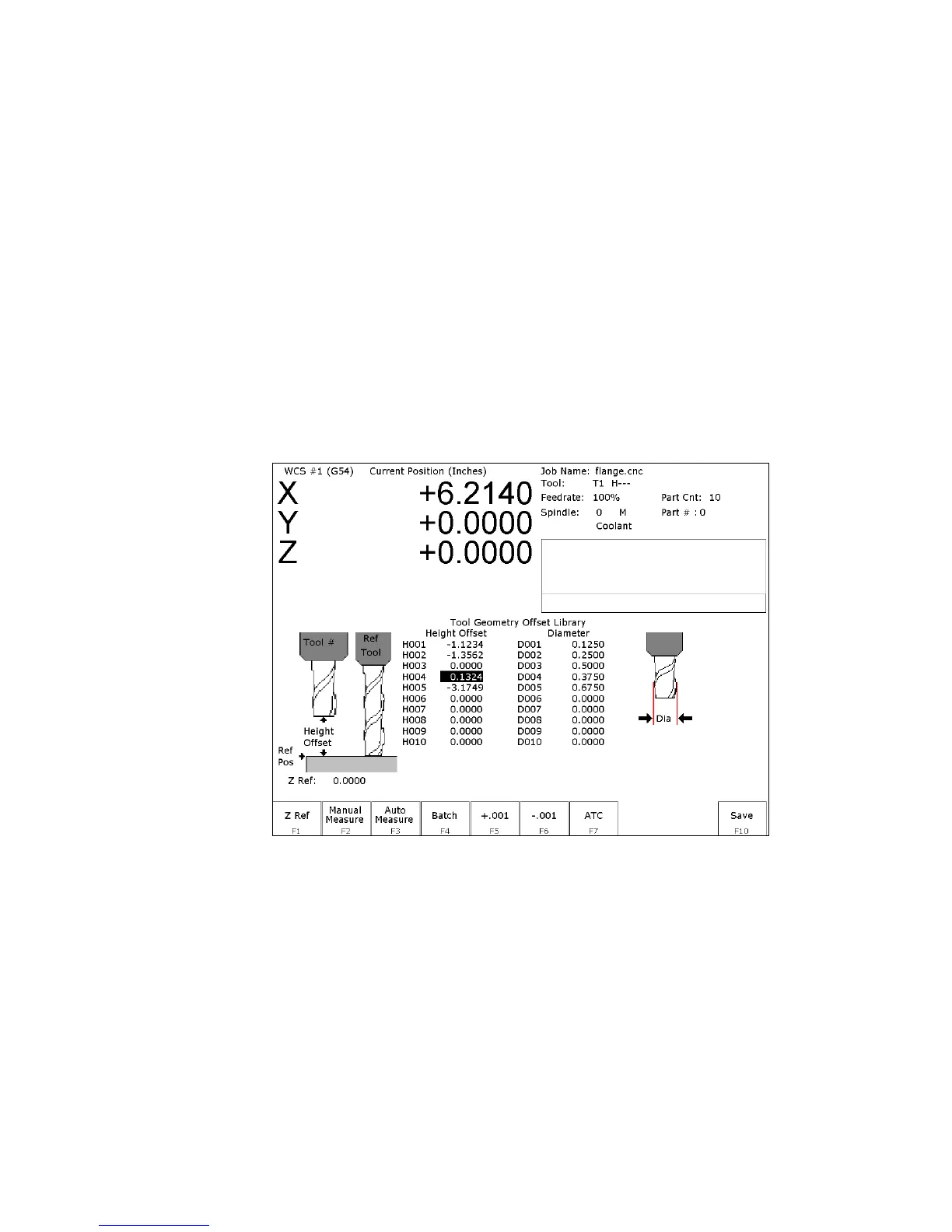
The Offset Library file contains the values for the Height Offset and Diameter Numbers. For example, if entry
H01 has a value of -.25, a height offset of -.25 is applied when height offset 01 is referenced. If entry D01 shows a
value of 1.5, the diameter offset 01 has a diameter of 1.5 associated with it.
Press F1 – Z Ref to set the Z reference height. Press F2 - Manual to manually measure tools. If you purchased the
Automatic Tool Measurement (TT1) option, press F3 - Auto to automatically measure tool lengths. Press F5 -
+.001 or F6 - -.001 to adjust the selected offset. If you have an automatic tool changer installed, press F7 - ATC to
change tools. Press F10 - Save to save changes and exit, or ESC to exit without saving changes. If you have both
purchased the Automatic Tool Measurement (TT1) option and also have an automatic tool changer installed, then
you can press F4 - Auto to perform batch tool measuring, by entering a list of multiple tool numbers.
You can inspect and change any of the 200 Height Offset (H) values, and any of the 200 Diameter (D) values. In
most cases you will use the automatic tool length measurement features described below to set H values, and you
will enter D values manually, based on the known or measured diameters of your tools.
Note that H01 and D01, H02 and D02, H03 and D03, etc. are displayed together on the same line for convenience
only. The Height and Diameter Offset Numbers can be used independently; associations are made only in the Tool
Library.



 To Next Page