M-Series Operator’s Manual 4/9/2015 10-24
Facing (F4 in the Canned Cycle Menu)
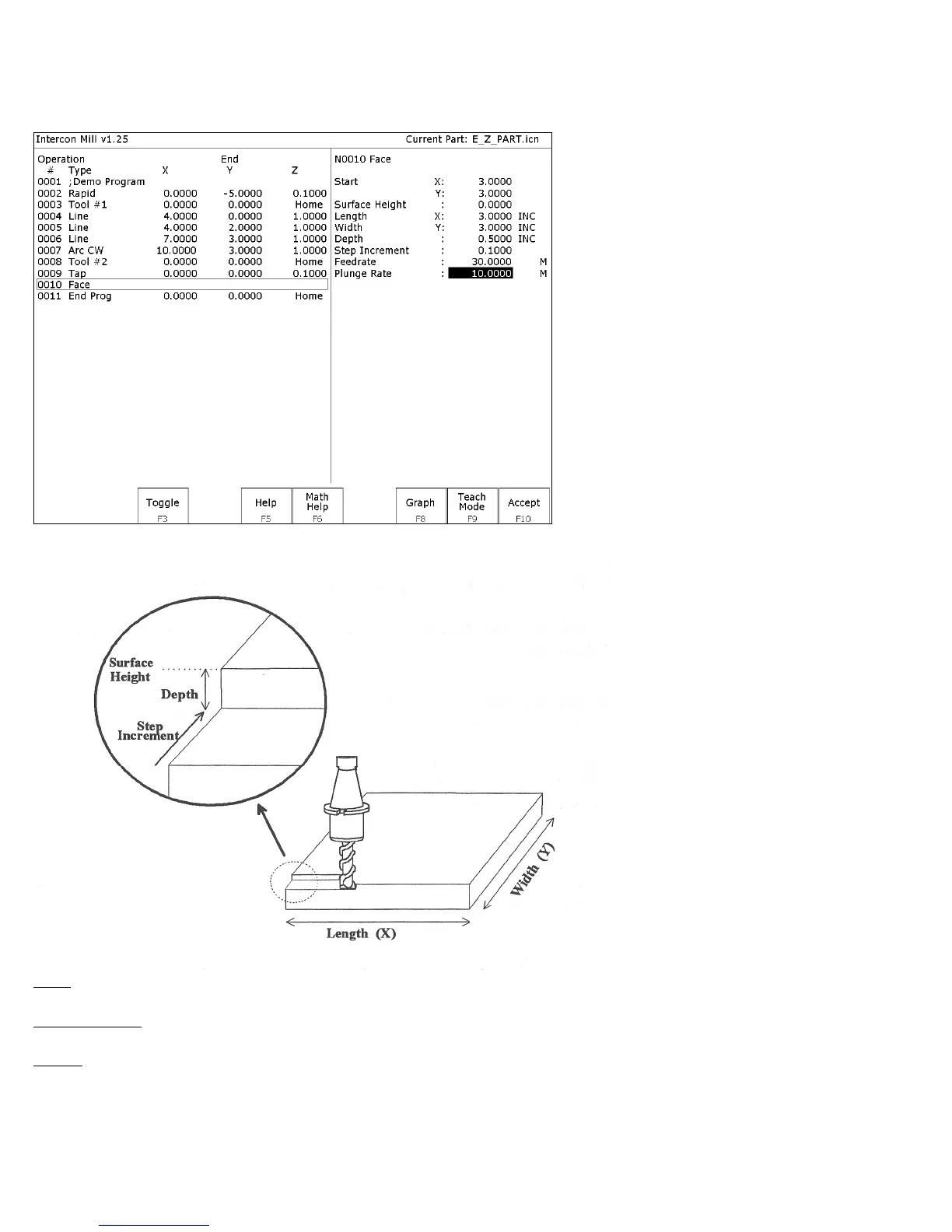
If you press F4 - Face at the Canned Cycle Selection Menu, the following screen is displayed:
The parameters in the previous screen correspond to the following dimensions:
Start: X and Y coordinates of the starting corner of the area to be faced.
Surface Height: Z coordinate of the top of the area to be faced.
Length: X-axis dimension of the area to be faced. If a negative value is entered for the length, the facing will occur in
the negative X-axis direction from the X-axis start position; otherwise, facing will occur in the positive X-axis
direction from the X-axis start position.



 To Next Page