M-Series Operator’s Manual 4/9/2015 10-10
F3 - Arc Mill
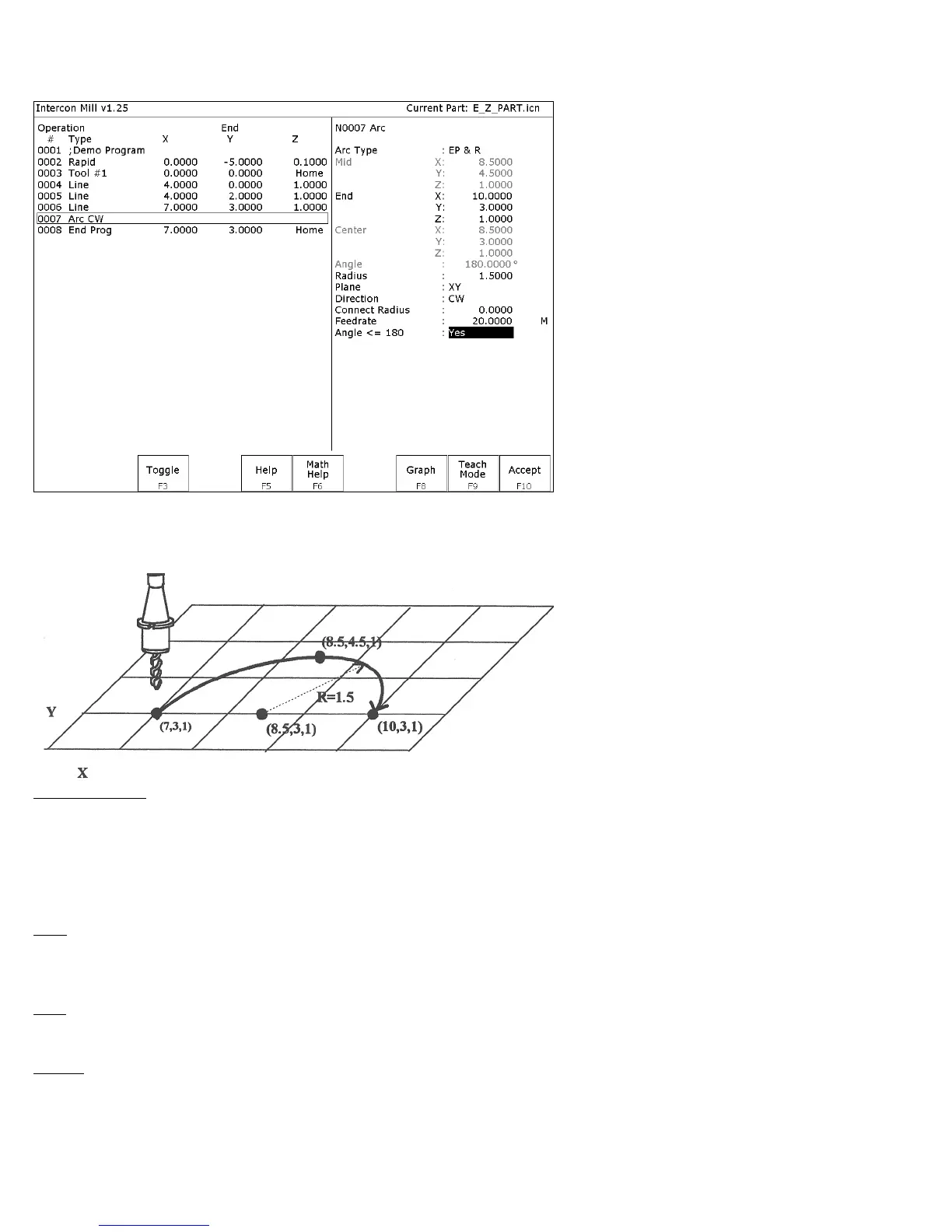
If you press F3 - Arc for Arc Mill from the Insert Operation screen, the following screen appears:
The numbers in the different fields on the screen correspond to the following Arc Mill example shown here
graphically:
Operation Type: There are four ways to specify your ARC: using an endpoint and a radius (EP&R), using a center
point and an angle (CP&A), using a center point and an end point (CP&EP), or using a mid-point and an end point (3-
Point). The Three Point arc is designed to be used in conjunction with Teach Mode. When specifying a particular
kind of arc, you will not be able to modify certain fields. For example, if you are specifying an endpoint and a radius,
you will not be able to modify the mid point, center point and angle fields. This is because Intercon calculates the
correct values for these fields.
Mid: The X, Y, and Z coordinates of a point on the arc path somewhere between the start point and end point of the
arc. You will be able to modify this field only when specifying a Three Point arc. Also, the coordinate that does not lie
in the plane of the arc cannot be edited; it is automatically calculated.
End: The X, Y and Z coordinates of where the cutter will be once the arc move is complete. You will not be able to
edit this field if you are specifying a center point and angle (CP&A) arc.
Center: This is the X, Y and Z position of the center of the arc. You will not be able to edit this field if you are
specifying an end point and radius (EP&R) arc or a Three Point arc. Also, the coordinate that does not lie in the plane
of the arc cannot be edited; it is automatically carried forward from the last operation.



 To Next Page