M-Series Operator’s Manual 4/9/2015 10-12
F4 - Tool Functions
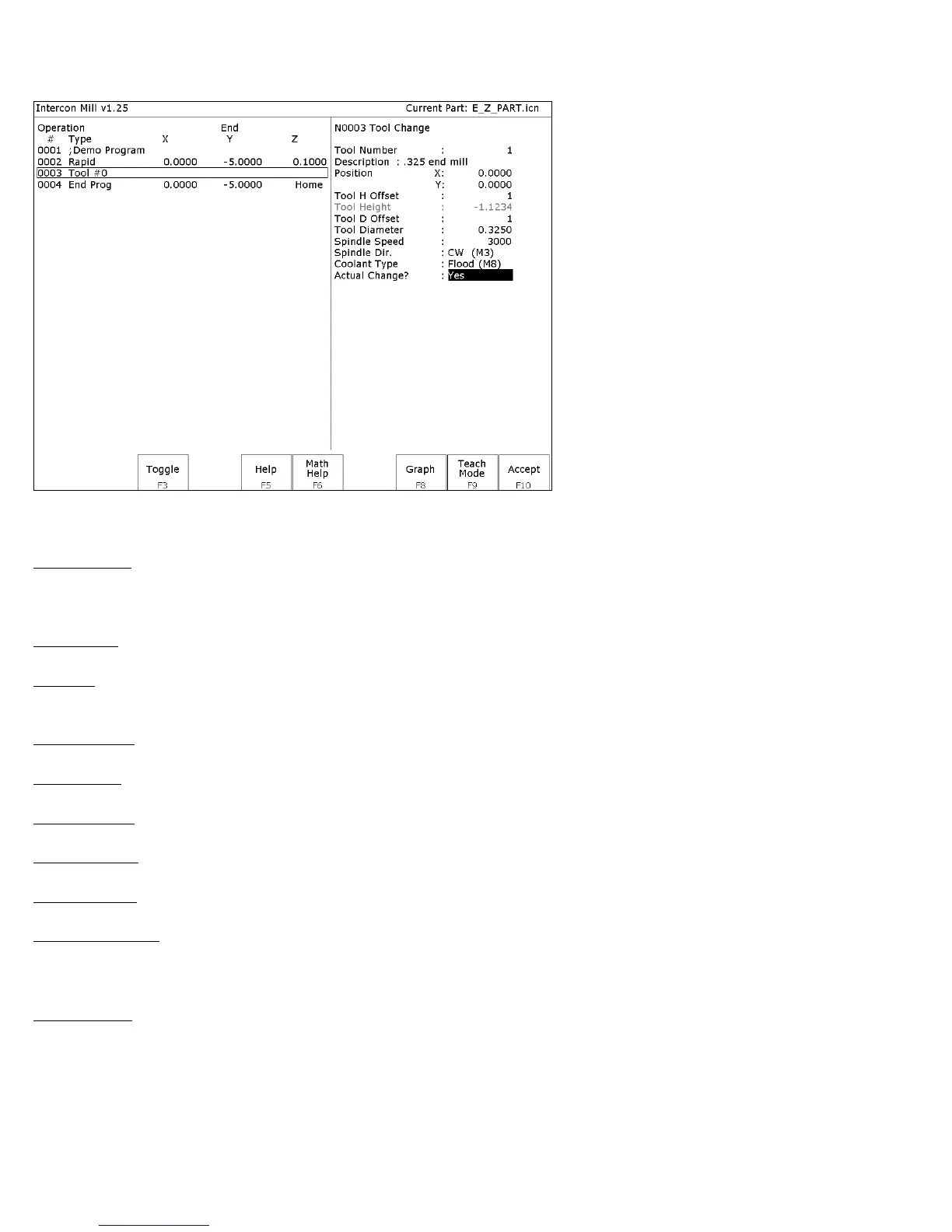
When you select the tool functions by pressing F4 - Tool the following screen appears:
The following parameters for this tool change are as follows:
Tool Number: Number of the tool (between 1 and 200) to use. Entering this value pulls the current settings for this
tool from the CNC software tool library. You may then edit the length offset, diameter offset and diameter values if
you wish to redefine your tool. The length value is not editable.
Description: Description of the tool selected above, from the tool library.
Position: X and Y coordinates for the place at which the tool change will occur. This should be a place at which the
current tool can be removed from the quill and the new tool can be inserted.
Tool H Offset: Index in the offset library (between 0 and 200) of the actual tool height offset.
Tool Height: Tool height associated with the H offset selected above. This field is not editable.
Tool D Offset: Index in the offset library (between 0 and 200) of the actual tool diameter.
Tool Diameter: Tool diameter associated with the D offset selected above.
Spindle Speed: Speed at which the spindle will rotate when the spindle is started after the tool change.
Spindle Direction: Direction in which the spindle will turn after the tool change. If this is set to CW or CCW, the
spindle will be started automatically after the tool change. Press F3 - Toggle or SPACE to toggle between CW, CCW,
and Off.
Coolant Type: Type of coolant to activate after the tool change. If this is set to Flood or Mist, the selected coolant
system will be started automatically after the tool change. Press F3 - Toggle or SPACE to toggle between Flood,
Mist, and Off.



 To Next Page