M-Series Operator’s Manual 4/9/15 4
Part Setup Examples
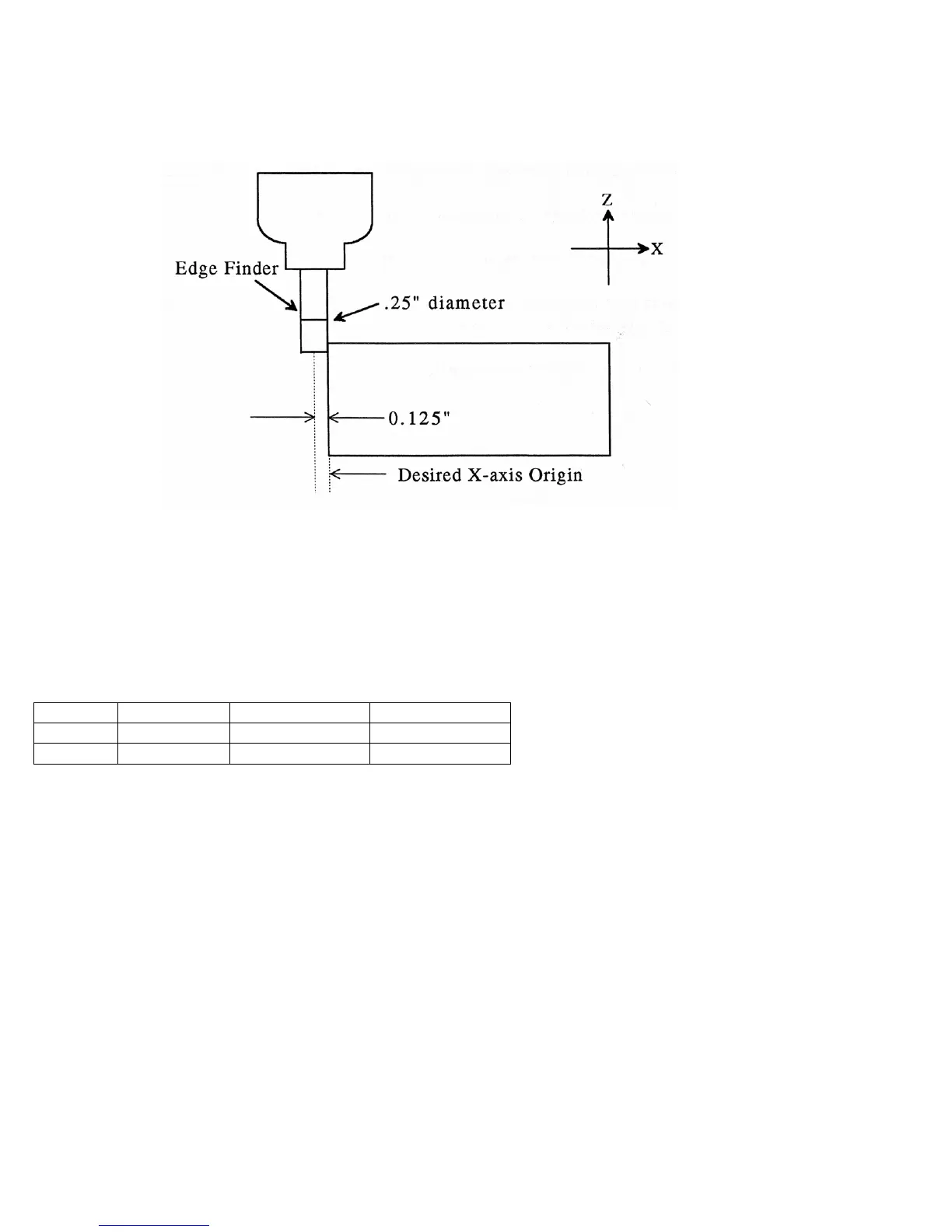
Example 1: Setting the X-axis Part Zero with no offset (See diagram below)
If you wanted the left edge of the part to be the origin for the X-axis:
1. Move the Edge Finder to the left edge of the part
2. Press F1 – Next Axis until the Axis label displays 'X'
3. Move the cursor to the Edge Finder Diameter field
4. Type .25 and press ENTER
5. Press SPACE until Left (-) is displayed
6. Press F10 - Set to accept the values
Axis Part Edge Finder Approach
Position Diameter From
X 0 0.25 Left (-)
Since no offset is being applied, Position is zero. The Edge Finder is approaching the part from the -X direction
and has a diameter of .25 inches. Once this data is entered and F10 - Set is pressed, the X-axis DRO display will
read -0.125. This means the center of the Edge Finder is sitting to the left (minus) of the part by 0.125 inches (half
of the Edge Finder Diameter).
This value is computed by: Position (Approach from) Edge Finder Diameter / 2.
Where (Approach from) is the sign of the approach direction. In other words, if the approach direction is minus,
then the value is: Position - Edge Finder Diameter / 2 = 0.0 - .25 / 2 = -0.125



 To Next Page