M-Series Operator’s Manual 4/9/15
6-2
Run-Time Graphics Screen
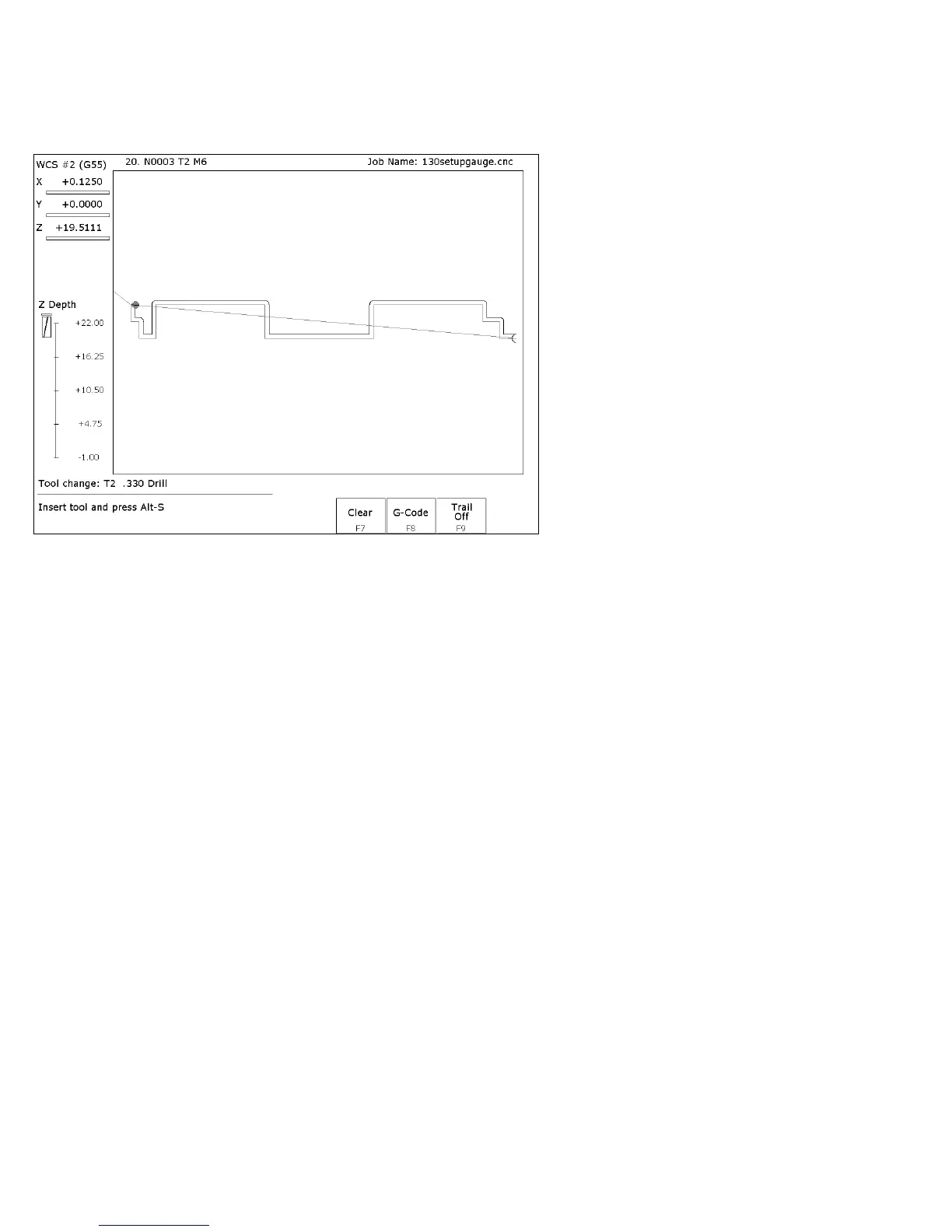
When a job is running with Run-Time Graphics set to On, the following screen is displayed:
The following keys are available while the job is running in Run Time Graphics.
F7 – Clear
Clears the trail up to the tool’s current position in the program.
F8 – G-Code
Switch to the Job Run Screen with G-Code display.
F9 – Trail On/Off
Turn on/off the tool trail display.
Canceling a Job in Progress
There are three conventional ways to cancel a currently running job (CNC program). When a job is canceled
using any of the following methods, the job's progress will be recorded. This allows the user to restart the
job using the Resume Job option or the Search and Run option.
CYCLE CANCEL pressing this key while a job is running will cause the control to abort the job
currently being run. The control will stop movement immediately, clear all M-functions, and
return to the main screen. Hitting the escape key on the keyboard is equivalent to hitting
“CYCLE CANCEL.”
TOOL CHECK Pressing this key while a job is running will cause the control to stop the normal
program movement. In addition, the Z-axis will be pulled to its home position and all M-
functions will be cleared. The control will automatically go to the resume job screen.
EMERGENCY STOP (E-Stop) Pressing the EMERGENCY STOP button, while a job is running,
will cause the control to abort the job currently being run. The control will stop movement
immediately, clear all M-functions, and return to the main screen. Also, the power to all axes will
be released.



 To Next Page