M-Series Operator’s Manual 4/9/15 6
Work Coordinate Systems (WCS) Configuration
Press F9 – WCS Table from the Part Setup screen to display the Work Coordinates System (WCS) menu. The
Work Coordinate Systems screen provides access to reference return points, coordinate system origins, and work
envelope. Make sure your Home position has been set properly. Otherwise, the positions of each coordinate
system will not be in the appropriate position.
When you enter the Work Coordinate System Configuration screen, the DRO display will automatically switch
over to machine coordinates as an aid to entering numbers. All the values on this screen are represented in machine
coordinates.
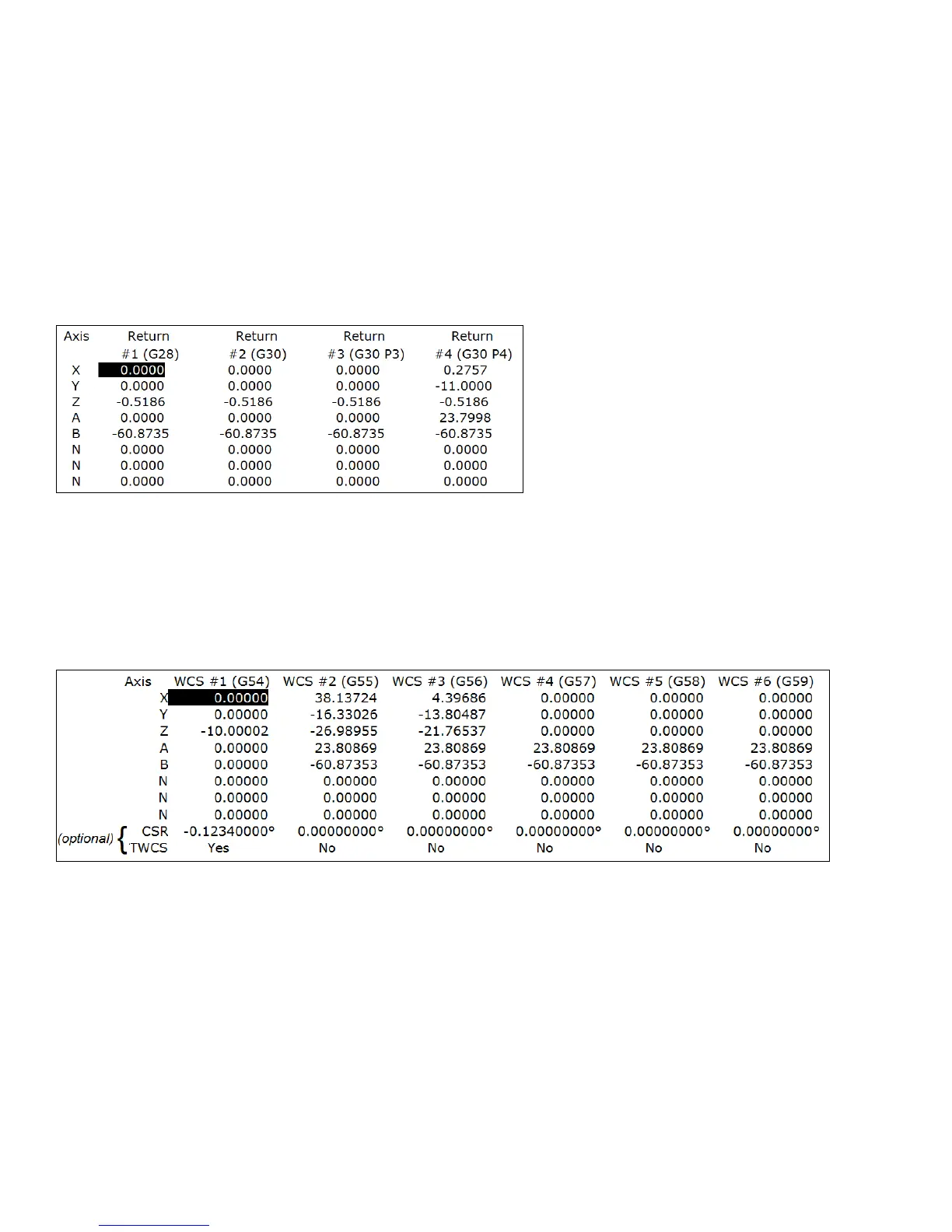
F1 - Reference Return Points Press this key access the menu that sets the reference return points for the
machine.
The reference return points are used with the G28 and G30 codes (see Chapter 12). They are specified in machine
coordinates. The Z coordinate of the first reference point is also used as a Z home position by the M2, M6, and
M25 codes (see Chapter 13).
F2 – Origin Use this key to access the menu for specifying the locations (in machine coordinates) of the origins
for all 18 work coordinate systems. Pressing F1 – Next Table will allow you to view the other WCS (6
per page). This menu is a convenience and is not an absolute necessity for setting work coordinate system
origins nor the CSR angles.
All coordinate systems are relative to Home position that is set during control power up. Note that while in this
screen, the DRO shows the actual machine position relative to Home, not the location relative to the WCS origin.
If the software option Coordinate System Rotation is unlocked, the CSR angle for each of the coordinate systems
can also be set. (This is an optional feature.)
For machines configured as an Articulated Head system with the TWCS feature enabled (set via Paramter 166), the
TWCS=Yes/No differentiates which WCS’s are transformed or not. See Transformed WCS later in this chapter.



 To Next Page