M-Series Operator’s Manual 4/9/2015 10-27
Circular Pocket (F6 in the Canned Cycle Menu)
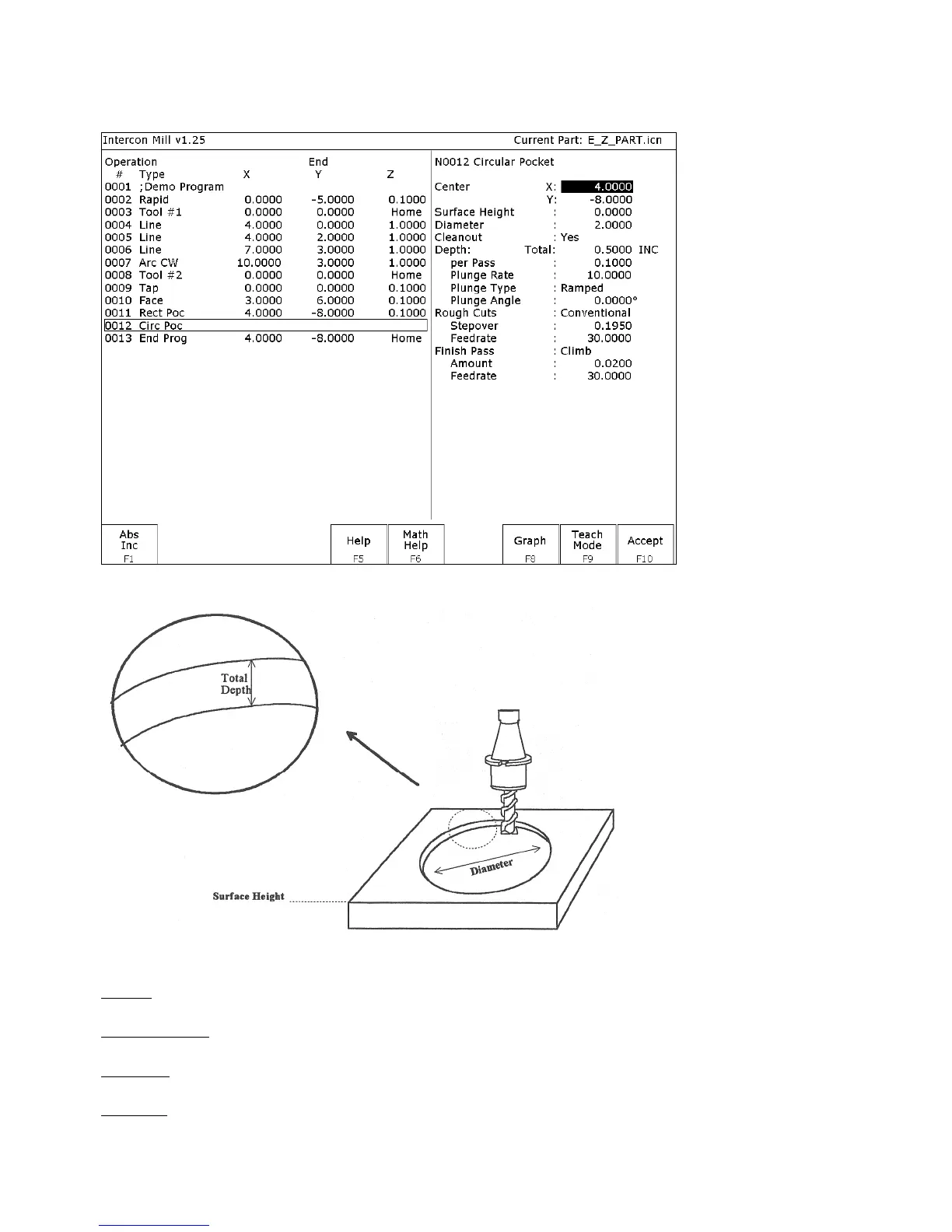
When you press F6 - Circ. Pocket from the Canned Cycle Selection Menu, this screen is displayed:
The parameters on the screen correspond to the following dimensions:
Where:
Center: X and Y coordinates of the center of the circular Pocket.
Surface Height: Z-axis position from which each incremental depth is measured.
Diameter: Diameter of circular pocket.
Cleanout: If cleanout is Yes, then all the material in the pocket will be removed. If cleanout is No, then all the material
will not be removed. The cutter starts in the center of the pocket and arcing its way out and then going around the
frame.



 To Next Page