M-Series Operator’s Manual 4/9/15
5-7
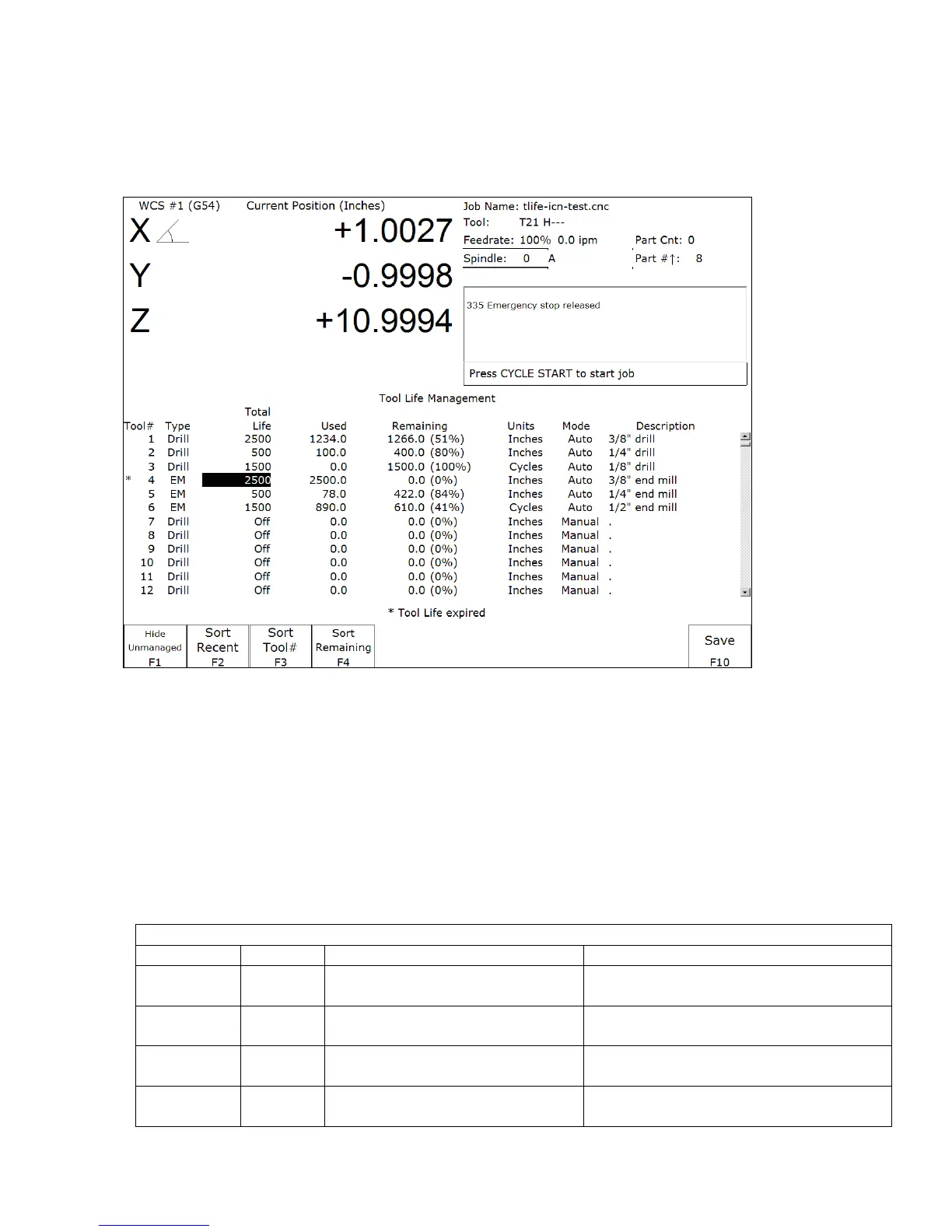
Tool Life Management menu
(from Main Screen: F1 Setup ► F2 Tool ► F1 Tool Life)
The Tool Life Management feature allows you to set up each tool’s pre-determined life, and have its usage tracked
and monitored for end-of-life condition. By default, Tool Life Management is turned off, but can be enabled for
each tool individually.
F1 – Show/Hide Unmanaged. This key toggles between including and excluding those tools that are unmanaged
by Tool Life Management. A tool is unmanaged if its Total Life field is set to value 0 (Off ).
F2 – Sort Recent. This key sorts the list according to the tools whose Total Life and/or Used field were most
recently modified by tool usage in a job run or by edits done in this menu.
F3 – Sort Tool #. This key sorts the list ordered by Tool Number.
F4 – Sort Remaining. This key sorts the list ordered by the Life Remaining.
F10 – Save. Saves changes.
A tool can be set up for automatic management by setting its Mode to Auto and setting its Total Life to a non-zero
value. The following table shows the effects of monitored tool activity on tools that are set up for automatic
management.
Automatic Management: Mode = Auto and Total Life is more than 0
Type Units Tool Activity that is monitored Effect on the ‘Used’ field
Drill Cycles downward Z plunge at feedrate at
a unique XY location
‘Used’ field will be incremented by 1
Cycle
Drill Inch/mm downward Z plunge at feedrate at
a unique XY location
Total downward Z distances minus the
overlaps will be added to the ‘Used’ field
EM
(End Mill)
Cycles Tool Change ‘Used’ field will be incremented by 1
Cycle
EM
(End Mill)
Inch/mm sideways XY feedrate moves (non-
rapid)
XY distance will be accumulated in the
‘Used’ field



 To Next Page