M-Series Operator’s Manual 4/9/2015 10-33
Cleanout (F9 in the Canned Cycle Menu)
The cleanout cycle performs a horizontal zigzag pocket cleanout of a profile composed of lines and arcs.
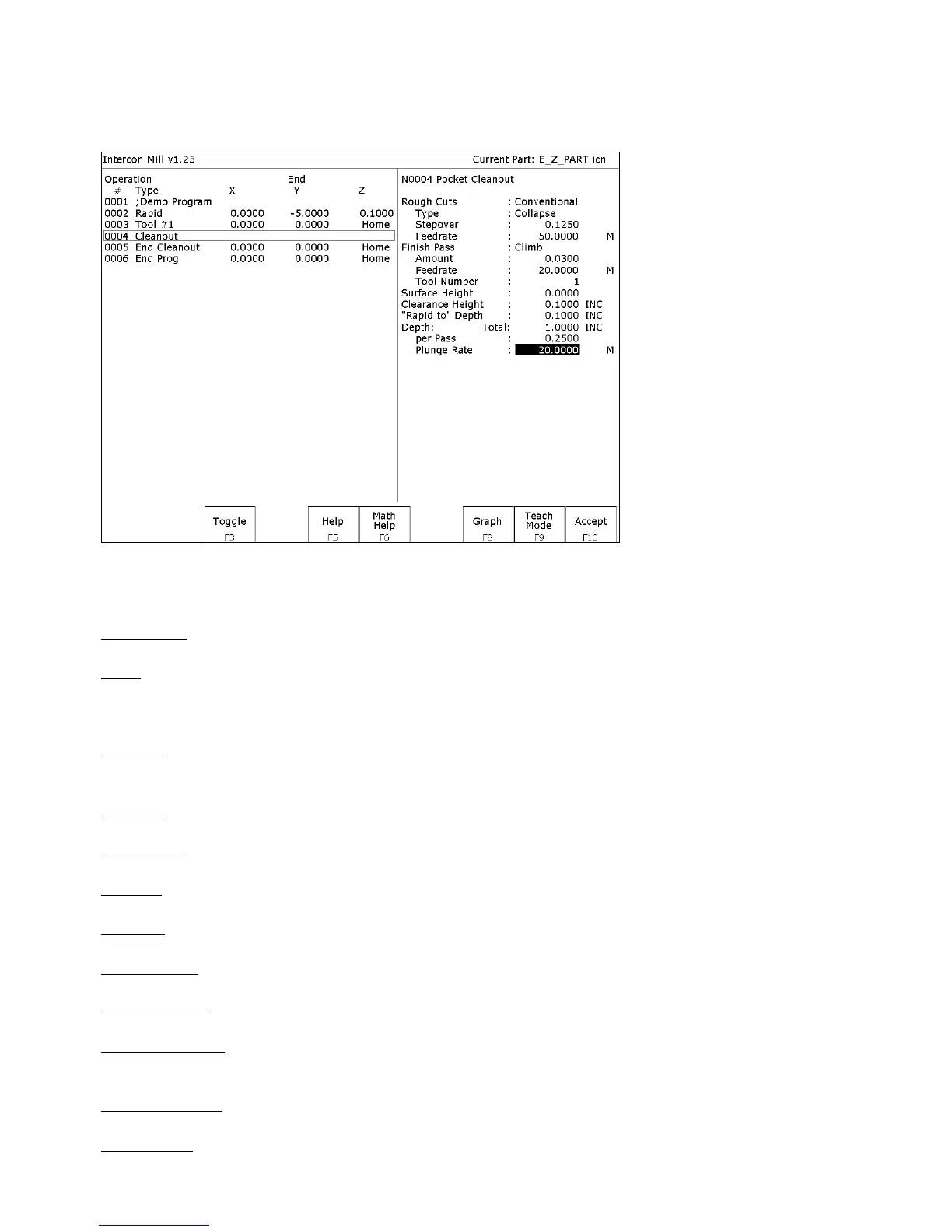
When you press F9 - Cleanout from the canned cycle menu, the following screen is displayed:
Where:
Rough Cuts: Selects type of rough cut. Use F3-Toggle or SPACE to toggle between Conventional and Climb.
Type: Selects type of cleanout to use. The choices are Collapse, which cleans out the pocket from the outside in, or
Expand, which cleans out the pocket from the inside out. You can switch between the two by using the F3-Toggle or
SPACE keys
Stepover: The distance between each step in the pocket cleanout. This value cannot be greater than 50% of the tool
diameter.
Feedrate: Speed at which cutter performs rough cuts.
Finish Pass: Selects type of finish pass. Use F3-Toggle or SPACE to toggle between Conventional, Climb, or None.
Amount: Amount of material to be removed on the finish pass.
Feedrate: Speed at which cutter performs finish pass.
Tool Number: Tool number to be used for the finish pass.
Surface Height: The Z-axis position from where the incremental depth is measured.
Clearance Height: This parameter specifies the Z-axis height to which the tool is retracted before moving to different
segments during a pocket cleanout.
'Rapid To' Depth: The depth to which rapid positioning moves will be made to when moving the Z axis downward.
Depth: Total: The total depth of the pocket measured as an incremental depth from the surface height.



 To Next Page