M-Series Operator’s Manual 4/9/2015 10-38
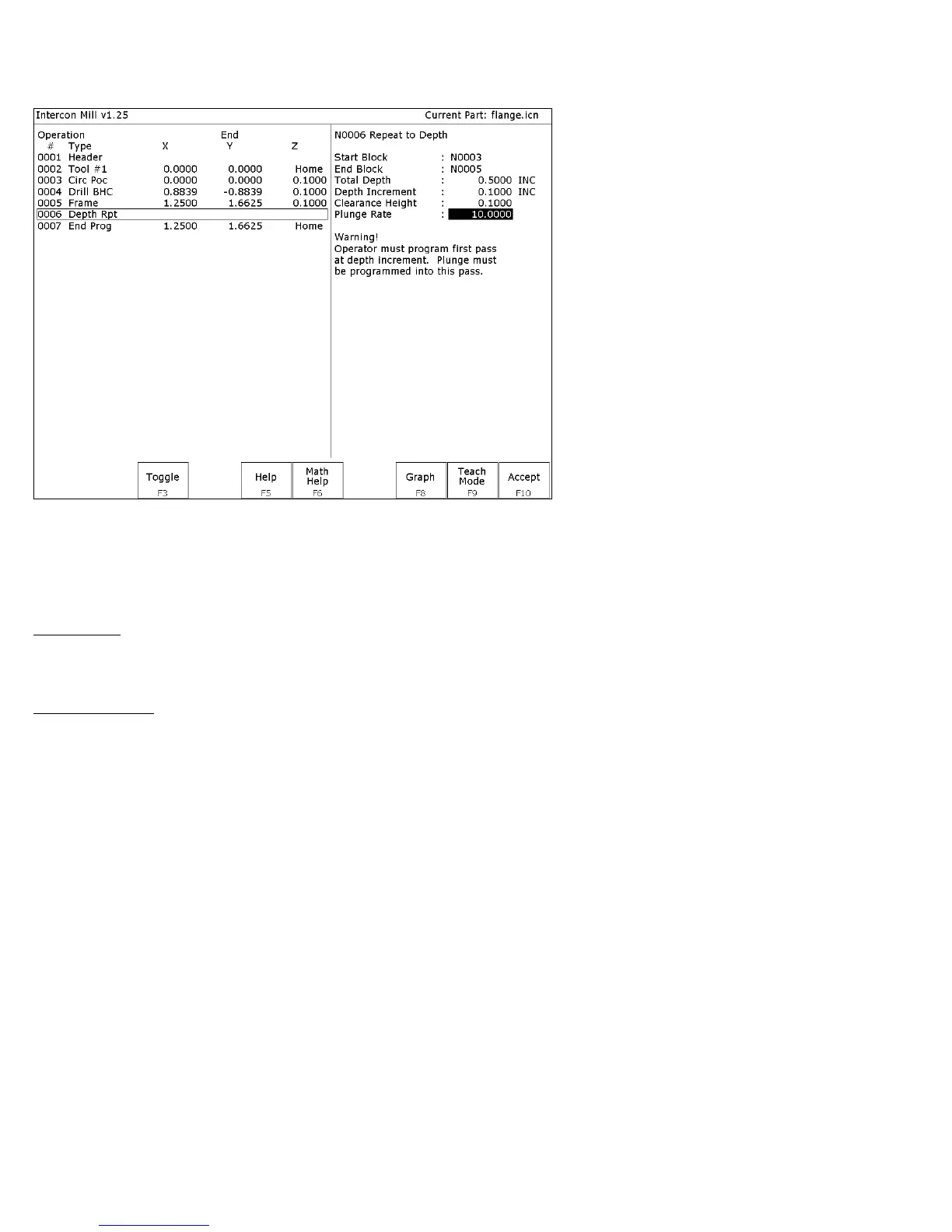
Repeat to Depth (F1 in the Insert Subprogram Menu)
The Repeat to Depth feature is useful for repeating a part contour when the material being machined is too thick to cut
in just one pass. The contour formed by these operations may either be a closed contour or an open one. If a non-
vertical plunge to the start of the contour is desired, it must be programmed into the contour (a vertical plunge between
passes will be provided if one is not programmed).
Total Depth: Indicates how deep the final depth pass is to be. This is a positive value. Note that because the contour
has been programmed at a depth of one depth increment below the work piece surface, the final depth assumes that one
depth pass has already been performed, and, thus, subtracts one depth increment from the total depth.
Depth Increment: Specifies the distance to drop each time the contour is repeated. This is a positive value that may
not exceed the total depth of the operation.
When you have finished entering the required parameters, press F10 - Accept to accept them. An operation labeled
“Depth Rpt” will be inserted into your program in front of the highlighted operation. You may now edit this operation
just as you would edit any other operation (use the cursor keys to highlight the “Depth Rpt” operation, and then press
ENTER.
* NOTE: If you wish to change the amount of the depth increment per pass after the contour has been programmed,
you must also change the Z depth of all the operations inside the contour to correspond to the new increment.



 To Next Page