M-Series Operator’s Manual 4/9/2015 10-37
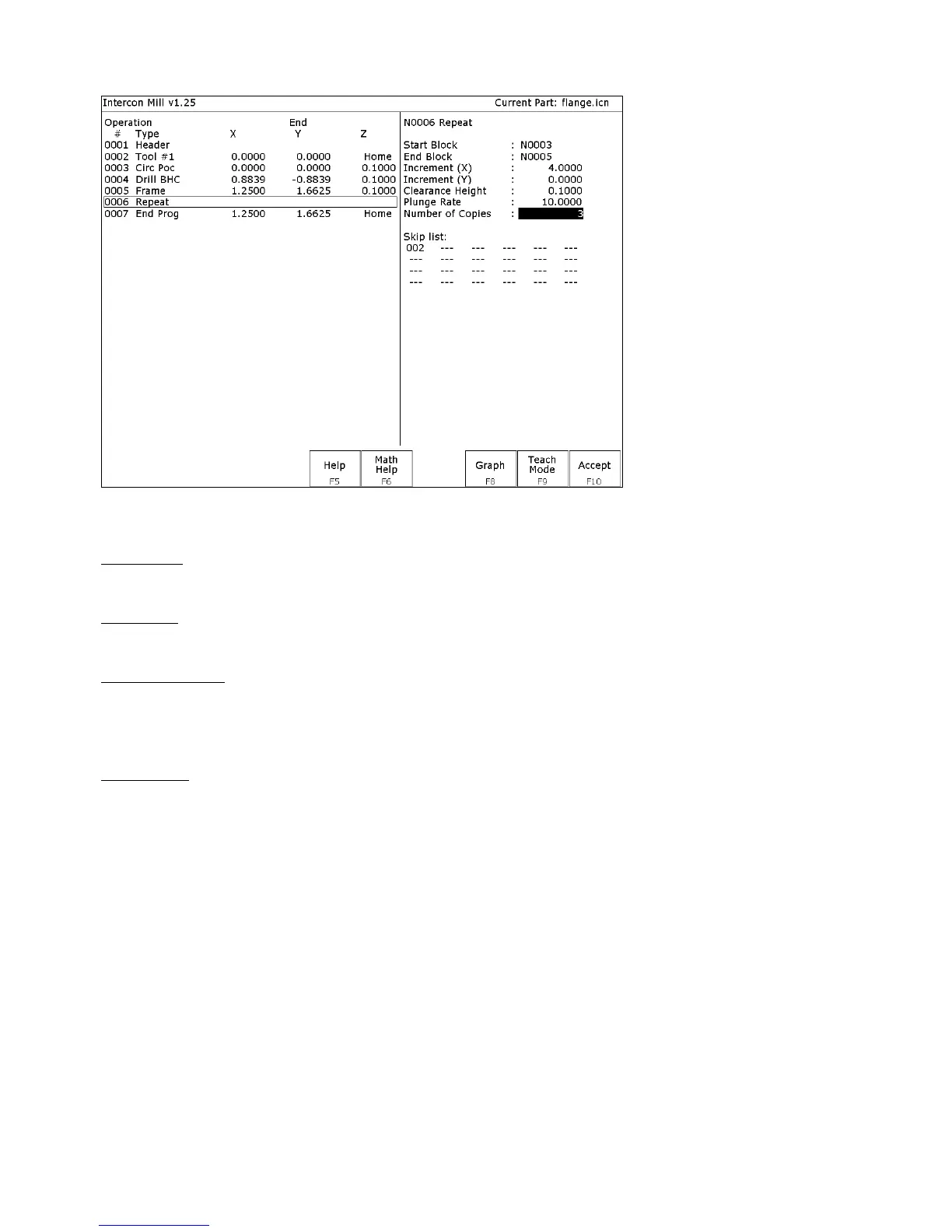
A typical subprogram screen appears as follows:
All subprogram operations contain the following fields:
Start Block: Selects the first operation in the block of operations to repeat. This operation must lie before the place in
your program where you are trying to repeat operations.
End Block: Selects the last operation in the block of operations to repeat. Again, this operation must lie prior to place
in your program where you are trying to repeat operations, but not precede the start block.
Clearance Height: This field determines the Z height at which the tool is moved over the work piece before being
repositioned at the start of the contour. This value must meet or exceed the maximum Z height of all operations
contained within the contour. If any operation places the tool at the Z home position, then you must tie this value to
the home position (F2 - Z Home).
Plunge Rate: This is the speed at which the tool is repositioned on the Z-axis when moving to the beginning of the
first move of the contour. This has no effect on a plunge that you have programmed into the contour; however, this
has the effect of providing a vertical plunge for you in the event that you do not program your own plunge into the
contour.
Other fields specific to the various subprogram operations are described in the next few pages.



 To Next Page