M-Series Operator’s Manual 4/9/2015 10-7
F1 - Rapid Traverse
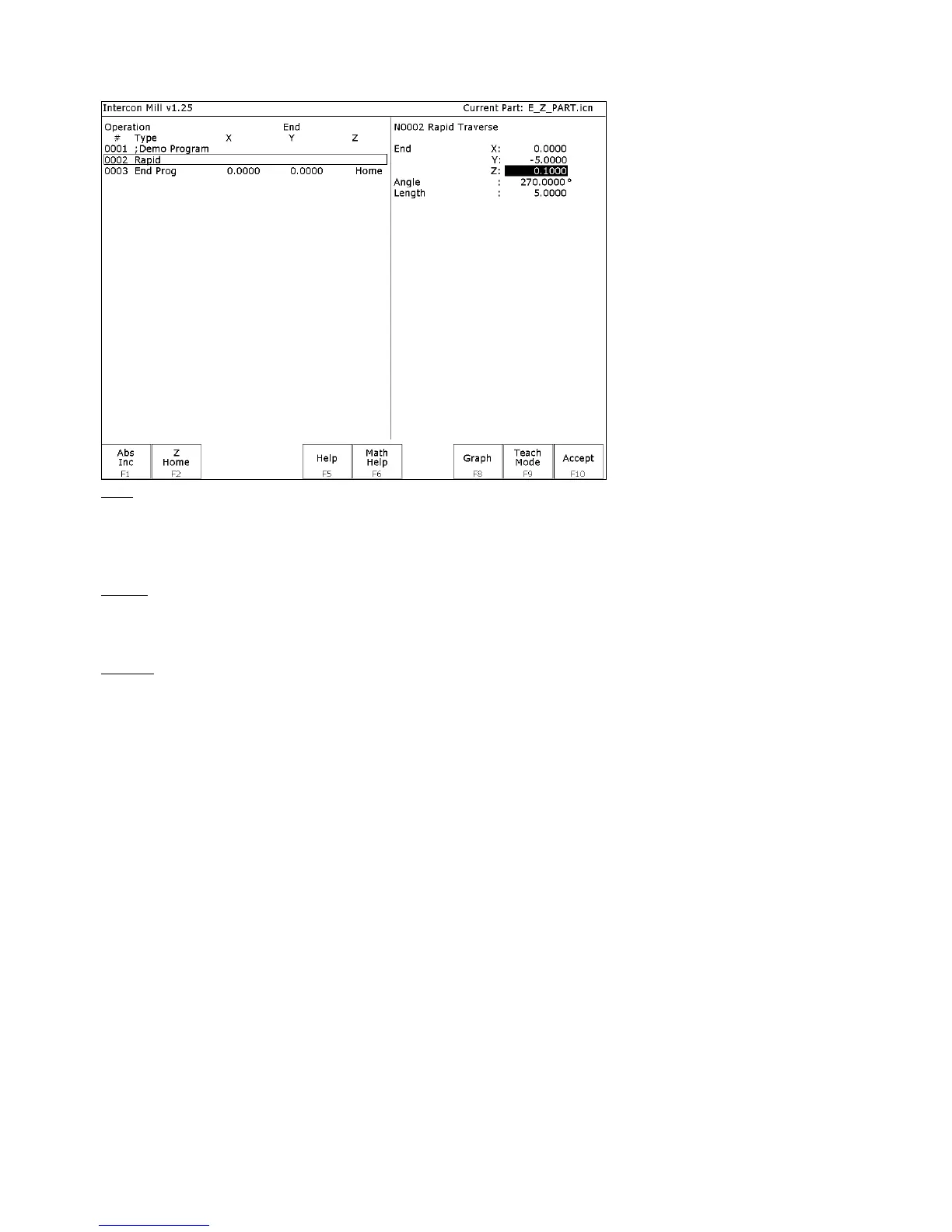
Press F1 - Rapid from the Insert Operation screen to insert a Rapid Traverse. You may see
the following screen:
End: When you first access the rapid traverse screen, the cursor will be highlighting the first field, End X. This is the
X coordinate of where the cutter will be after the rapid traverse has been completed. Similarly, Y and Z represent the
coordinates of the cutter after the rapid traverse is completed. The angle and length fields will be computed if you
choose to enter the end point of the move.
Angle: The destination may also be specified in terms of a counterclockwise angle from the three o'clock position.
When combined with a length for the current move, the corresponding X and Y coordinates for the destination will be
calculated and placed in the correct fields. The Z destination will remain unchanged, however.
Length: The length of the rapid traversal. When combined with the angle of the current move, the corresponding X
and Y coordinates for the destination will be calculated and placed in the correct fields. The Z destination will remain
unchanged, however.
The F1 – Abs/Inc key toggles between incremental and absolute positioning modes in any of the fields where a
positional dimension is needed. For example: X, Y, or Z-axis dimensions can all be in incremental or absolute
coordinates, or a mixture of both. The length and angle fields cannot be incremental. These fields are absolute values.
The F2 - Z Home key may be used on the Z destination field to tie the ending Z coordinate to the Z home position.
This means that no matter what you’re Z home value is at the time that you run your program, the final Z position will
be the Z home position.
When you are finished entering all of the dimensions for the rapid move, press F10 - Accept to accept the operation
and return to the Insert Operation screen.
NOTE: When making rapid moves, if a Z destination higher than the current cutter position is specified, the
cutter will first be raised to the destination Z position, and then move linearly in X and Y to arrive at the
destination. If a Z destination lower than the current cutter position is specified, the cutter will move linearly in
X and Y first and then plunge Z to the destination Z position.
NOTE: The Rapid traverse operation can have rotary fields, if you have a rotary fourth axis. The rotary field
descriptions are the same as that of the Linear Mill operation.



 To Next Page