M-Series Operator’s Manual 4/9/15
Path tag Purpose of path
INTERCON_PATH Main directory containing *.icn files
ICN_POST_PATH Directory INTERCON places *.cnc files created when posting *.icn files.
DIGITIZE_PATH Directory digitize files are saved to. Directory used by F4 key in Load Job menu when
parameter 4 is set to 2.
CAD_PATH Default directory used by the Import DXF file menu in Intercon.
This directory is also used to store CAD files generated with the DIG->CAD option in the
Utility menu.
Machine Configuration
Pressing F2 - Machine from the configuration screen will display the machine configuration screen. The machine
configuration screen provides you with a method of changing machine dependent data.
If you wish to change the Jog or Motor parameters, press F1 - Jog or F2 - Motor to select the Jog or Motor screens.
Use the arrow keys to move the cursor and select the desired field. Type the new value and press ENTER or press the
SPACE bar to toggle. When you are done editing, press F10 - Save to save any changes you have made. If you wish
to discard your changes and restore the previous values, press ESC. Pressing ESC again will return you to the
previous screen (Configuration).
F1 - Jog Parameters
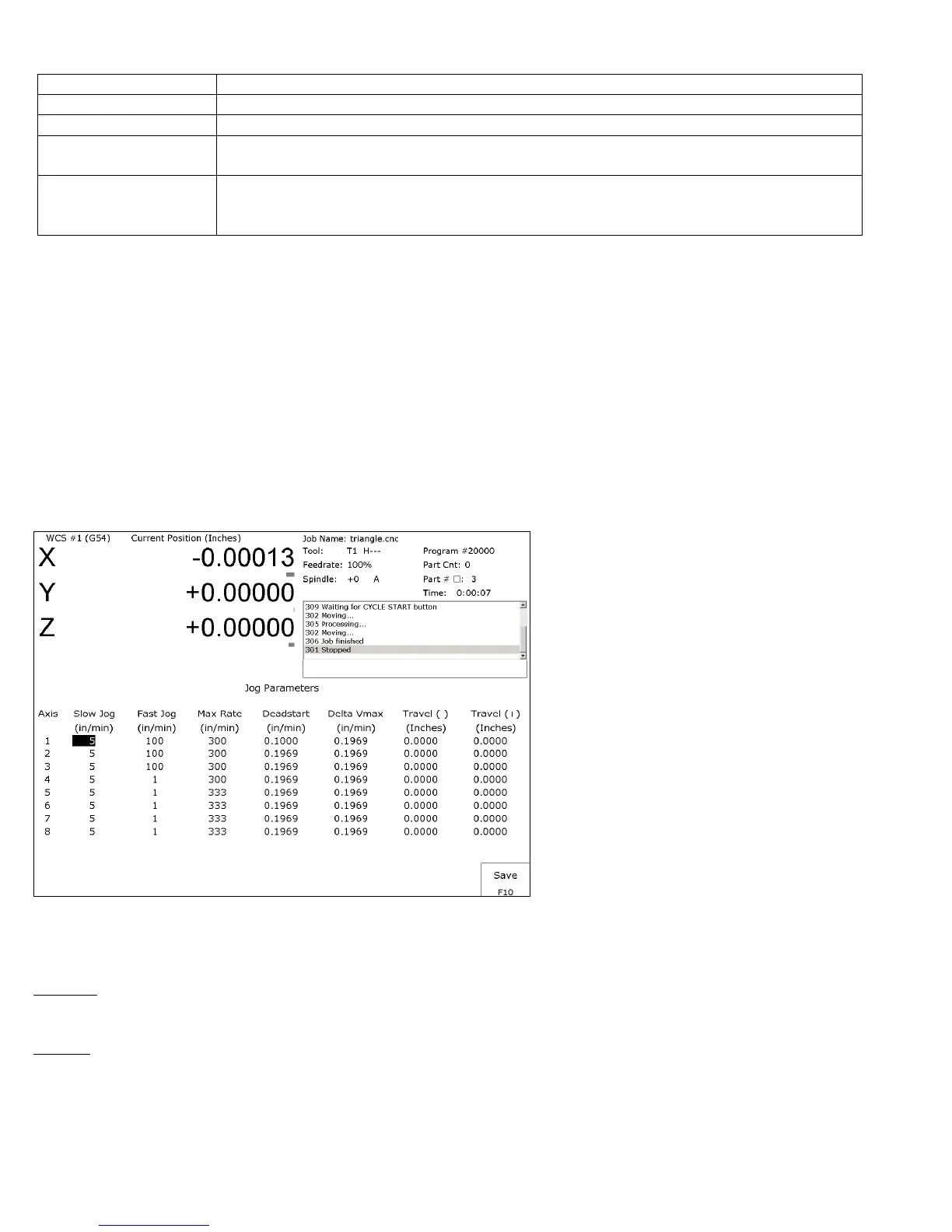
This screen contains jog and feedrate information. See the figure below.
A description of each of these parameters is listed below.
* NOTE: Some of these values are set automatically by the Autotune option (See PID Menu later in this chapter).
Slow Jog: Determines the speed of motion on an axis when slow jog is selected and a jog button is pressed. The slow
jog rate cannot be set to a value greater than the maximum rate.
Fast Jog: Determines the speed of motion on an axis when fast jog is selected and a jog button is pressed. The fast jog
rate cannot be set to a value greater than the maximum rate.



 To Next Page