M-Series Operator’s Manual 4/9/15
Max Rate: Determines the maximum feedrate of each individual axis. The feedrate on each axis can never exceed
Max Rate, even if the feedrate override knob on the front panel is turned up above 100%. (See also the Machine
Parameters section for the "Multi-Axis Max Feedrate" parameter that limits the feedrate along move vectors, not just
each individual axis.)
* NOTE: The maximum rate may be set to a smaller value if you wish to run your machine at a slower rate.
Deadstart: Determines the speed an axis will decelerate to before stopping or reversing direction. A low setting will
cause a large slowdown before a reverse in direction, causing your machine to be more accurate. A high setting will
cause less slowdown before reversals, but this may cause your machine to "bang" which may cause a decrease in
accuracy. This parameter should not be changed.
Delta Vmax: The maximum instantaneous velocity change that will be commanded on a vector transition. This
parameter should not be changed.
Travel (-): The maximum distance the axis can travel in the minus direction from the home position. Set this
parameter to create a software limit that stops the axis before the fixture or tool collides with the limit switches or hard
stops.
Travel (+): The maximum distance the axis can travel in the plus direction from the home position. This parameter is
especially useful when using a part or fixture larger than the table. Set this parameter to create a software limit that
stops the axis before the fixture or part collides with the machine or the limit switch/hard stop.
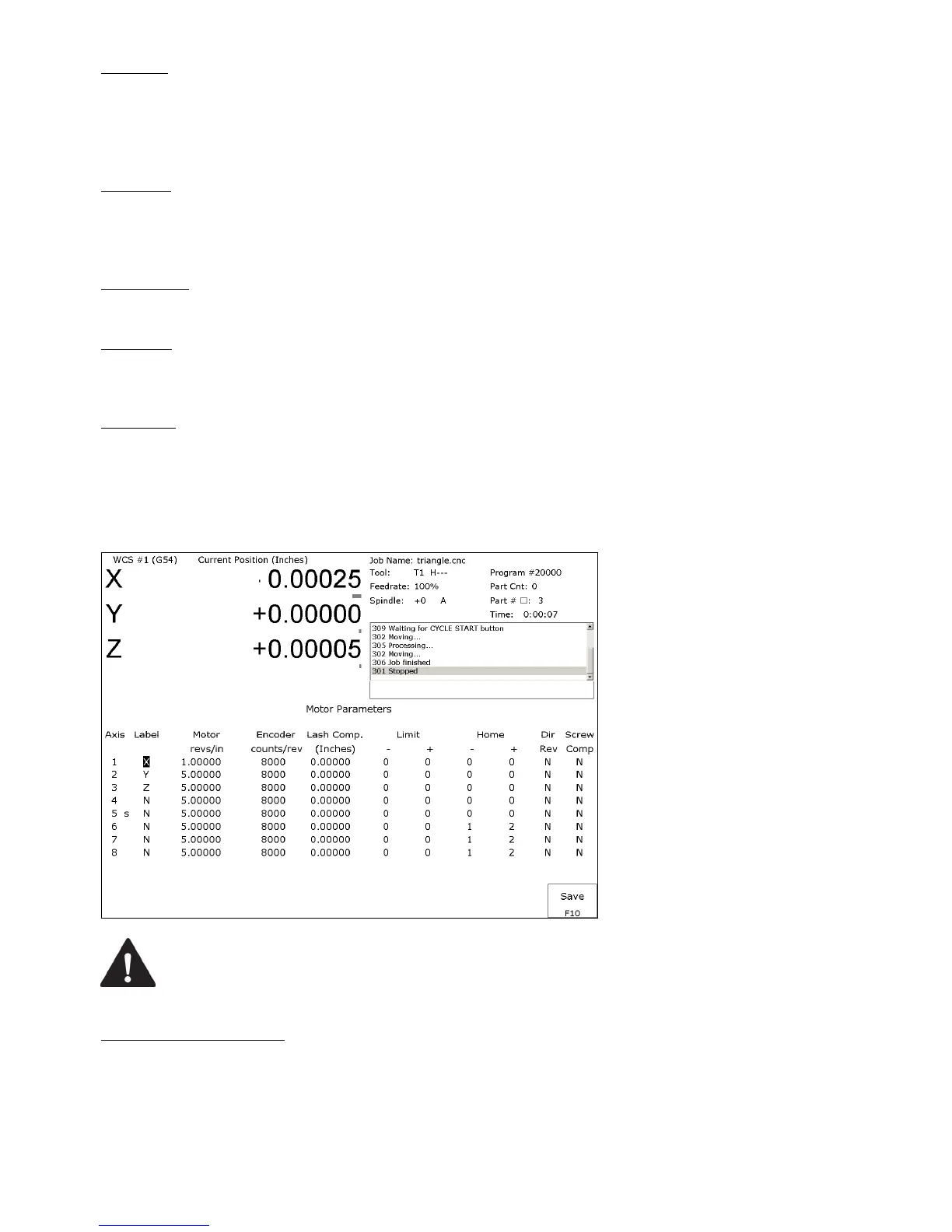
F2 - Motor Parameters
This screen contains information about the motors, ballscrews, and switches installed on your machine. See the figure
below.
WARNING
The Motor Parameters should not be changed without contacting
your dealer. Corrupt or incorrect values could cause damage to the
machine, personal injury, or both.
Special function indicators: These appear, if present, between the axis number and the label. ‘s’ – indicates the axis is
the spindle, ‘p$’ – axis is paired with axis ‘$’, ‘*’ – pairing conflict. See Machine Parameters for more information on
setting up special functions.



 To Next Page