M-Series Operator’s Manual 4/9/15
7-2
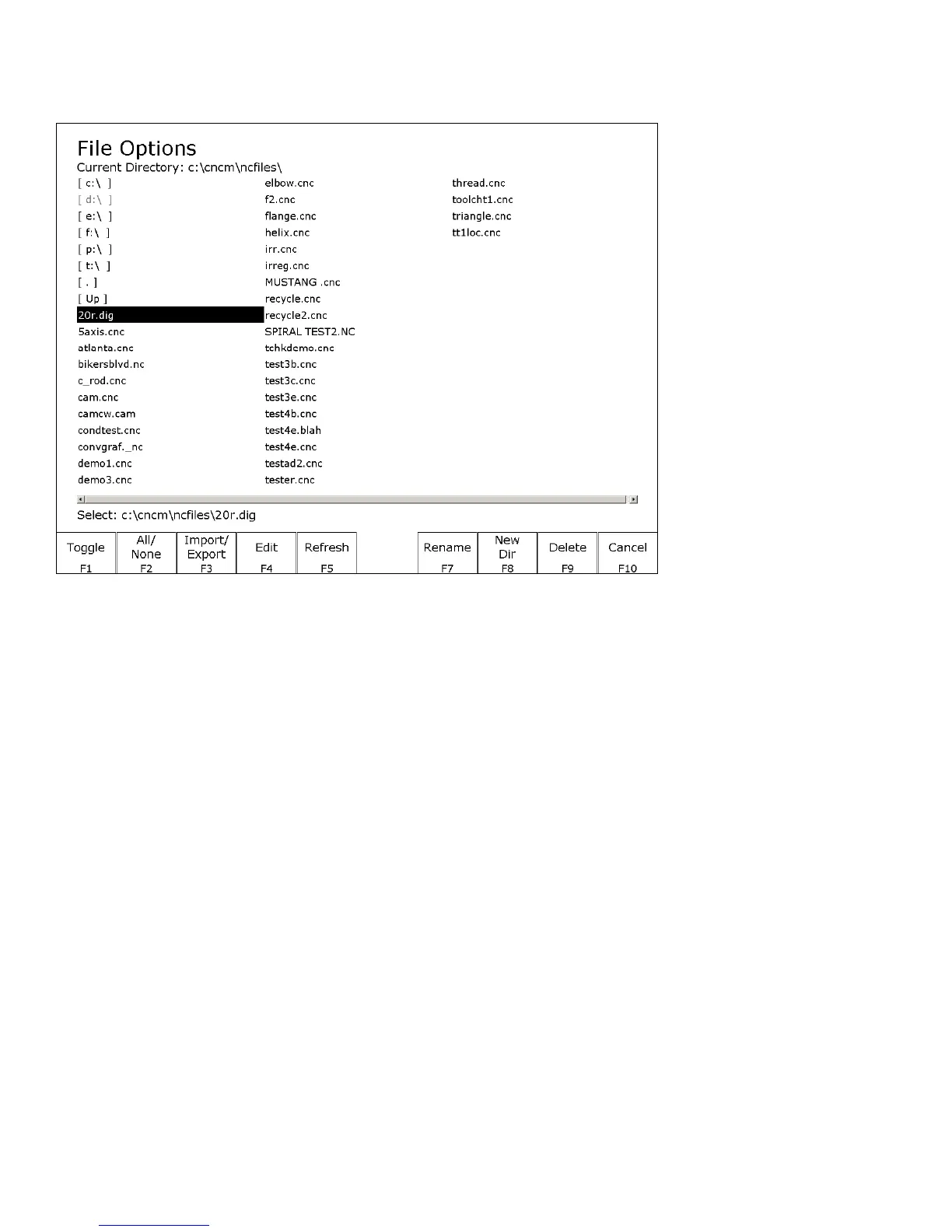
F5 – File Ops Use this menu to perform file and directory operations such as: Importing and Exporting
(copying) files to and from the control, rename or delete files, create or delete directories.
F1 – Toggle
Press once to select or press again to unselect a single file.
F2 – All /None
Press once to select all or press again to unselect all files.
F3 – Import/
Export
Import or Export selected files.
F4 – Edit
Opens selected file in editor.
F5 – Refresh
Refresh file list. Use after inserting a new USB storage device
F7 - Rename
Rename selected file or directory.
F8 - New Dir
Create a new directory in the current folder.
F9 - Delete
Deletes selected file or directory.
Page Up
Move the cursor backward one page.
Page Down
Move the cursor forward one page.
End
Select the last file in the list.
Home
Select the first file in the list.
Arrow Keys
Move the cursor in the selected direction.



 To Next Page