M-Series Operator’s Manual
4/9/15
3-1
Chapter 3
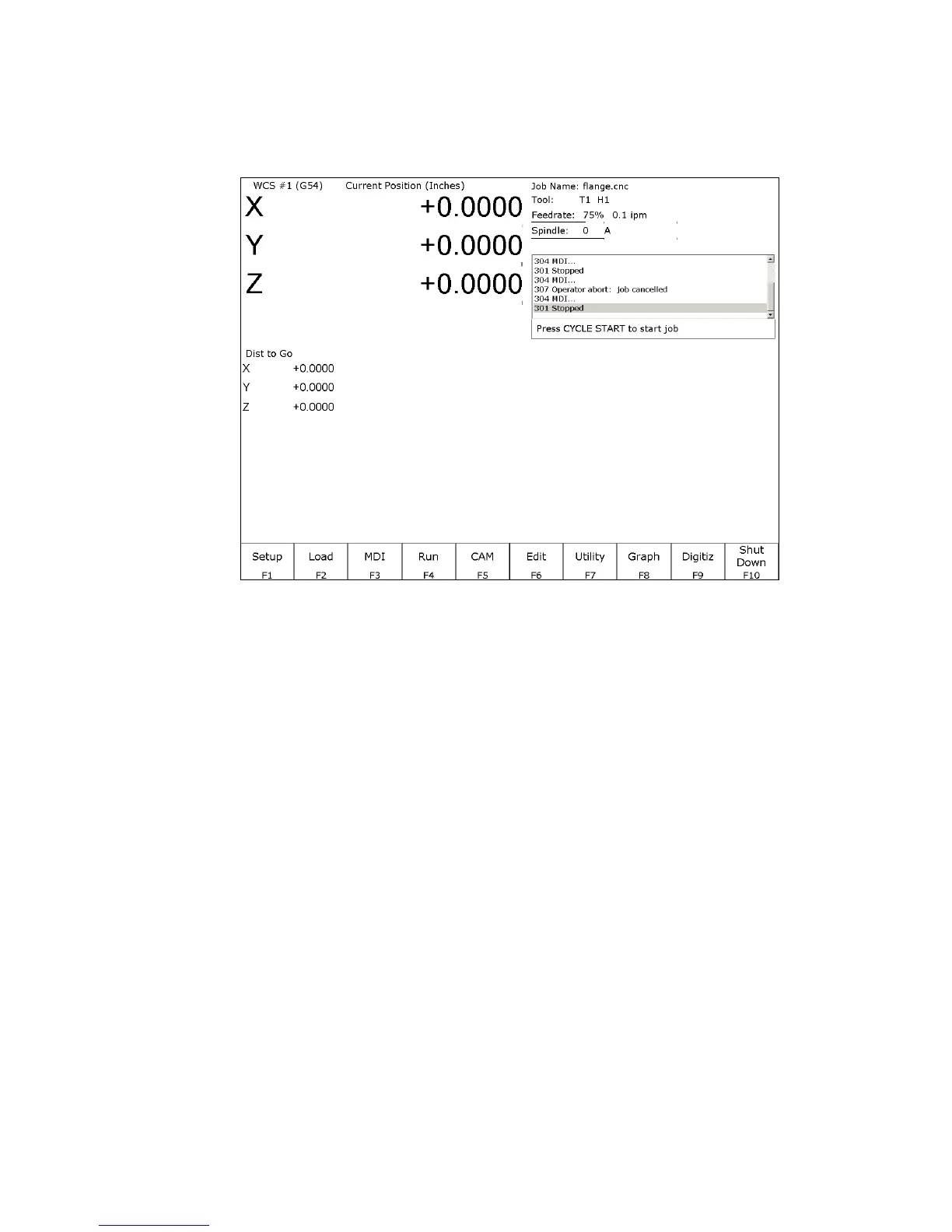
CNC Software Main Screen
Menu Options:
F1 – Setup Used to set part zeroes, set or change tool offsets, and change the control configuration.
F2 – Load Use this menu to load a job
F3 – MDI The MDI menu allows you to a single line command such as: G1 X2 Y3 F20
F4 – Run Use the Run menu to search and run a job from a specific line, resume a job after it has
been canceled or to change the way a job runs.
F5 – CAM Use the CAM menu to program parts.
F6 – Edit Brings up a G-code (text) editor that allows you to edit the currently loaded job.
F7 – Utility View available software options, backup part and configuration files, create new
directories, and import/export files to and from external locations.
F8 – Graph Graphs the toolpath of the currently loaded part program.
F9 – Digitize Displayed only if the Digitizing option has been purchased. Used to Digitize (reverse
engineer) parts.
F10 – Shut down Power off control. Shutting down your machine without using this menu may damage
your control.



 To Next Page