M-Series Operator’s Manual
4/9/15
3-2
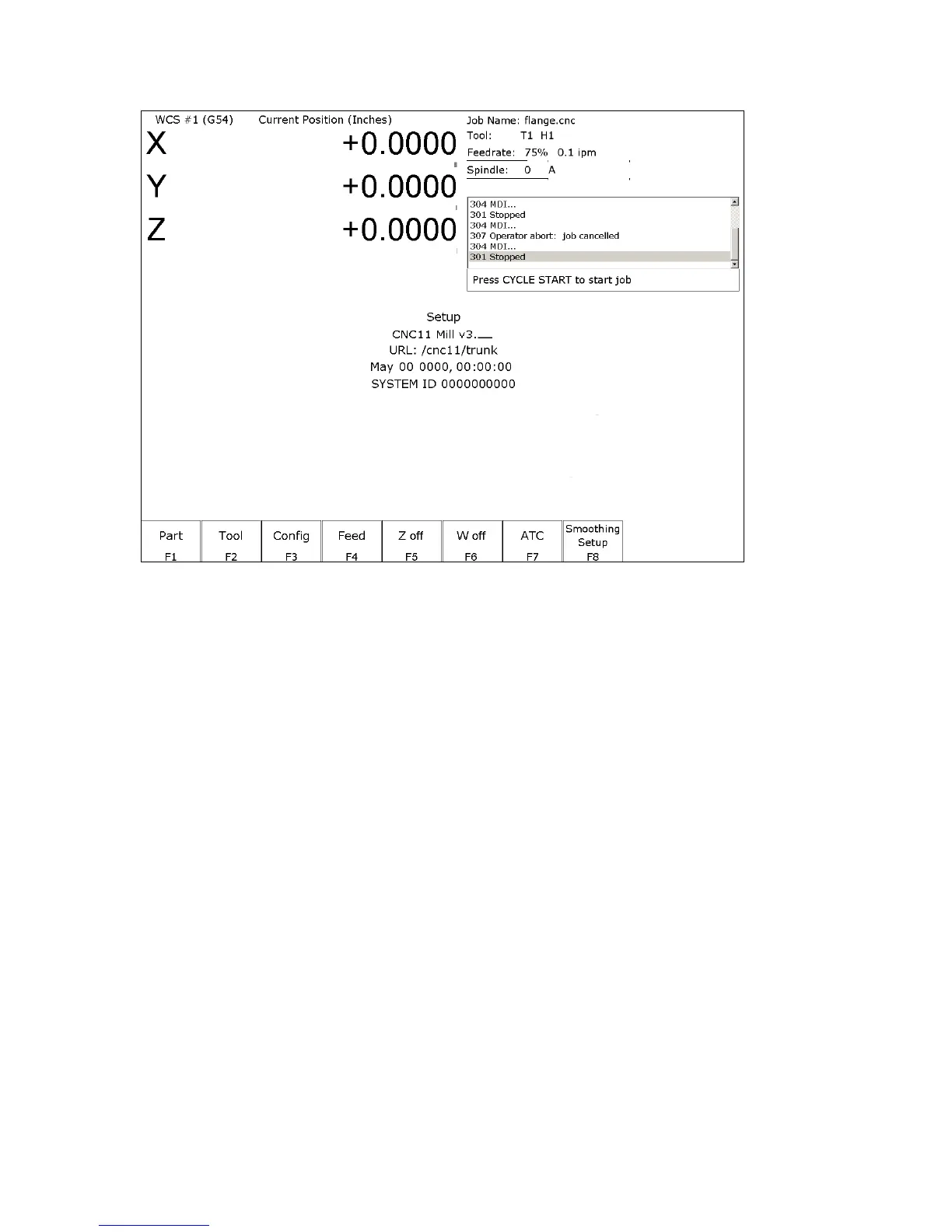
F1- Setup Menu
Setup Menu:
F1 – Part This key displays the Part Setup menus that are explained in Chapter 4.
F2 – Tool This key displays the Tool Setup menus that are explained in Chapter 5.
F3 – Config This key displays the Configuration menu that is explained in Chapter 14.
F4 – Feed This key displays the Feed menu that is discussed in Chapter 6.
F5 – 3
rd
Axis Toggle This key will only be displayed if machine parameter 130 is set. See Chapter 14
for configuration options.
F6 – 4th Axis Toggle This key will only be displayed if machine parameter 131 is set. See Chapter 14
for configuration options.
F7 – ATC This key will only be displayed if machine parameter 6 is set to 1.0. It has the
same effect as the F7 - ATC key in the Tool menus. It will prompt you for a tool
number and then perform the actions required for an automatic tool change cycle.
F8 – Smoothing Setup This gives you acces to the Smoothing Setup Menu which provides a simplified
way of choosing parameters for the Smoothing module. See Chapter 14 under
“Smoothing Setup Menu”.



 To Next Page