M-Series Operator’s Manual 4/9/15
9-2
3. If you want this probed surface to be something different than 0, enter the value by the using arrow keys to
highlight Part Position, and then type in the value and press F10 - Set.
Repeat steps 1-3 to set the remaining axes using the probe. Any previously entered Edge Finder Diameter or Tool
Number value will be discarded.
Finding Center/Corner Points
To enter the Probing Cycles screen, press F5 - Probe from the Set Part 0/Position screen. You can locate the center
of a bore, boss, slot, or web. You can also find an inside corner, outside corner, or a single axis. The corner points
don’t even have to be right angles! The Edge Finder Diameter doesn’t need to be entered since these cycles place
the probe directly over the center or corner of the part.
Calibrating the Probe Tip Diameter
You can calibrate the probe tip diameter to compensate for pre-travel (the amount that the probe deflects before it
actually trips). Simply enter a probe tip diameter of zero, probe out a precision bore with a known diameter, and
enter the difference between the reported bore diameter and the found bore diameter as the actual probe tip
diameter.
Probing Cycles
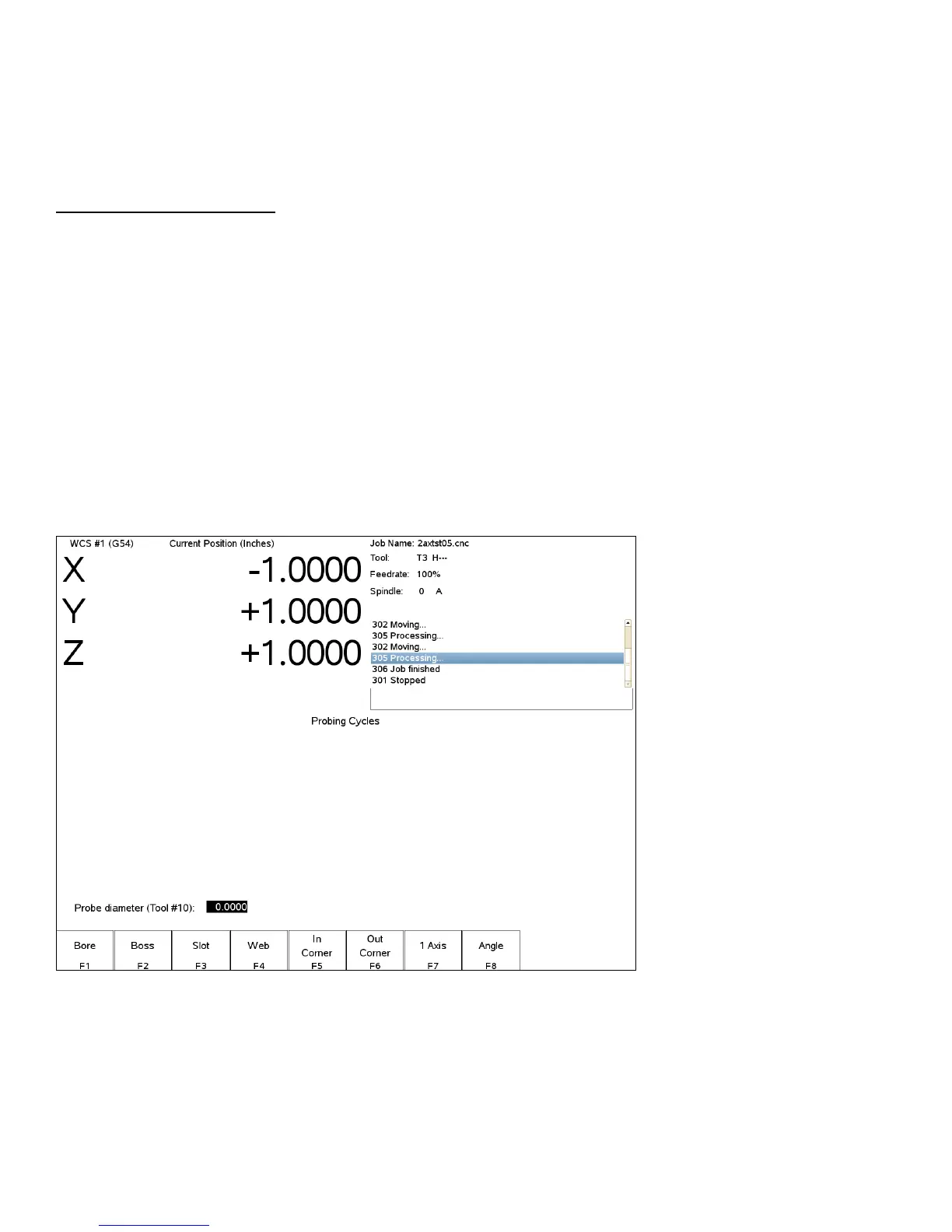
You can enter the Probing Cycles screen from either the Set Part 0/Position screen (F5 - Probe) or the Digitize
menu (F4 - Probe). The Probing Cycles screen is shown below:
The probing cycles will report the location and dimensions, as applicable, of the probed feature in a floating dialog
box. The dimensions are adjusted to compensate for the probe tip diameter, entered in the Offset Library (see
Parameter 12). For your convenience, you can edit the probe diameter on this screen, as long as the Tool Number,
as set in Parameter 12, is not 0. During the probing cycles, the probe will move at speeds specified in Parameters
14 and 15. Refer to the Probe Parameters section later in this chapter for more information.



 To Next Page