M-Series Operator’s Manual 4/9/2015 10-17
Clearance Height: This parameter specifies the Z-axis height used when performing rapid moves to the position of
each hole being drilled.
'Rapid To' Depth: The depth to which the cutter rapid moves before beginning to drill the hole at the specified Plunge
Rate. This is below the Clearance Height but above the Surface Height.
Depth: Total: Depth of hole (incremental) as measured from Surface Height.
Plunge Rate: Z-axis speed of descent during drilling.
The plunge rate can be toggled to modal, fixed or slave, this is indicated by the symbol beside the plunge rate field. If
the plunge rate is modal then it will have the “M” symbol or if it is fixed it will have the “F” symbol. The slave plunge
rate has no symbol and is set to the last modal plunge rate set in the program, when the modal plunge rate changes all
the following slave plunge rates change until the next modal plunge rate is encountered.
Dwell Time: Delay at bottom of hole before starting ascent.
Drilling provides a rapid to the hole position at the Clearance Height, followed by a rapid Z down to the 'Rapid To'
Depth. Next is a feedrate down to the specified depth. If a Spot facing cycle is desired, enter a value in the dwell time
field and the cutter will wait the desired amount of time before performing a rapid move up to the Clearance Height.
Chip Breaking (F1 in the Canned Cycle Menu: option #2)
If you press F1 - Drill from the Canned Cycle Menu you will gain access to three types of drilling operations:
Drilling, Chip Breaking, and Deep Hole drilling. The current drilling operation in use is reflected in the field Cycle
Type, and pressing F3 - Toggle or SPACE toggles between all three. In this section we will examine the second
option: Chip Breaking.
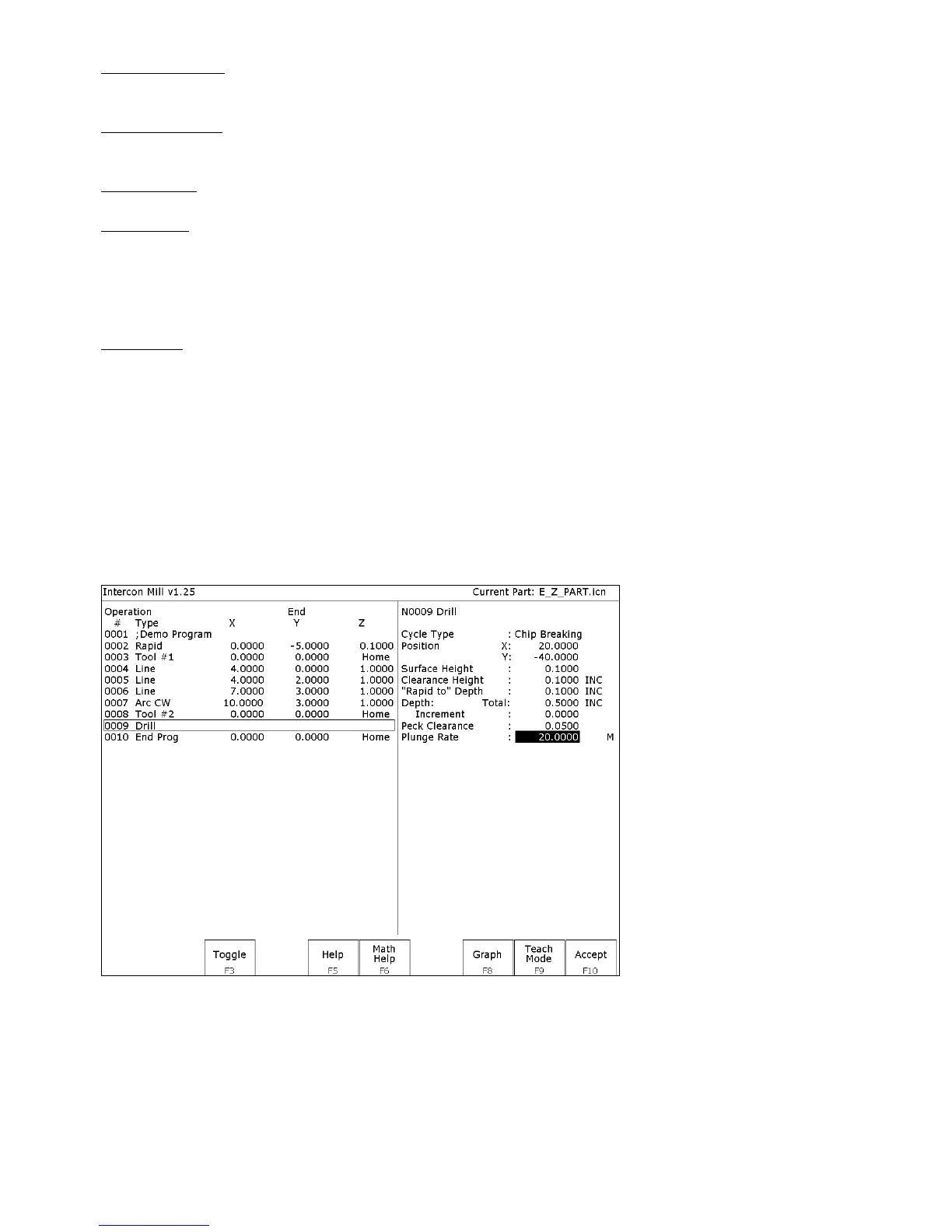
The numbers in the fields on the screen correspond to the following example, shown here graphically:



 To Next Page