M-Series Operator’s Manual 4/9/2015 10-18
Where:
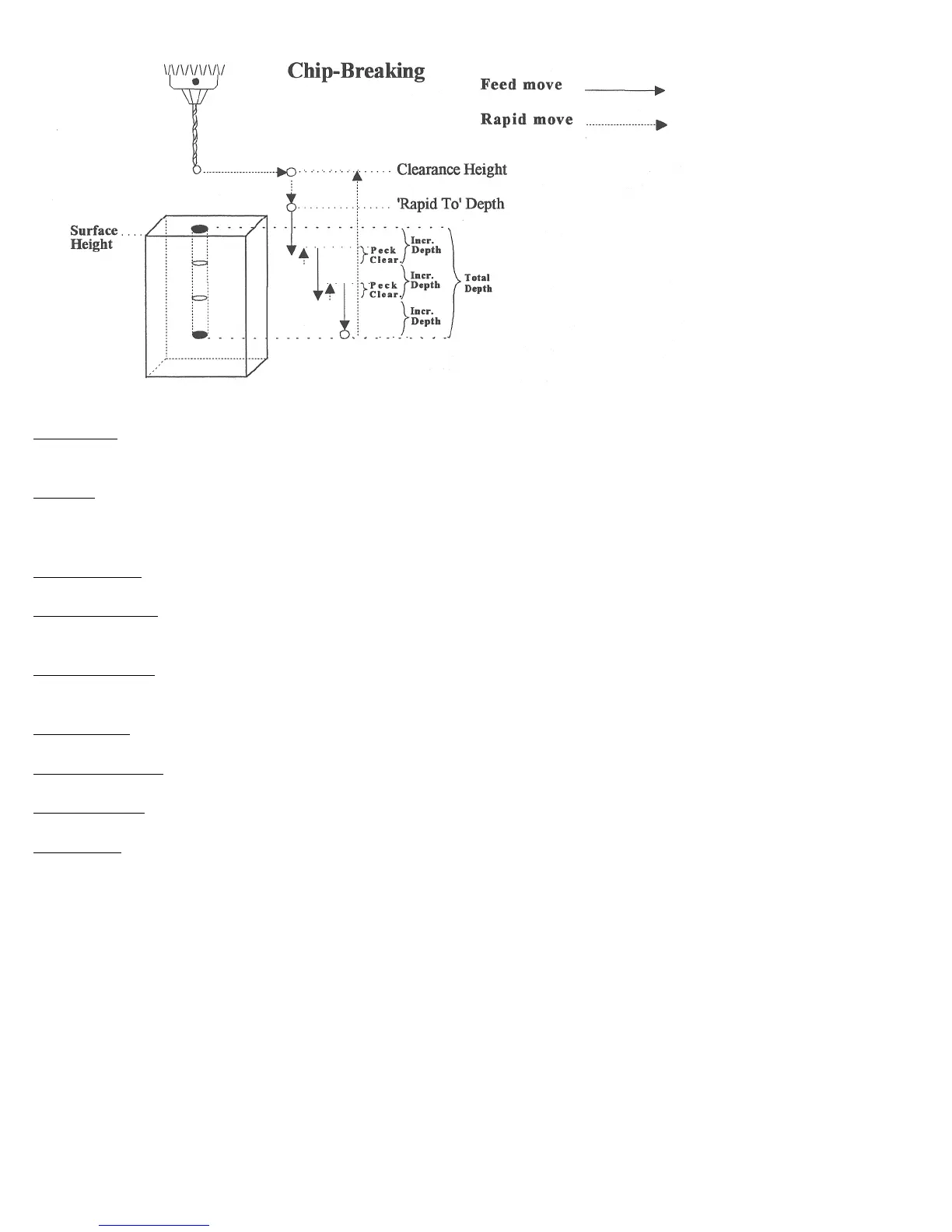
Cycle Type: Selects one of three drilling operations: Drilling, Chip Breaking, or Deep Hole drilling. Press F3 -
Toggle or SPACE to toggle between the three choices.
Position: Specifies the X and Y coordinates where the drilling will take place. If either the X or Y coordinate is an
incremental value, you will have the option to drill multiple holes in a linear pattern (See Canned Cycle Introduction
#2).
Surface Height: Absolute Z-axis position from where each incremental depth is measured.
Clearance Height: This parameter specifies the Z-axis height used when performing rapid moves to the position of
each hole being drilled.
'Rapid To' Depth: The depth to which the cutter rapid moves before beginning to drill the hole at the specified Plunge
Rate. This is below the Clearance Height but above the Surface Height.
Depth: Total: Depth of hole (incremental) as measured from Surface Height.
Depth: Increment: Depth of each individual peck.
Peck Clearance: Distance the tool retracts before drilling the next peck.
Plunge Rate: Z-axis speed of descent during drilling.
The plunge rate can be toggled to modal, fixed or slave, this is indicated by the symbol beside the plunge rate field. If
the plunge rate is modal then it will have the “M” symbol or if it is fixed it will have the “F” symbol. The slave plunge
rate has no symbol and is set to the last modal plunge rate set in the program, when the modal plunge rate changes all
the following slave plunge rates change until the next modal plunge rate is encountered.



 To Next Page