M-Series Operator’s Manual 4/9/15
8-13
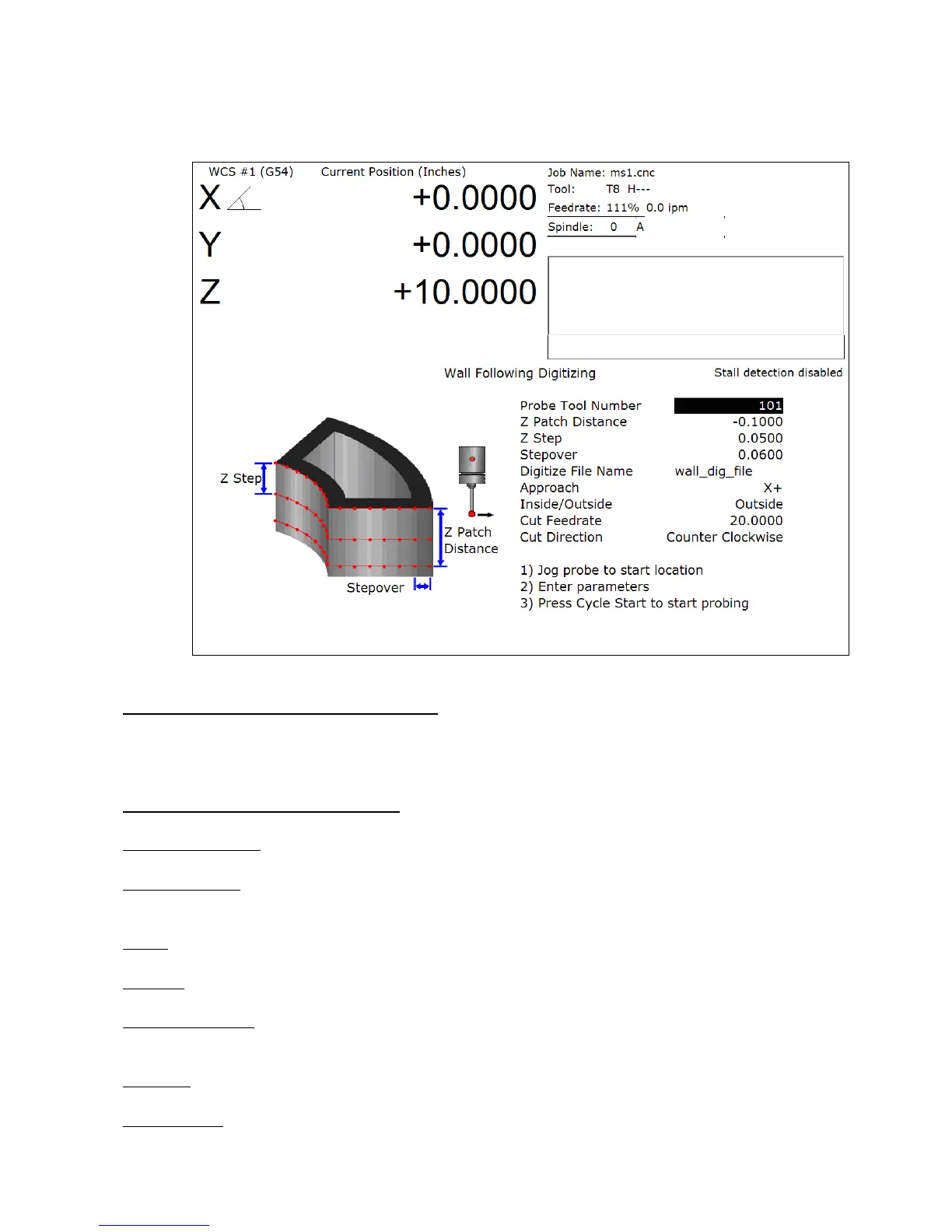
Wall Following Digitizing
(F8 from Digitize Menu)
Setting up a Wall Following Digitizing Run
To set up a digitize run, edit the parameters shown. Jog the probe tip to the XY starting location (inside or outside
of the part to be digitized), and then jog Z to the level of the first digitize pass. Press CYCLE START to start the
digitize run.
Wall Following Digitizing Parameters
Probe Tool Number: The tool number of the probe.
Z Patch Distance: The total Z distance to digitize, incremental from the first pass. Entering a negative value will
cause the routine to step down in the Z. Entering a positive value will cause the routine to step up in the Z.
Z Step: The Z amount to step down per pass.
Stepover: The distance between the digitized points.
Digitize File Name: The base name of the output file in which the digitize data is stored. An extension of .dig will
automatically be appended to the name for replay as a CNC job.
Approach: The direction of the first digitizing move.
Inside/Outside: Starting location of the probe; inside the part or outside.



 To Next Page