M-Series Operator’s Manual 4/9/15 2-6
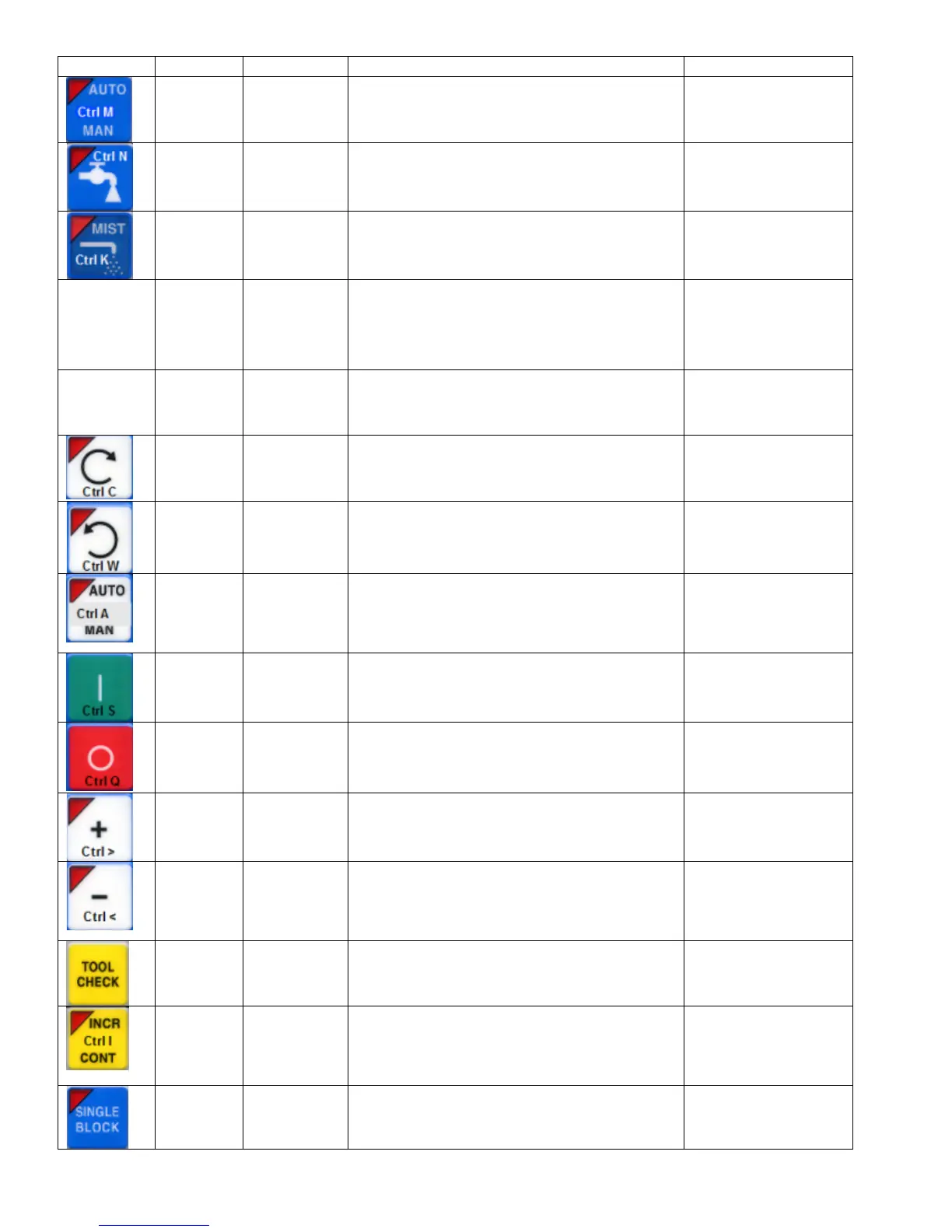
Legend Key(s) Function Description Availability (Notes)
Ctrl M Toggle Auto
Coolant
Toggles coolant mode between auto and
manual.
Always, with few
exceptions.
Ctrl N Turns on/off
Flood
Toggles Flood coolant if in manual mode Always, with few
exceptions.
Ctrl K Turns on/off
Mist
Toggles Mist coolant if in manual mode Always, with few
exceptions.
Feedrate
Override
+
Ctrl +
Increase
feedrate
override
Increase feed rate override by 1% while held. Jog panel, job run,
graphing, and some
other times
Feedrate
Override
-
Ctrl -
Decrease
feedrate
override
Decrease feed rate override by 1% while held. Jog panel, job run,
graphing, and some
other times.
Ctrl C Selects CW
Spin
Selects CW Spin dir in man mode Always, with few
exceptions.
Ctrl W Selects CW
Spin
Selects CCW Spin dir in man mode Always, with few
exceptions.
Ctrl A
Toggle
Spindle
Auto/
Manual
Toggles between automatic and manual
spindle operation.
Always, with few
exceptions.
Ctrl S Spin Start Starts spindle in selected direction if in
manual mode
Always, with few
exceptions.
Ctrl Q
Spin Stop STOPS spindle regardless of auto or manual
mode.
Always, with few
exceptions.
Ctrl > Spindle
Override
+1%
Increase the spindle override by 1% while
held.
Always, with few
exceptions.
Ctrl < Spindle
Override -
1%
Decrease the spindle override by 1% while
held.
Always, with few
exceptions.
Ctrl T
Tool Check
Performs a tool check.
Always, with few
exceptions.
Ctrl I Incremental/
Continuous
Jog
Selection
Toggles incremental or continuous jog mode.
Available most times
that jogging is
available.
Ctrl B Selects
Single
Block Mode
Selects single block mode Always, with few
exceptions.



 To Next Page