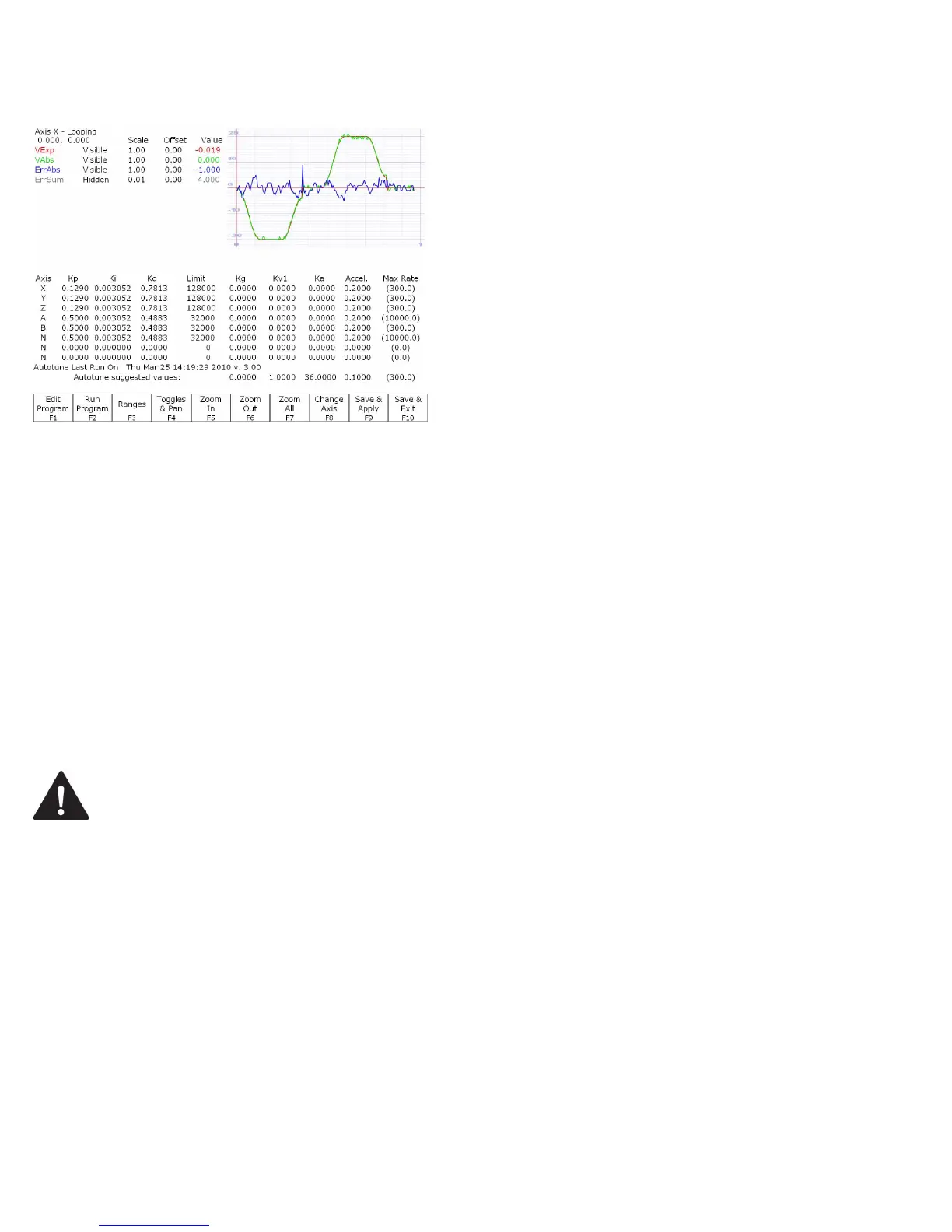
M-Series Operator’s Manual 4/9/15
F1 – Edit Program
Change the program that will run
when F2 is pressed
F2 – Run Program
Causes the machine to run a
simple test program, while
collecting data
F3 – Ranges
Can be used to specify the X and
Y ranges for the Oscilloscope
view
F4 – Toggles & Pan
Allows changes to how the
collected data is displayed, and
panning via the cursor keys
F5 – Zoom In
Zooms in
F6 – Zoom Out
Zooms out
F7 – Zoom All
Fits all of the collected data into
the Oscilloscope view
F8 – Change Axis
Tells the MPU11 to collect data
for a different axis (displayed in
the top left)
F9 – Save & Apply
Saves any modifications
F10 – Save & Exit
Saves any modifications and exits
the Oscilloscope menu
Page Up – Tweak +
Allows small modifications (+1%)
to the PID values while the
program is running. Hold shift for
a larger (+10%) modification.
Page Down – Tweak -
Allows small modifications (-1%)
to the PID values while the
program is running. Hold shift for
a larger (-10%) modification.
WARNING
Improper PID values can ruin the machine, cause personal injury, and/or destroy
the motor drives!!!
F5 - Tune
This option is available only for Torque mode and Precision mode drives. See Parameter 256 earlier in this chapter for
more information about Drive modes.
If the drives are in Torque mode, pressing this key will start the Autotune procedure. It is used by qualified technicians
to automatically determine values for Max Rate, Accel/decel time, and Deadstart (See section Motor Configuration:
Jog Parameters) as well as certain PID parameters for each installed axis. The Autotune procedure will make a series
of moves on each non-paired controlled axis, traveling a limited distance (configured via parameters 95-98 and 156-
159) from the initial position in all directions to determine the friction and gravity of each axis. The initial high-speed
move will use half of this distance. You cannot run Autotune on paired axes. Do not run Autotune unless requested to
do so by a qualified technician.



 To Next Page