M-Series Operator’s Manual 4/9/15
5-9
Tool Life Management – Effect on Job Run and Backplot
At Start of Job
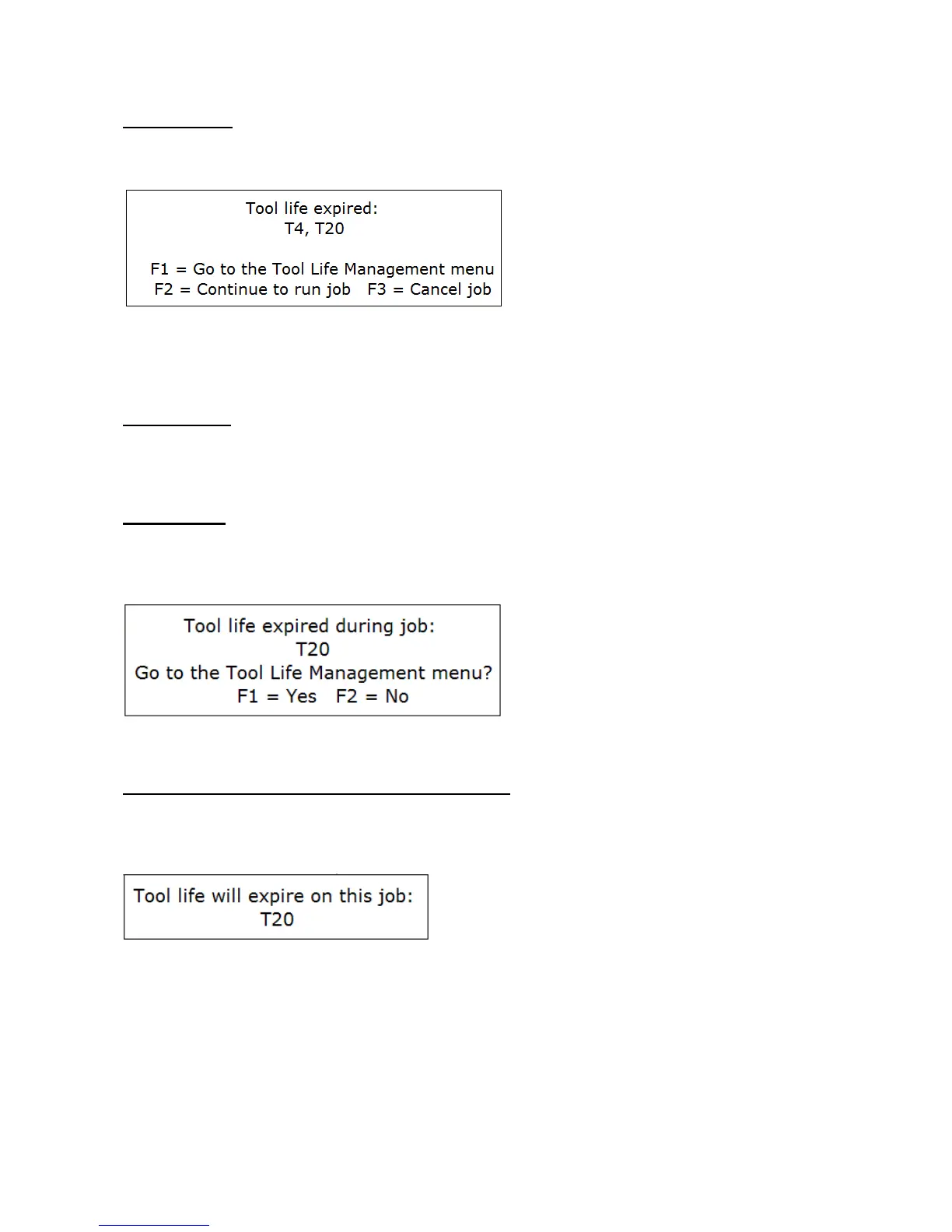
Tool life expirarations will be checked at the beginning of a job run. If any managed tools are expired at the
beginning of a job, the following dialog will show up and you will have one of 3 choices to make:
When a job is first started, the CNC software will not yet know which tools are going to be used in the job until the
job is successfully completed. Therefore, the tools listed here will be the list of all expired tools even if they are not
going to be used in the job.
At Job Restart
Tool life expirations are also checked upon job restart (i.e. upon encountering M2 or M102). If any tool(s) expired
during the previous job run (previous to the M2 or M102), then the dialog that is displayed is similar to that shown
above except that the expired tools listed will only be the ones that were used in the job.
At End of Job
When tool life expires during a job, such an event will not cancel the job. Instead, upon successful end of the job
the following dialog will be displayed and you will have an opportunity to quickly get to the Tool Life Management
menu:
This end-of-job dialogue will show only the expired tools that were used in the job.
Using Backplot Graphics to Predict Tool Expirations
You can use Backplot Graphics as a way to predict ahead of time whether or not one or more tools will expire
during a job. Simply press F8 Graph at the Main Screen or in the Load menu. If the job being graphed will result
in an expired tool if it was actually run, then the following message will show up:



 To Next Page