M-Series Operator’s Manual 4/9/15
8-9
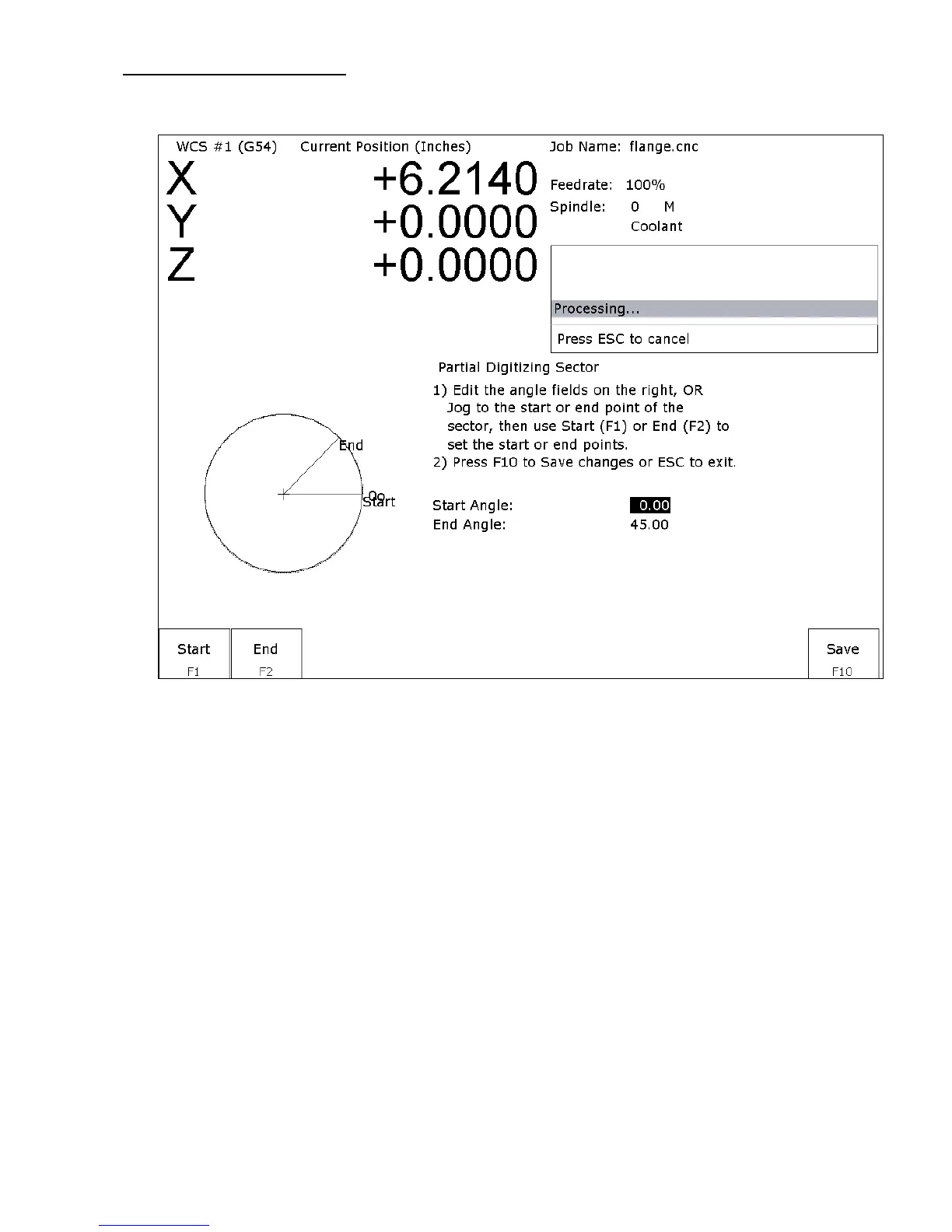
Partial Digitizing Sector Setup
If you set the Radial Digitize Containment Angle to “Partial” then you must set up the Digitizing Setup by pressing
F2 - Partial from the CNC software Radial Digitize Screen.
The partial sector can be setup one of two methods:
One method is by editing the start and end angles directly. The start angle is referenced from zero degrees and
defines the beginning of the digitizing sector. The end angle is referenced from zero degrees and defines the end of
the digitizing sector.
The second method involves jogging the probe tip and touching off the digitize surface. By moving the probe tip to
positions on the digitizing surface, one can set the angles. To set the start angle, jog the probe tip to the position on
the digitizing surface where the digitizing is to begin and press F1 - Start to define this as the start angle. * Notice
that the picture of the sector and the start angle's value change to reflect these settings. To define the end angle,
follow the procedure above but press F2 - End instead to set the end angle.
Regardless of the method used to define the start and end angles, pressing F10 - Save saves the angles and exits
back to the radial digitize menu. Pressing ESC will return to the radial digitize menu without making changes to
the start and end angles.



 To Next Page