EasyManua.ls Logo

Contax TVS DIGITAL - Focus Lock Photography

Contax TVS DIGITAL
109 pages
Print Icon
To Next Page IconTo Next Page
To Previous Page IconTo Previous Page
Loading...
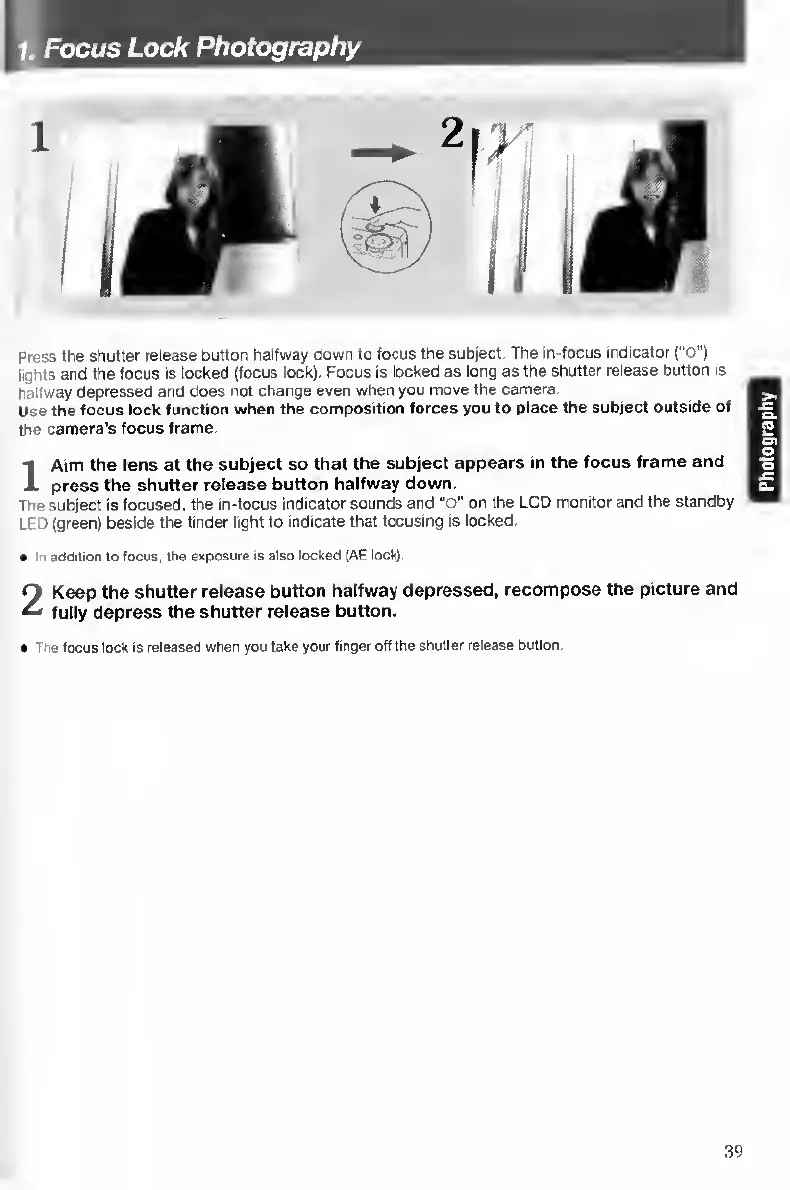
Press
the
shutter
release
button
halfway
down
to
focus
the
subject.
The
in-focus
indicator
(“O")
lights
and
the
focus
is
locked
(focus
lock).
Focus
is
fecked
as
long
as
the
shutter
release
button
is
hallway
depressed
and
does
not
change
even
when
you
move
the
camera.
Use
the
focus
lock
function
when
the
composition
forces
you
to
place
the
subject
outside
of
the
camera’s
focus
frame.
I
A
im
the
lens
at
the
subject
so
that
the
subject
appears
in
the
focus
frame
and
press
the
shutter
release
button
halfway
down.
The
subject
is
focused,
the
in-focus
indicator
sounds
and
"o"
on
the
LCD
monitor
and
the
standby
LED
(green)
beside
the
finder
light
to
indicate
that
focusing
is
locked.
In
addition
to
focus,
the
exposure
is
also
locked
(AE
lock).
2
Keep
the
shutter
release
button
halfway
depressed,
recompose
the
picture
and
fully
depress
the
shutter
release
button.
The
locus
lock
Is
released
when
you
take
your
finger
off
the
shutter
release
button.
39
Photography

Table of Contents

Other manuals for Contax TVS DIGITAL

Related product manuals