EasyManua.ls Logo

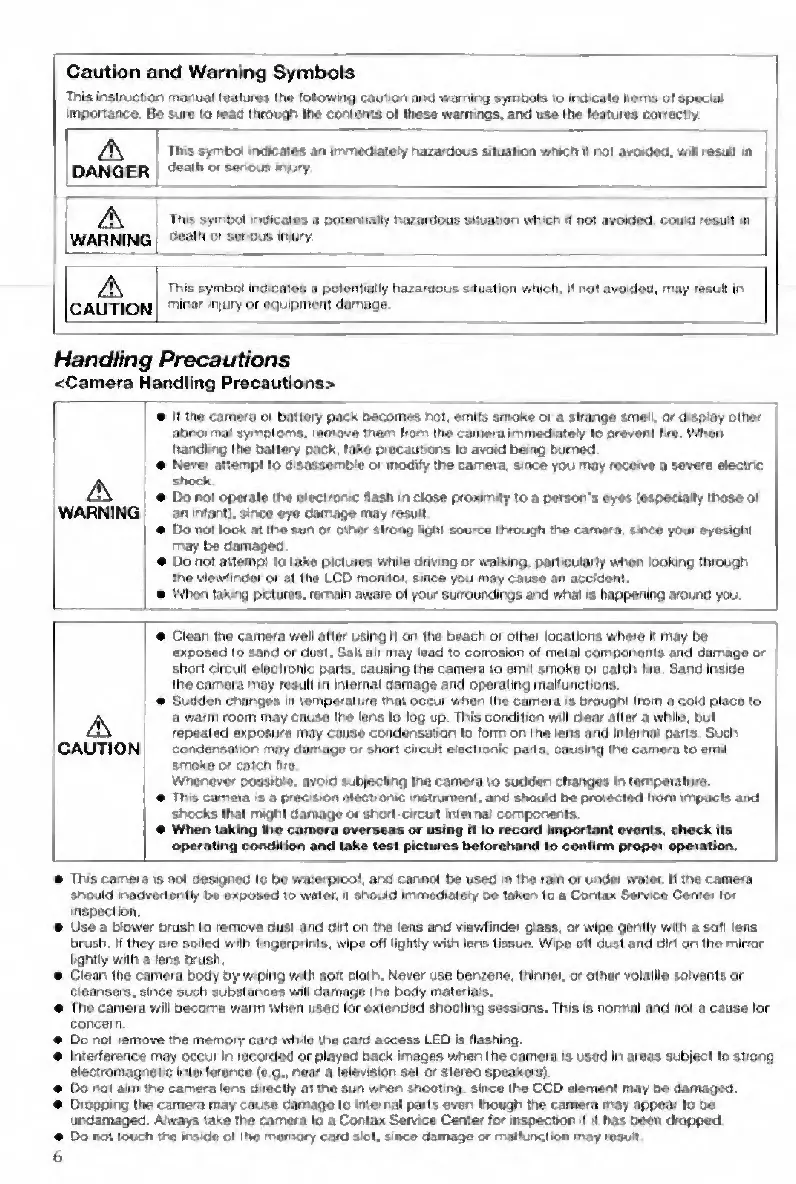
Contax TVS DIGITAL - Handling Precautions; Camera Handling Precautions

Contax TVS DIGITAL
109 pages
Print Icon
To Next Page IconTo Next Page
To Previous Page IconTo Previous Page
Loading...
Caution
and
Warning
Symbois
This
msiructiori
manual
leulurvs
the
following
caul
on
and
warning
symbols
to
irtd
calo
nerns
of
special
importartco.
Do
sore
u
read
through
Iho
coniorKS
ol
Itiese
warn
ngs.
and
use
the
leatuiea
correctry.
'
A
OANGEF
'
This
symbol
ihdieates
art
tmmedatefy
haaardocs
siiuaiiori
wmeh
if
rtoi
avoxled.
wil
resiSi
in
death
or
seriods
mjury
A
WARNINC
This
symbol
mwcalos
4
potaciiiaiiy
huHordbus
siluation
Mtuch
<
not
avotded.
coud
result
oi
«
rtcalhotswidosirtigry
,
^
CAUTIOr
This
symbol
indiCBIos
n
polenlially
hozaroous
sluation
which,
it
not
avoided,
may
leauK
irt
1
rnlrior
miury
or
nquipiiient
damage
1
_
__
_
1
Handling
Precautions
<Cam«ra
Handling
Precautionsb
A
WARNING
If
the
camoru
or
battery
pacs
becomes
not,
emits
arrvake
or
a
strange
smeil.
or
dsptoy
other
oOrorrtiai
symptoms,
remove
them
Irorvt
(he
cairrera
immedatefy
lo
oreveni
lire
Wl-eci
hdndtng
the
ballerv
Kick,
tnho
pracairtions
lo
avotd
being
burned
Never
attempt
lo
d
sossrymbiu
or
modify
the
camera,
s-ctee
you
may
receive
D
severe
etectnc
shock
Do
not
opcrale
the
atecirorvc
flash
in
cioae
proumiiy
to
a
person's
eyes
[esoeeraiiy
those
ot
an
intani;,
erne*
eye
damage
may
'esud
Do
not
look
at
the
suri
O'
etnei
strong
hglil
sou-ce
through
the
camara
sovce
youi
oyesighl
rrvay
be
damaged
a
Do
not
allnmp!
lo
lake
picluios
white
onv
ng
or
walking.
por1>CLrlarly
wlHin
looking
through
I’ve
view'iriiMr
or
at
Ilia
LCD
mohiioi
since
you
may
cause
an
accident.
a
VVI><>n
lakmg
piuluras.
remain
awive
ot
your
surroundings
and
vihat
is
happening
around
you
A
CAUTION
«
Clear
trie
camera
well
atler
uBir>g
it
on
the
beach
or
other
locations
where
it
may
be
|
exposed
to
sand
or
dust.
Salt
a>t
may
lead
to
cotroalon
at
metal
comnonents
and
damage
or
short
circuit
elec
Ironic
parts,
causing
the
camera
lo
em
1
smoku
or
calct>
Lie
Sand
Insioe
the
camera
moy
result
m
Iriiernai
namageand
operating
malfuriciibris.
Sudden
changes
m
lemperaii.m
that
occur
when
itie
camera
is
brought
irom
n
col<l
place
to
u
warm
room
may
cause
the
lens
to
log
up
This
condition
will
clear
altar
a
while,
but
repeated
exposure
may
cause
condensation
to
forrr
or
the
lem
and
intermii
parts
Such
condansafior
moy
dun'ago
or
short
circuit
eiBCtronic
parts
causing
the
camera
to
eirul
smoke
O’
caicti
flre
Whenever
pvssitke.
avoid
lubyecimg
Ine
camera
to
sudden
chartges
m
lemparaltue
Th'S
camera
s
a
prec
siOA
atect’onic
I'lstruritBnt.
and
should
be
proteciecl
’tom
impucis
and
shocks
lh.ll
rmghl
a.im.igeoi
shod
circul
mterna
components
When
taking
llio
cariHra
overseas
or
using
it
to
record
Impwtanl
events,
check
its
opetahfig
condition
and
lake
tesi
pictures
betocotunri
lo
confirm
proper
opoiatron.
Ths
carara
is
not
o«s>9n«01o
bo
waioipiool.
arn
cannot
bn
usec
n
tha
lait
oi
u'hJvt
watat
It
tna
cama'a
snouio
madverlonti)'
i>a
oxposvd
to
wainr.
>i
sbojid
iinmediaict)'
oa
iak«n
lo
a
Contox
&arv««
Caxiai
to<
nspucllon
Usa
a
blower
crush
to
remove
Dust
and
did
on
Ida
lens
arid
viawflnder
giaas.
or
wipe
goiMlv
with
a
soft
lens
OrjBh.
If
they
aie
soiled
viilh
inggrpilnts,
wipe
oft
lightly
wilhi
lens
tissue.
Wipe
otl
dust
and
dirl
on
the
rnlrror
Irgritiy
with
a
lens
crush
Ciann
the
cameia
body
by
w<pirtg
w-th
aofi
elothi.
Never
use
beriiene.
t’linner.
or
other
volatile
solvents
or
cteansers,
since
such
substarytes
will
dnmnge
the
body
materials.
The
camera
will
becorne
viann
when
used
lor
oxteoDod
shooting
sessions.
This
is
normal
And
not
a
cause
lor
concern.
Do
not
remove
the
memoiy
ca'd
whilu
the
card
access
LED
is
flashing.
Inrerference
may
occui
In
recorded
or
played
back
images
when
the
camera
is
used
Irt
areas
subieci
to
strong
eiectromagrtelc
ir'lerference
te
g.,
near
a
leievinior
set
or
stereo
speakers).
Oo
hoi
aim
the
camera
lens
0
lecihy
at
the
sun
when
snooi
ng
since
the
CCD
elemeni
may
be
damogM
Dfogpirig
the
came'a
may
cause
rlnmago
Id
intertral
parts
even
though
the
camera
may
appear
io
tw
urdamaged.
Aiways
take
the
camera
lo
a
Conlox
Seivtce
Certter
for
utspeclior
!
I
has
been
dropped
Do
rait
touch
d>e
msetA
of
the
memory
card
slot,
sutce
damage
or
malluiKlioit
may
leskih
b

Table of Contents

Other manuals for Contax TVS DIGITAL

Related product manuals