EasyManua.ls Logo

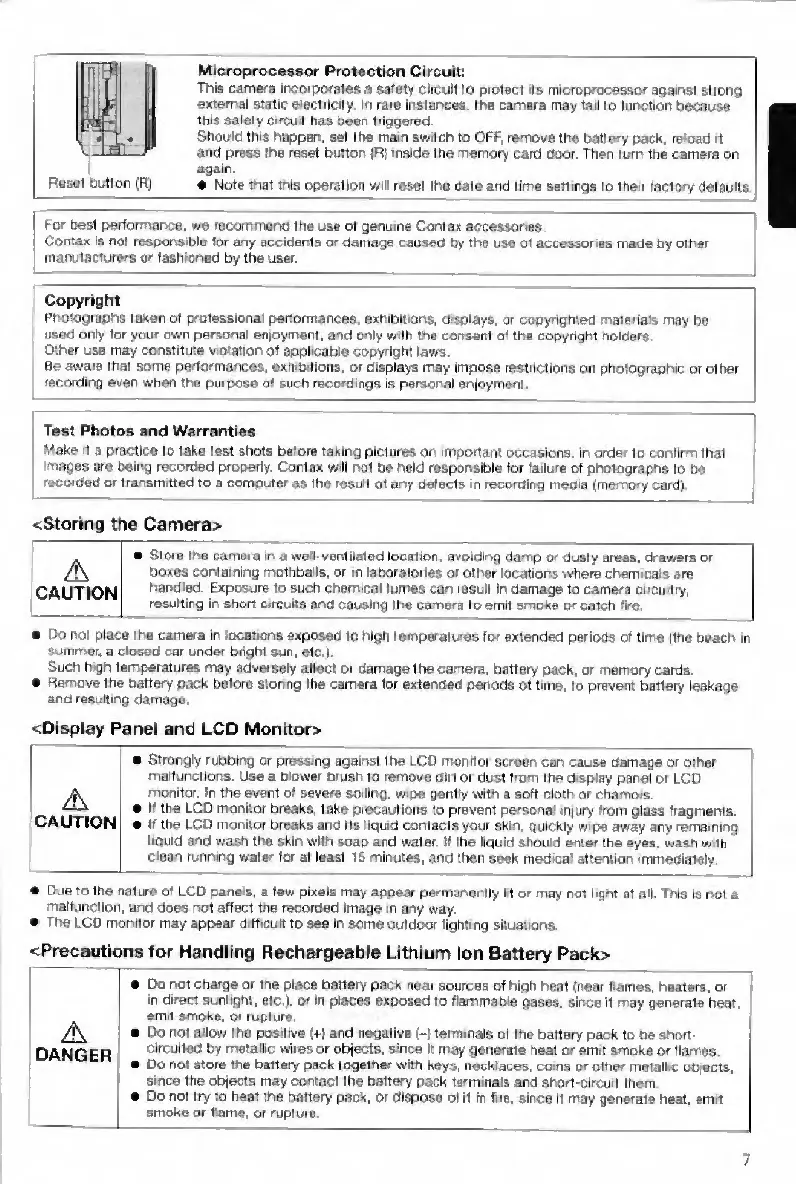
Contax TVS DIGITAL - Precautions for Handling Rechargeable Lithium Ion Battery Pack

Contax TVS DIGITAL
109 pages
Print Icon
To Next Page IconTo Next Page
To Previous Page IconTo Previous Page
Loading...
RtfSdl
button
(R;
Microprocessor
Protection
Circuit;
This
camera
irBorporates
a
sareiy
circuit
to
protect
is
microprocessor
apatnsi
strong
external
static
eteciricity
In
rare
lnstar>ces.
the
camera
may
fait
to
function
because
tlhs
safely
circuit
has
been
triggered
Should
this
happar',
set
the
mam
switch
to
OFF,
remove
the
battery
pack,
reload
it
and
press
the
reset
button
)R|
aside
the
rremory
card
door.
Then
turn
the
camera
on
again.
«
Note
that
tnia
operation
will
reset
Iho
date
artd
time
aetimge
to
their
factory
defaults
'
For
best
performarwe.
we
reconwiend
me
use
of
genuine
Contan
accessories
Contax
IS
not
responsible
tor
any
accidents
or
damage
caused
by
the
use
ot
accessories
made
by
otfiar
inanulacturers
or
fashioned
by
the
user.
Copyright
Photographs
taken
of
professional
performances
exhibitiOr\5,
d'Wiays,
or
cogyrighteo
rnateria's
may
be
used
only
lor
your
own
personal
en|oyment.
and
only
wth
the
consent
of
the
copyright
nolders
Other
use
may
constitute
vioiatioh
of
applicable
copyright
laws.
Be
aware
that
some
performances,
exhibitions,
or
displays
may
impose
restrictions
on
photographic
or
other
recording
even
when
the
purpose
of
such
recordings
is
personal
enjoyment
Test
Photos
and
Warranties
Make
d
a
practice
to
taka
test
shots
before
taking
pictures
on
important
occasions,
m
order
to
confirm
that
images
ate
oeing
recorded
properly.
Contax
will
r>ol
be
held
responsible
tor
'ailura
of
photographs
to
be
recorded
or
transmitted
to
a
computer
as
the
result
ot
any
defects
m
necorolng
media
(memory
card)
<Storing
the
Camera>
Store
the
camera
in
a
wetl-ventllated
location.
avoidir%g
damp
or
dusty
areas,
drawers
or
/l\
boxes
containing
mothballs,
or
m
laboratories
or
other
locations
where
chemicals
are
CAUTION
har^dled.
Exposure
to
such
chemical
fumes
can
result
in
oamageto
carnera
circuitry,
resulting
in
short
circutfs
and
causing
the
camera
to
emit
smoke
or
catch
lire
Do
not
place
the
camera
in
locations
exposed
to
high
tempBralws
for
extended
periods
of
fltrie
rtho
beach
in
Siiiiirier.
a
closed
car
under
bright
sun,
etc,l
Such
high
temperatures
may
adver^ly
affect
or
damage
the
camera,
battery
pack,
or
memory
cards.
Remove
the
battery
pack
before
sionng
the
camera
for
extenoed
penods
01
time,
to
prevent
battery
leakage
and
resufiing
damage
<Display
Panel
and
LCD
Monrtor>
Strongly
rubbing
or
pressing
against
the
LCD
monitor
screen
can
cause
damage
or
other
malfuncttoris.
Use
a
blower
brush
to
remove
dirt
or
dust
from
the
disptey
pare)
or
LCD
A
monitor.
In
the
event
of
aeuere
soiilr>g,
wipe
gentywilh
a
soft
cloth
or
chamois.
If
the
LCD
monitor
Breaks,
take
precautions
to
prevent
personal
injury
from
glass
fragments.
CAUTION
tf
the
LCD
monitor
breaks
and
Its
liquid
contacts
your
$jon.
quickly
w>pe
away
any
remaining
liquid
and
wasti
the
skin
with
soap
and
water.
If
the
liquid
should
enter
the
eyes,
wash
vi.th
clean
running
water
for
at
least
1
S
minutes,
and
then
seek
medics'
attention
immediniely
Due
to
the
nature
of
LCD
panels,
a
few
pixels
may
appeiar
permanofitly
Irtor
may
noi
light
at
all
This
«r»l
a
malfunclloii,
and
does
r>ot
affect
tne
recorded
image
>n
any
way.
The
LCD
monitor
may
appear
difficult
to
see
In
some
outdoor
lighting
situations.
<Precautions
for
Handling
Rechargeable
Lithium
Ion
Battery
Pack>
Do
r>ot
charge
or
tne
place
battery
pack
near
sources
cf
high
heat
(near
flames,
heaters,
or
in
direct
sunlight,
etc,),
or
In
places
exposed
to
flemmahie
gases,
since
It
rnay
generate
heat,
emit
smtAe.
rupture,
Do
not
allow
the
positive
(+)
and
negative
(-)
terminals
of
the
battery
pack
to
be
srtort-
DAN
G
E
R
circikted
by
metallic
wires
or
objeclB,
since
It
may
goiieraie
heat
or
emit
smoke
or
flames
Do
not
store
the
battary
pack
together
with
keys,
necklaces,
coma
pr
other
meiall.c
objects,
since
the
objects
may
contact
the
battery
pack
terminals
and
ahort-csrcuit
them
I
e
Do
not
try
to
beat
the
battery
pack,
or
dispose
of
it
in
Are
since
11
may
generate
heat,
emit
I
smoke
or
flame,
or
rupture
7

Table of Contents

Other manuals for Contax TVS DIGITAL

Related product manuals