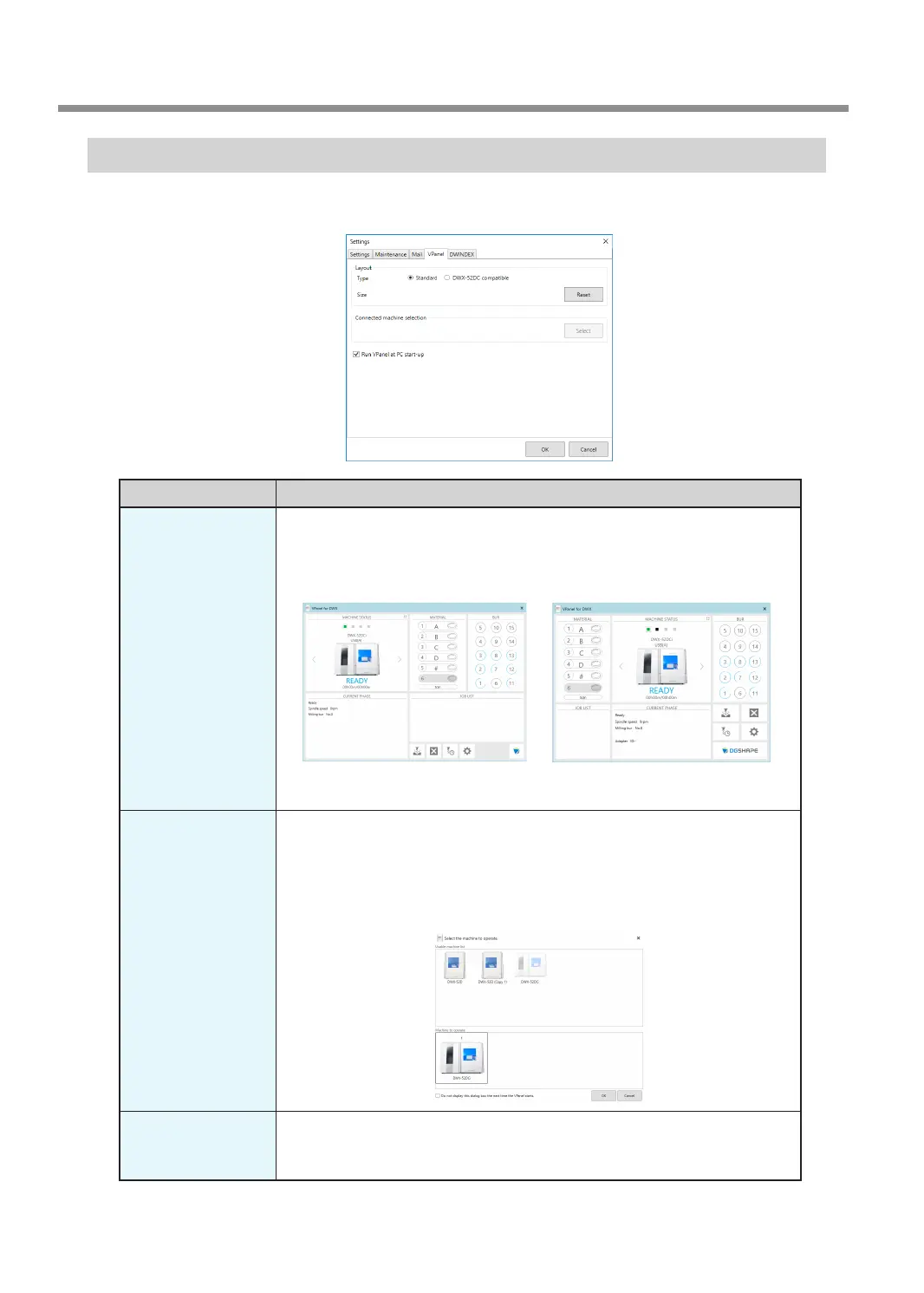
"VPanel" Tab
On this tab, you can set the automatic starting of VPanel and the layout of the top window. When more than one
machine is connected, the machine selected in the top window becomes the target for the setting.
Display Explanation
Layout
Select the layout of the top window.
The selected layout is displayed in the top window.
Initial setting: "Standard"
Standard DWX-52DC compatible
Click [Reset] to return to the standard window size (the window size used the
rst time the software starts after installation).
Connected machine
selection
Click [Select] to display a window for selecting the machine to operate.
The machines that can be operated and that are registered on the computer are
displayed in the upper row, and the machine that is being operated by VPanel is
displayed in the lower row. Drag the images of the machines in the lower row to
the left and right to change the order in which machines are displayed in the top
window.
Run VPanel at PC
start-up
Select this check box to automatically start VPanel and display it in the task tray
when Windows starts.
Initial setting: Selected
VPanel Window and Functions
18
Chapter 1 Basic Operation



 To Next Page