Override
You can adjust the milling speed and the spindle speed. This is useful when you
want to change settings such as the milling speed on the y while monitoring the
milling status. Overrides are specied in percentages.
For example, if the milling data command sent from the computer is 10,000 rpm,
setting the override to 150% will cause the rotation speed to be 15,000 rpm.
Milling speed
Allows adjustment of the milling bur movement speed when milling the workpiece.
The speed specied by the command in the milling data is taken to be 100%.
Inputting a large value will result in faster speeds. Inputting a small value will result
in slower speeds.
Spindle speed
You can adjust the spindle speed during milling. The number of rotations specied
by the command in the milling data is taken to be 100%. Inputting a large value
will result in increased rotations. Inputting a small value will result in decreased
rotations.
The override will return to 100% when the milling machine is turned OFF.
In the top window, the spindle speed is shown as the speed specied by the
milling data command and not the speed after the override.
Setting an override does not let you perform operations beyond the machine's
maximum or minimum speeds (rotation speeds).
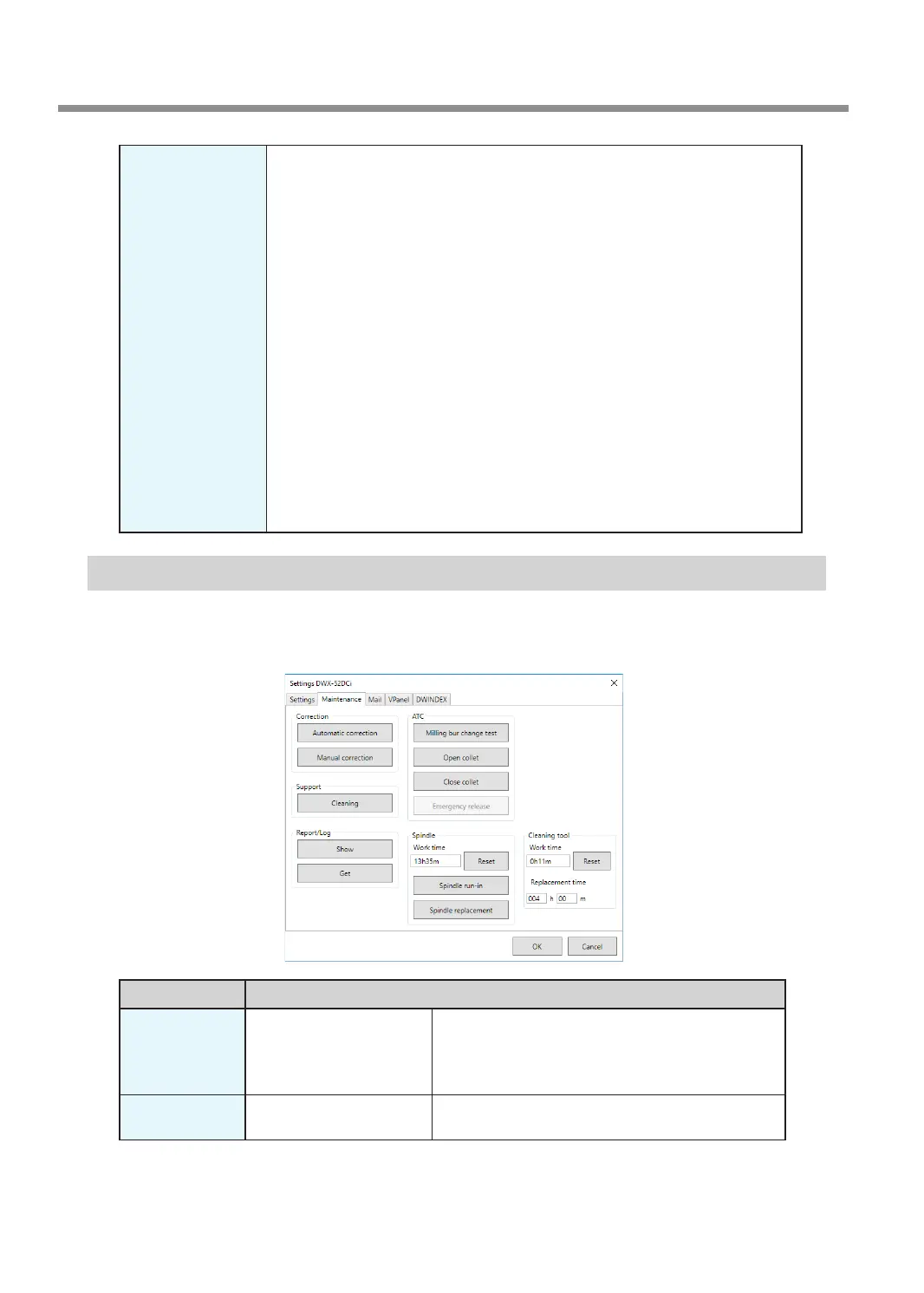
"Maintenance" Tab
On this tab, you can perform operations related to maintenance, including automatic correction of the milling
machine and system reporting. When more than one machine is connected, the machine selected in the top
window becomes the target for the operations.
Display
Explanation
Correction Automatic correction/
Manual correction
Correct the ATC magazine position or the rotary axis
position. Normally use [Automatic correction].
" P.65 "Correcting the Milling Machine"
" P.20 ""Manual correction" Window"
Support Cleaning Click this button to open the "Cleaning" window.
" P.24 ""Cleaning" Window"
VPanel Window and Functions
14
Chapter 1 Basic Operation



 To Next Page