Correcting the Milling Machine
The accuracy of the milling machine may change if it is used for a long period of time or the surrounding
environment changes. Performing automatic correction will correct the ATC magazine and rotary axis positions.
Situations Requiring This Work
• When installing the machine
• When replacing the spindle unit
• When the milling position is misaligned
• When symptoms such as a level dierence or a hole in the Z direction occur in the milling results
Required Items
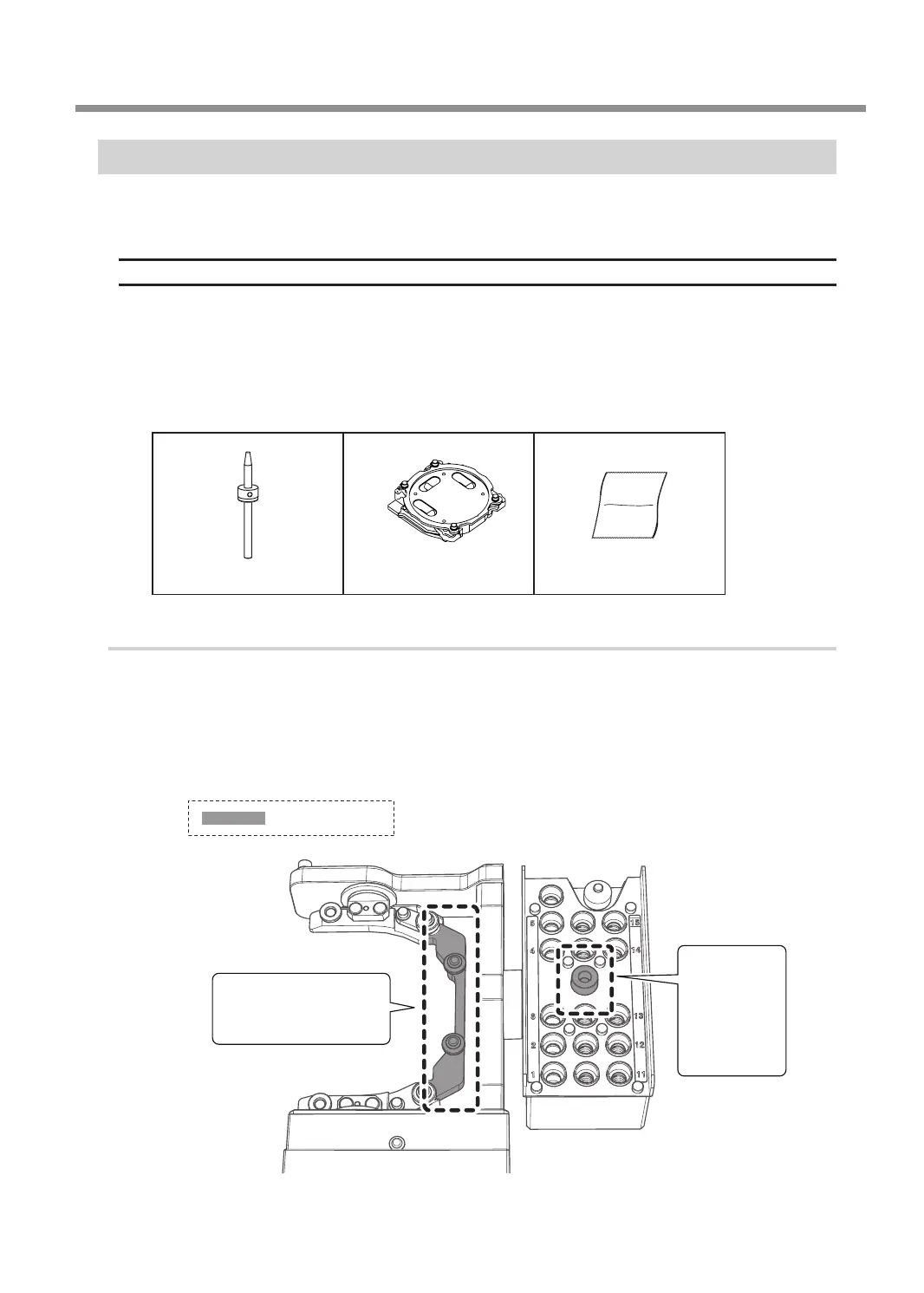
Detection pin Automatic correction jig Cloth for care
1.
Install the detection pin.
A
Clean off any milling waste around the clamp.
" P.59 "Cleaning after Milling Finishes"
B
Use the included cloth for care to wipe clean locations 1 and 2 in the gure shown
below.
If any dirt is present in these locations, it may not be possible to perform the correction properly.
1
Also clean the back side.
2
Central
protrusion
on the ATC
magazine
Part to be wiped
Periodic Maintenance
65
Chapter 3 Maintenance



 To Next Page