C
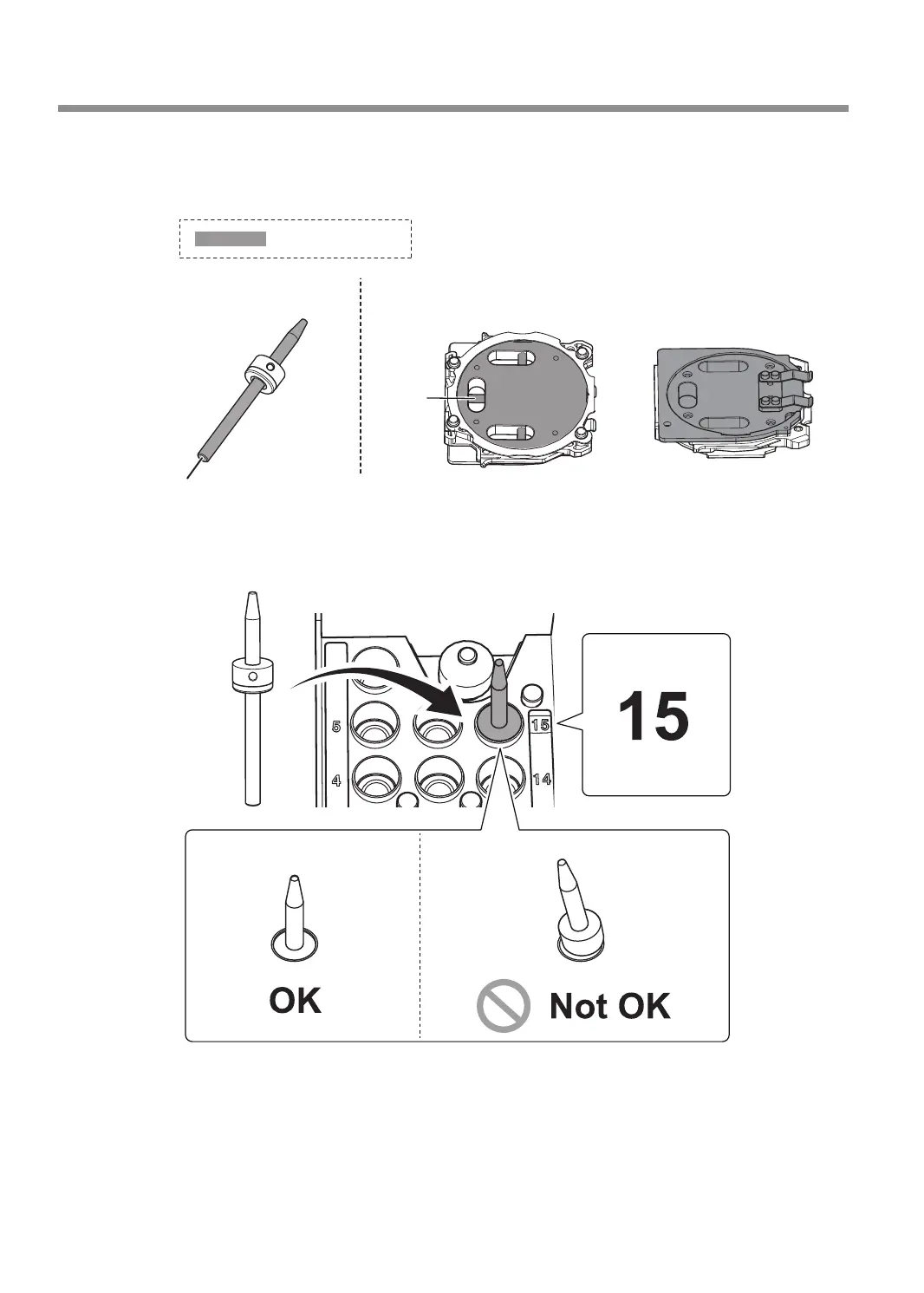
Use the included cloth for care to wipe clean the automatic correction jig and the
detection pin.
If any dirt is present in these locations, it may not be possible to perform the correction properly.
Part to be wiped
Automatic correction jig
Also clean the back side and the shaft.
Detection pin
Front Back
Shaft
Also clean the tip.
D
Load the detection pin in the ATC magazine's number 15 position.
Insert the detection pin rmly.
Periodic Maintenance
66
Chapter 3 Maintenance



 To Next Page