2.
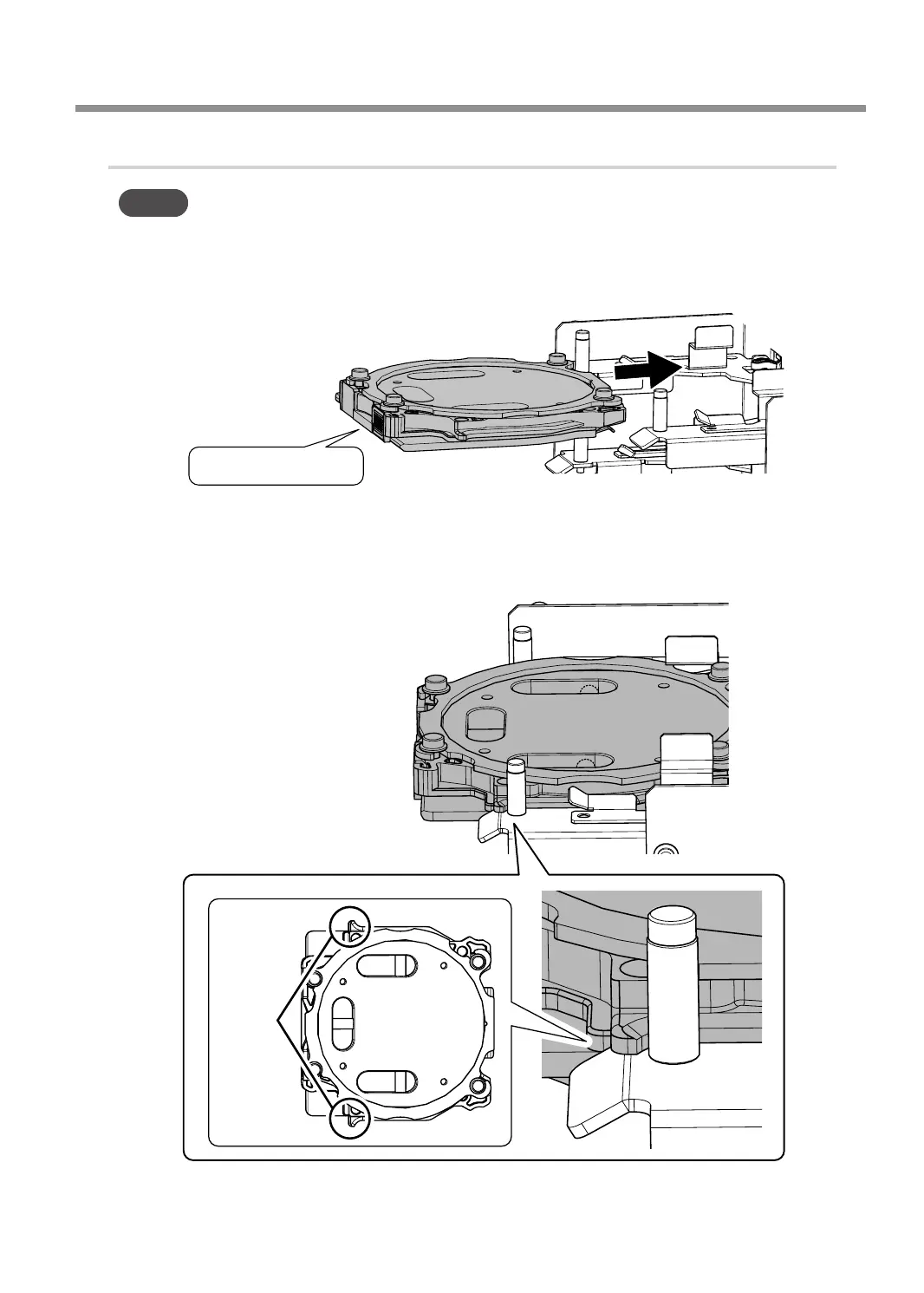
Attach the automatic correction jig.
MEMO
The automatic correction jig can be attached to all adapter stockers.
A
Insert the automatic correction jig into the adapter stocker as shown in the gure.
B
Attach the adapter by aligning its tabs with the positions shown in the gure.
When the adapter is set in the correct position, it is xed in place with a magnet.
Adapter ID: #
Tab
Periodic Maintenance
67
Chapter 3 Maintenance



 To Next Page