Installation Problems
89
Chapter 4 FAQ
Installing the Software and the Electronic-format Manuals Separately
Procedure
A
Log on to Windows as the computer's administrator (or as an "Administrators" account).
B
Insert the DGSHAPE Software Package CD into the CD-ROM drive of the computer.
When the automatic playback window appears, click [Run menu.exe]. If a "User Account Control"
window appears, click [Allow] or [Yes], and then continue with the installation. The setup menu screen
appears automatically.
C
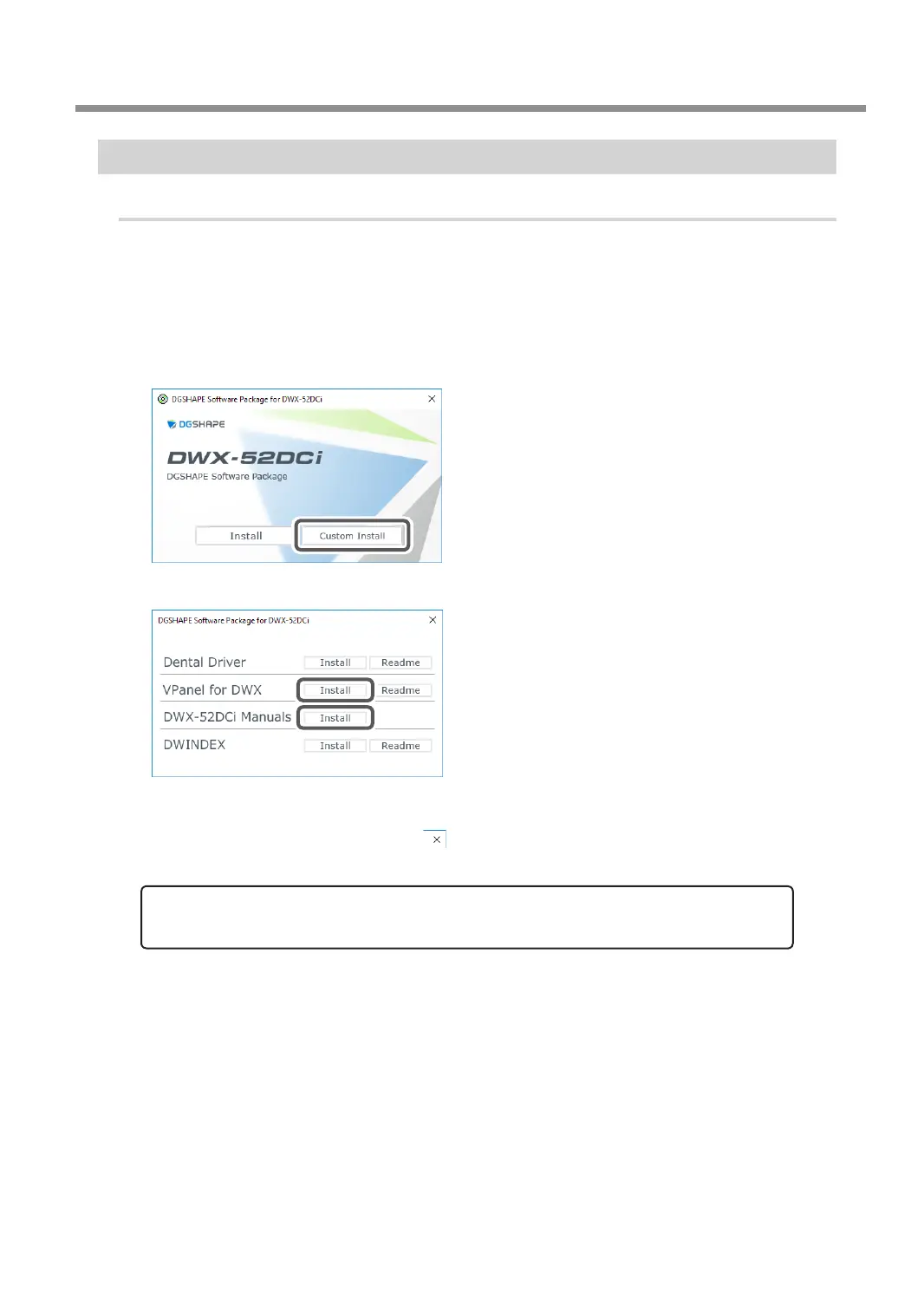
Click [Custom Install].
D
Click [Install] for the "VPanel for DWX" or the "DWX-52DCi Manuals."
E
Follow the on-screen instructions to proceed with the installation.
F
When the installation nishes, click on the setup menu.
G
Remove the DGSHAPE Software Package CD.
With this machine, you can also install the driver, software, and electronic-format manuals all at
once. To install them all at once, see the "
Setup Guide
" (
"Installing the Software"
).



 To Next Page