Installation Problems
88
Chapter 4 FAQ
F
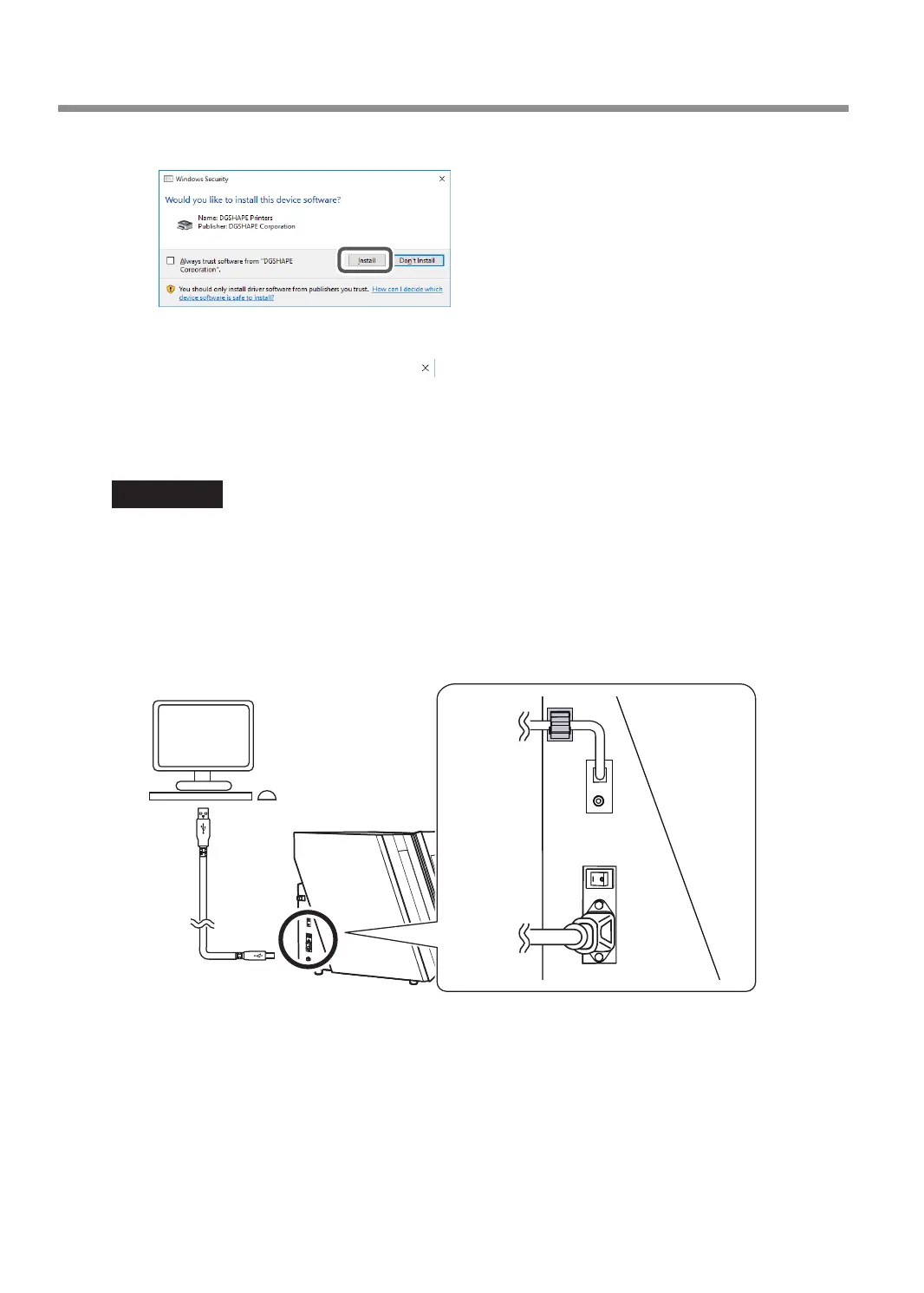
When the window shown in the gure appears, click [Install].
G
Follow the on-screen instructions to proceed with the installation.
H
When the installation nishes, click on the setup menu.
I
Remove the DGSHAPE Software Package CD.
J
Turn on the power to the machine.
K
Connect the machine to the computer using the USB cable.
IMPORTANT!
• If connecting more than one unit of this machine to a single computer, refer to the "Setup Guide"
(
"Connecting Multiple Units"
).
• Use the included USB cable.
• Do not use a USB hub. Connection may not be possible.
• Secure the USB cable with a cable clamp.
• Do not bind the power cord with the cable clamp. Binding the USB cable and the power cord may produce
noise or the like, resulting in a malfunction.
The driver will be installed automatically.



 To Next Page