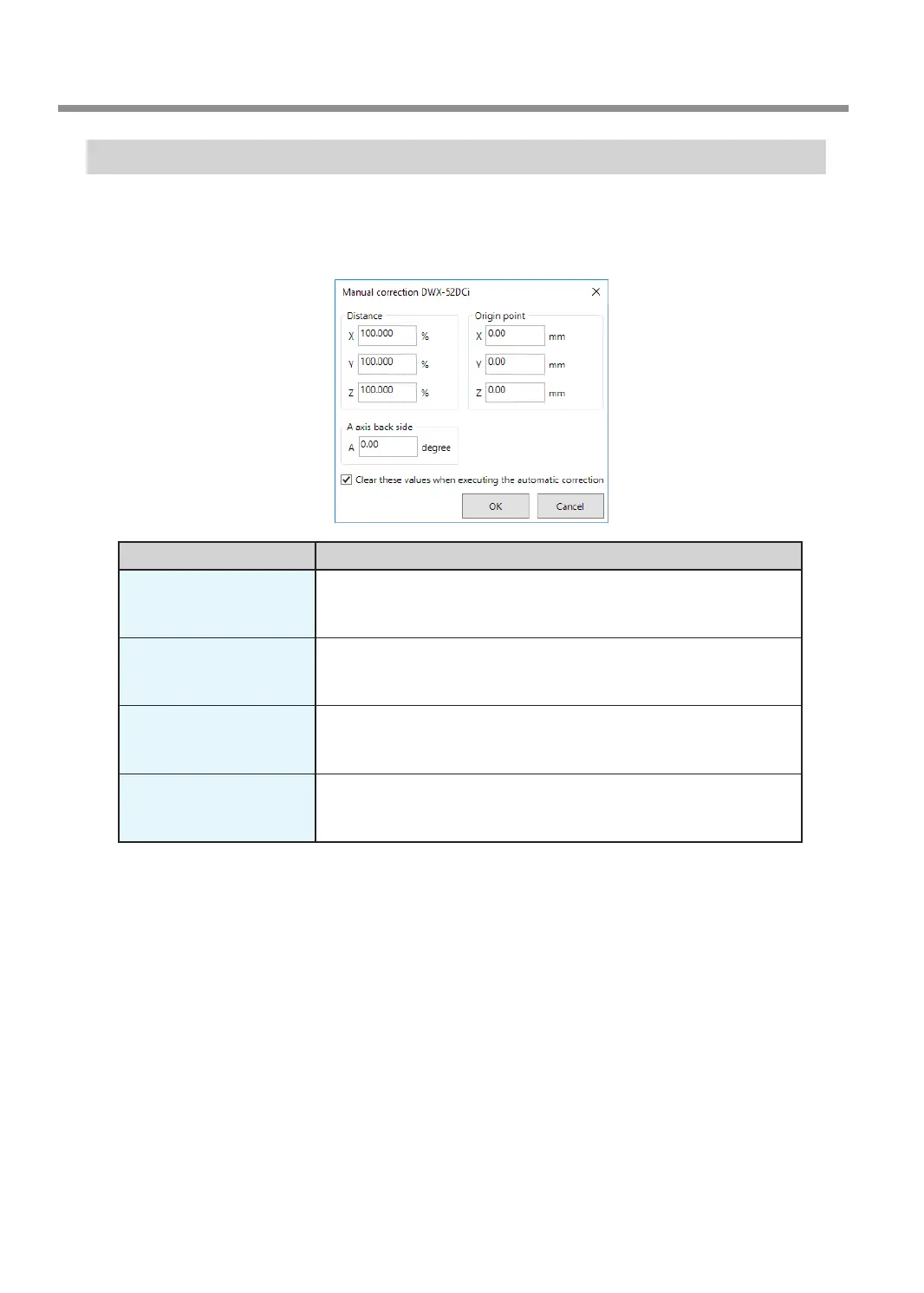
"Manual correction" Window
In this window, you can perform manual correction of the milling machine. Perform correction to precisely adjust
accuracy. When more than one machine is connected, the machine selected in the top window becomes the
target for correction.
* Perform automatic correction before performing this correction.
Display Explanation
Distance
Correct moving distances in the X, Y, and Z directions. Set the correction
value while considering the initial moving distance as 100.000%.
Initial setting: 100.000%
A axis back side
Correct the angle when the A axis is rotated 180 degrees. Set the
correction value while considering the initial setting as 0.00 degrees.
Initial setting: 0.00 degrees
Origin point
Correct the origins of the X, Y, and Z axes. Set the correction value while
considering the initial setting as 0.00 mm.
Initial setting: 0.00 mm
Clear these values when
executing the automatic
correction
Select this check box to reset the values for "Distance," "Origin point," and
"A axis back side" when performing automatic correction.
Initial setting: Selected
VPanel Window and Functions
20
Chapter 1 Basic Operation



 To Next Page