Daily Maintenance
Cleaning after Milling Finishes
Cleaning Inside the Front Cover
When the machine is in the standby state, opening the front cover and pressing the operation button will turn on
the dust collector. (For dust collectors with a linking function and connected to the expansion port with a linking
cable.) For details on the dust collector, see the DWX-52DCi "Setup Guide."
Procedure
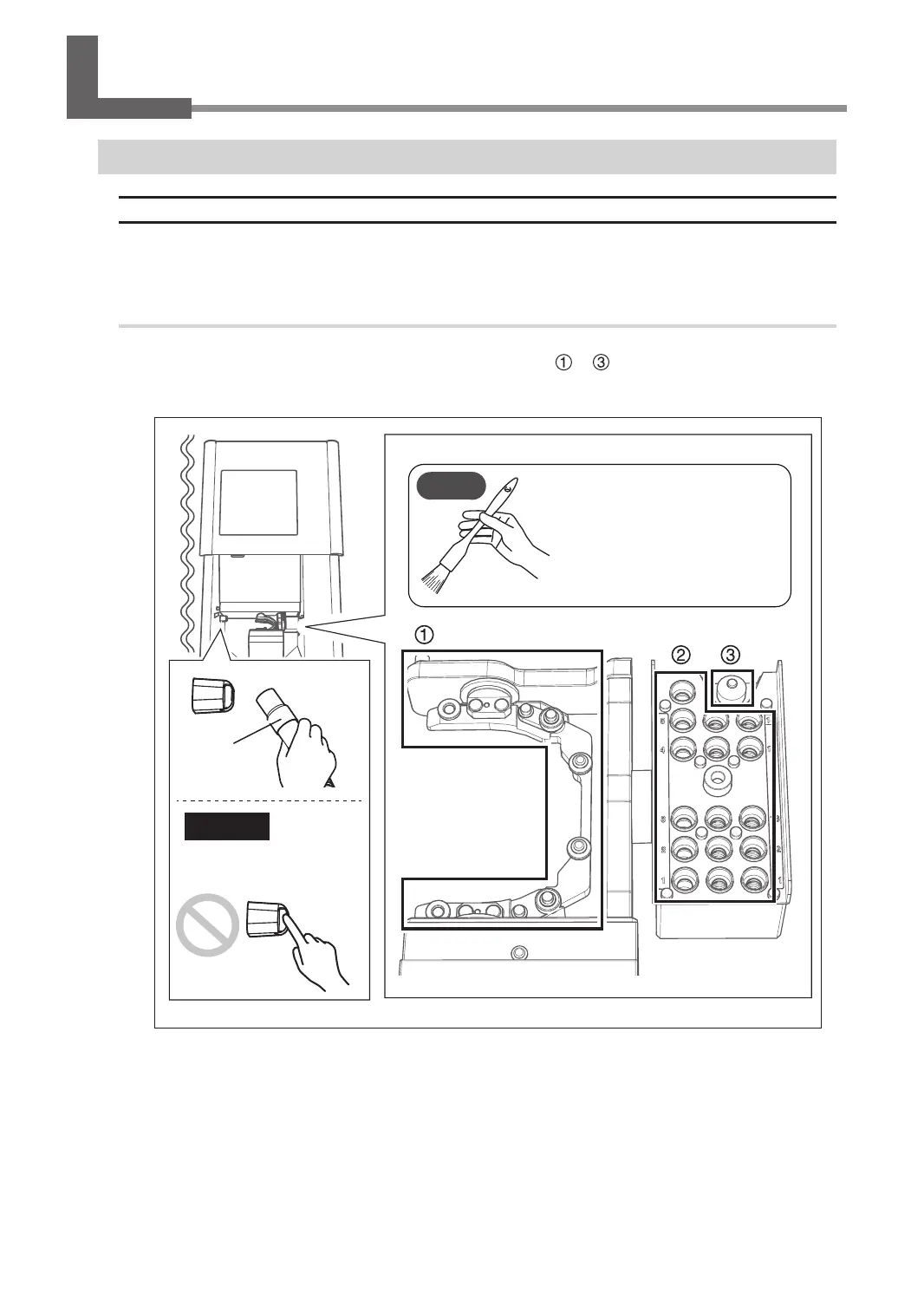
With the dust collector operating, use the included brush to brush o the milling waste and use the dust collector
to pick up the milling waste. Clean o any milling waste around areas
to in the following gure, as milling
waste in these areas may aect the milling results. Use the VPanel "Cleaning" window to clean the rotary axis unit.
" P.24 ""Cleaning" Window"
CAUTION
Do not directly touch the
inside of the ionizer.
With the dust collector
operating, use the included
brush to brush o the
milling waste and use the
dust collector to pick up the
milling waste.
Dust collector
MEMO
59
Chapter 3 Maintenance



 To Next Page