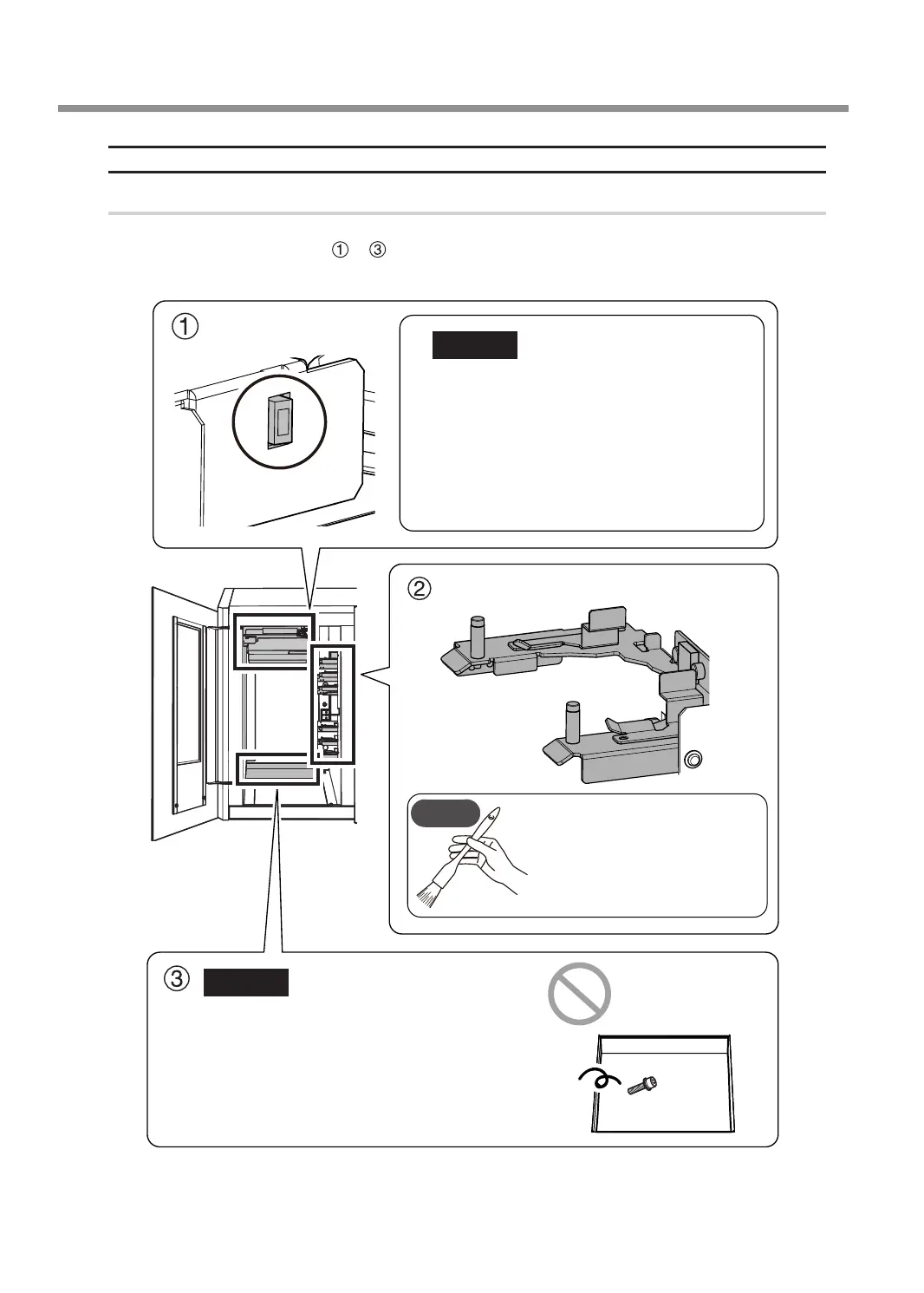
Cleaning Inside the Magazine Cover
Procedure
Use the included brush to brush o the milling waste and use the dust collector to pick up the milling waste. Clean
o any milling waste around areas
to in the following gure, as milling waste in these areas may aect the
operations during milling.
Barcode sensor
Adapter stocker
CAUTION
Milling waste axing to the barcode sensor will
prevent it from reading the adapter IDs correctly.
Use the cloth for care that is included with the
machine to lightly wipe clean the barcode sensor.
Use [Barcode sensor] in the VPanel "Cleaning"
window.
" P.24 ""Cleaning" Window"
With the dust collector operating,
use the included brush to brush
o the milling waste and use
the dust collector to pick up the
milling waste.
CAUTION
Do not insert anything into this space. If
this space is clogged with milling waste or
if items such as parts fall into this space and
are left there, the lift will not be able to lower
completely, which may make it impossible to
use adapter stocker number 6.
MEMO
Daily Maintenance
60
Chapter 3 Maintenance



 To Next Page