C
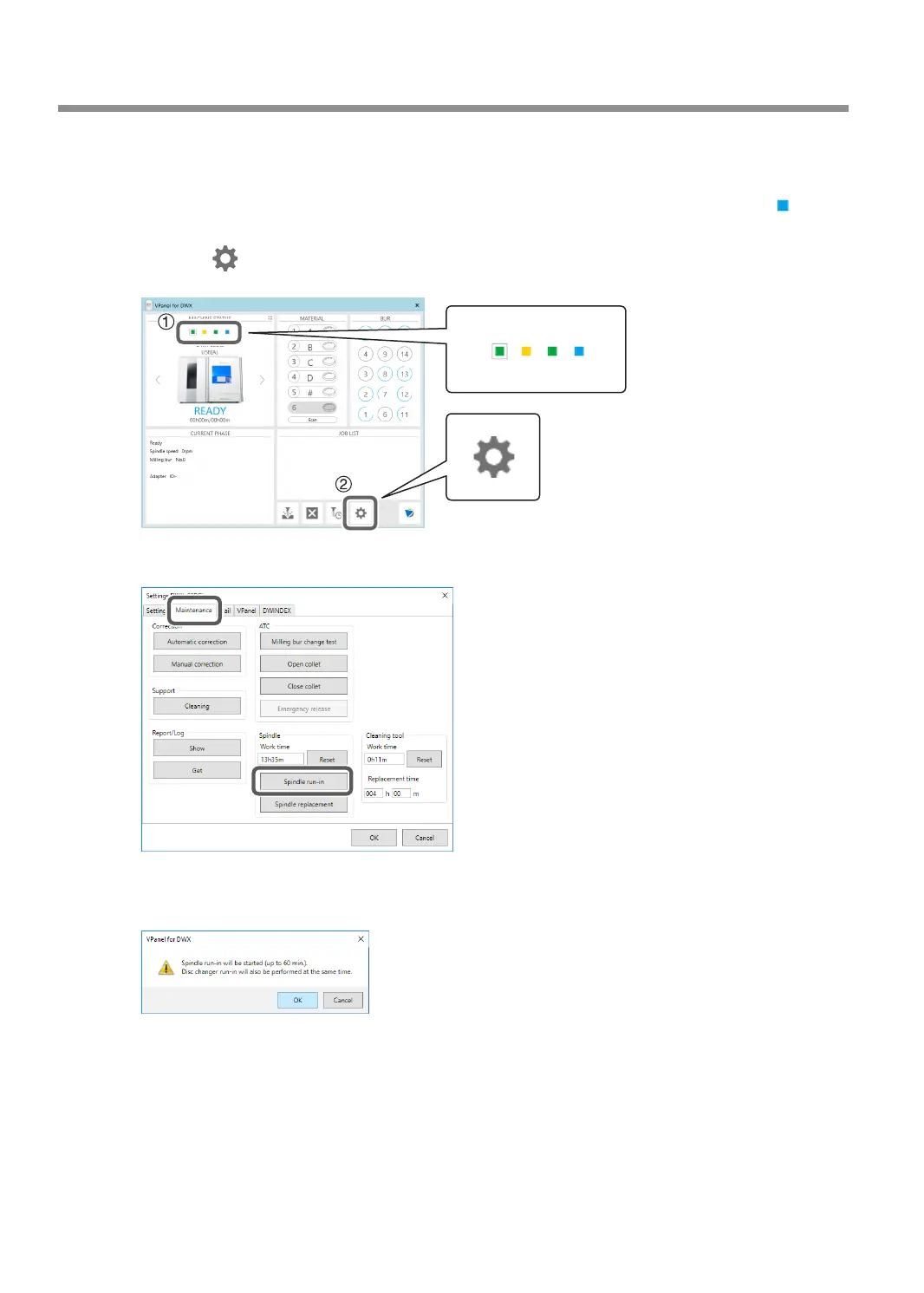
Open the [Settings] window.
1 In the top window of VPanel, select the machine to operate.
When you have connected multiple machines, you can switch between the machines by clicking
under MACHINE STATUS.
2 Click .
The "Settings" window will appear.
D
Click [Spindle run-in] on the "Maintenance" tab.
E
When the window shown in the following gure appears, click [OK].
Run-in will begin.
This step is complete once a message indicating that the work is complete appears.
Periodic Maintenance
64
Chapter 3 Maintenance



 To Next Page