9 | Equipment
156 AXH1230‐UK ﴾ENG﴿ ‐ Apollo KM
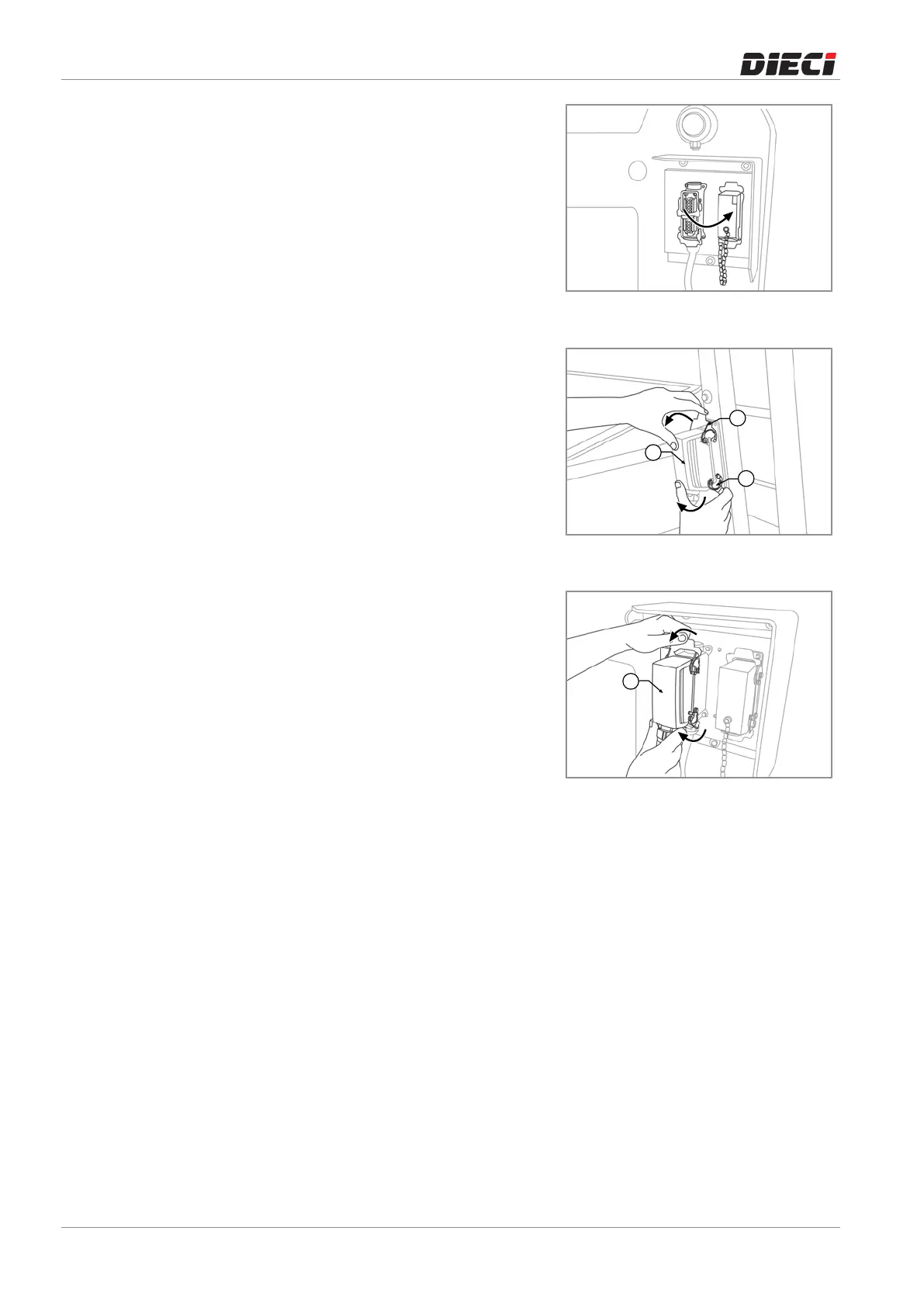
– Disconnecttheplugfromthedummysocketonthe
equipment “1” (fig. 1505123) lowering the 2 safety
levers“2”(fig.1505123).
– Connecttheplugoftheequipmentontheelectrical
socketoftheboom,fasteningitbyliftingthe2safety
levers“1”(fig.1505124).
– Once the equipment is properly fixed, turn on the
vehicleandsetthecorrectmodeofoperationofthe
vehiclerelatedtothenewlyinstalledequipment.See
the "Equipment selection and operating mode"
chapter on the use and maintenancemanual of the
vehicle.
– Check that in the cab there is the capacity diagram
related to the vehicle and to the equipment just
installed.
150512-2
150512-3
150512-4



 To Next Page