Components description | 8
AXH1230‐UK ﴾ENG﴿ ‐ Apollo KM 77
8.1.13 Lights turning on
8.1.13.1 Sidelights and low beam lights
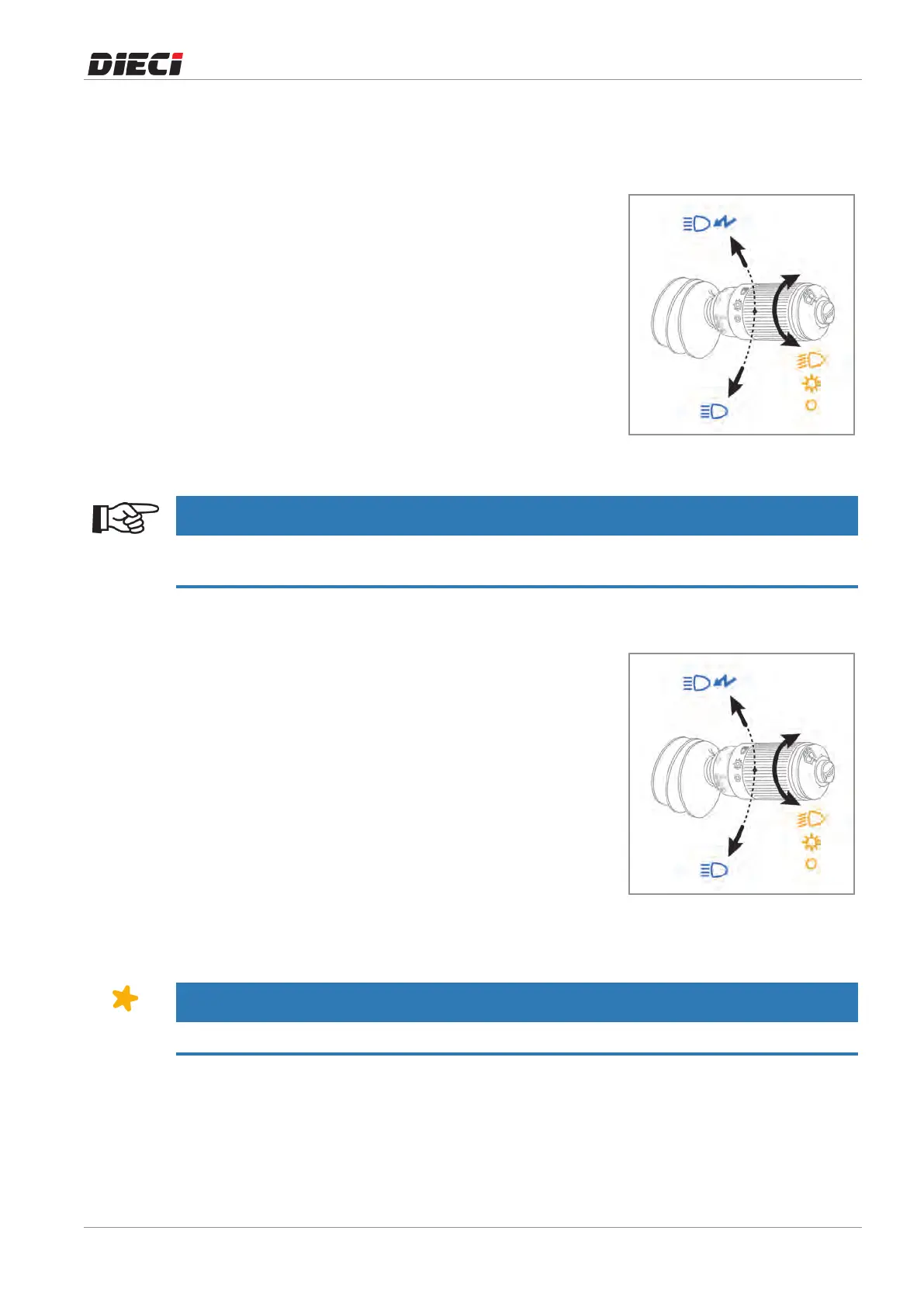
Toturn onthe frontandrearsidelightsofthevehicle,turnthe
multifunctionlever(fig.1504071).
Theleverhas3stablepositions:
0Lightsoff
1Sidelightson
2Lowbeamlightson
150407-1
Whenthelowbeamlightsareactivatedtheinstrumentpanelofthevehiclelightson.
NOTICE
It is possible to turn on the sidelights with the ignition key in "0" position, while it is necessary to bring the
ignition key in position "I" to turn on the low beam lights.
8.1.13.2 High beam lights
To turn on the high beam lights it is necessary to move the
multifunctionlever(fig.1504081).
– To make individual flashes with the high beam lights, pull
the multifunction lever toward the steering wheel. It is
possible to use this function with the lights off and the
ignitionkeyinposition"0".
– To turn on the high beam lights, push the multifunction
lever downwards. It is possible to turn on the high beam
lightsonlywiththeignitionkeyinposition"I"andlowbeam
lightson.Thehighbeamlightsturnedonisindicatedbythe
warninglight"1"ontheinstrumentpanel.
150408-1
8.1.13.3 Cab front light *
NOTICE
* The cab front light is an optional accessory.



 To Next Page