Components description | 8
AXH1230‐UK ﴾ENG﴿ ‐ Apollo KM 93
8.3.4 Central instrument panel: Menu
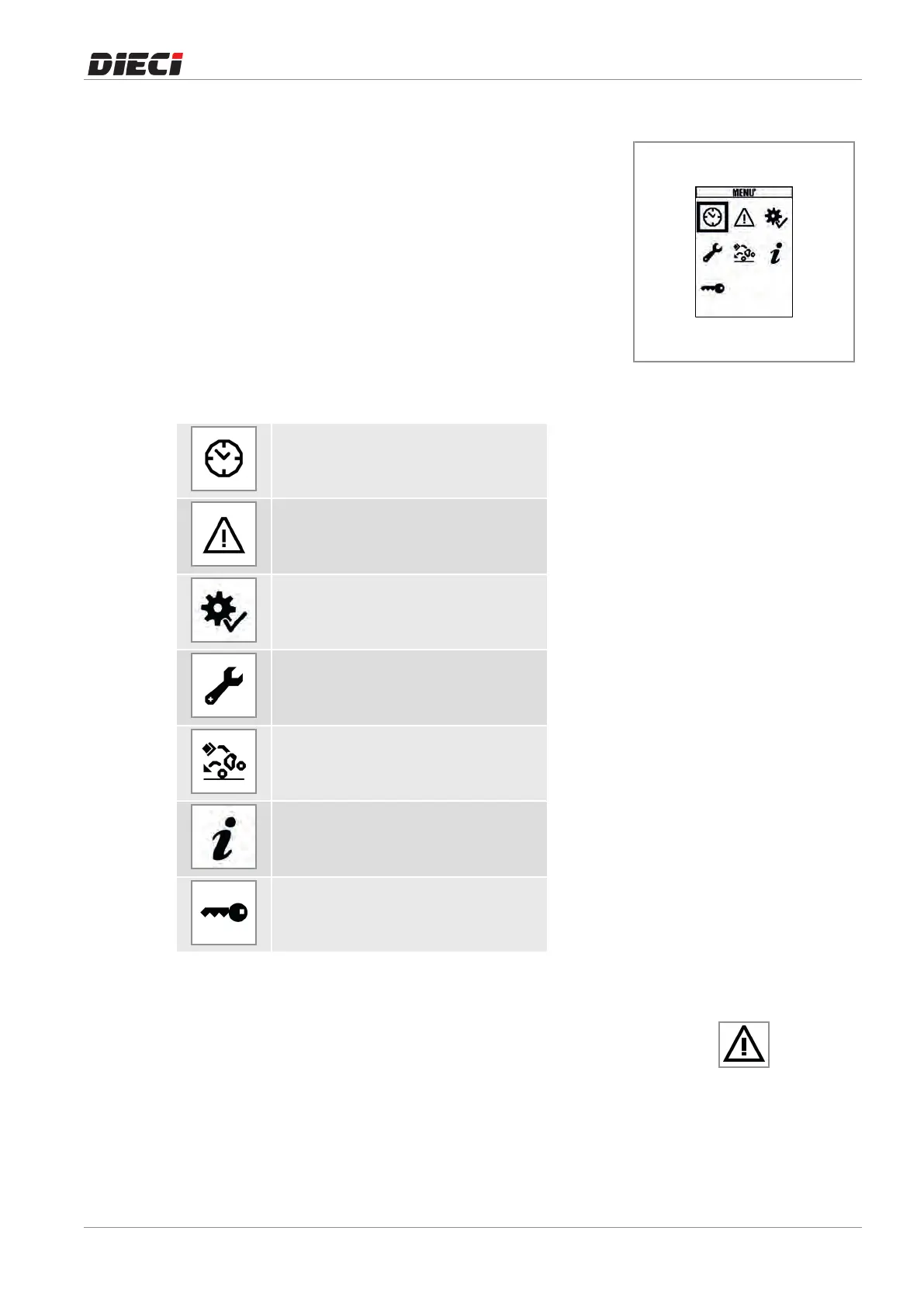
From the Home screen, it is
possible to access the menu (fig.
1504291)pressingtheMENUkey.
UsetheUPandDOWNbuttonsto
scrollthroughthemenuitemsand
presstheOKbuttonfor3seconds
tomakea selection andgotothe
relatedpage.
150429-1
Themenuitemsare:
Clocksetting
Activeerrors
Check
Service
Antitippingcalibration
(Reservedtotrainedpersonnel)
Info
Settings
(Reservedtotrainedpersonnel)
8.3.5 General alarm icon
The general alarm icon (fig. 1504301) lights on together with
othersignals,tounderlinedangertothesafetyofthemachineor
theoperator.
150430-1
Ifthemachineisinmotion,theGeneralalarmiconisaccompaniedbyageneralalarmacousticsignal.



 To Next Page