106 LED descriptions
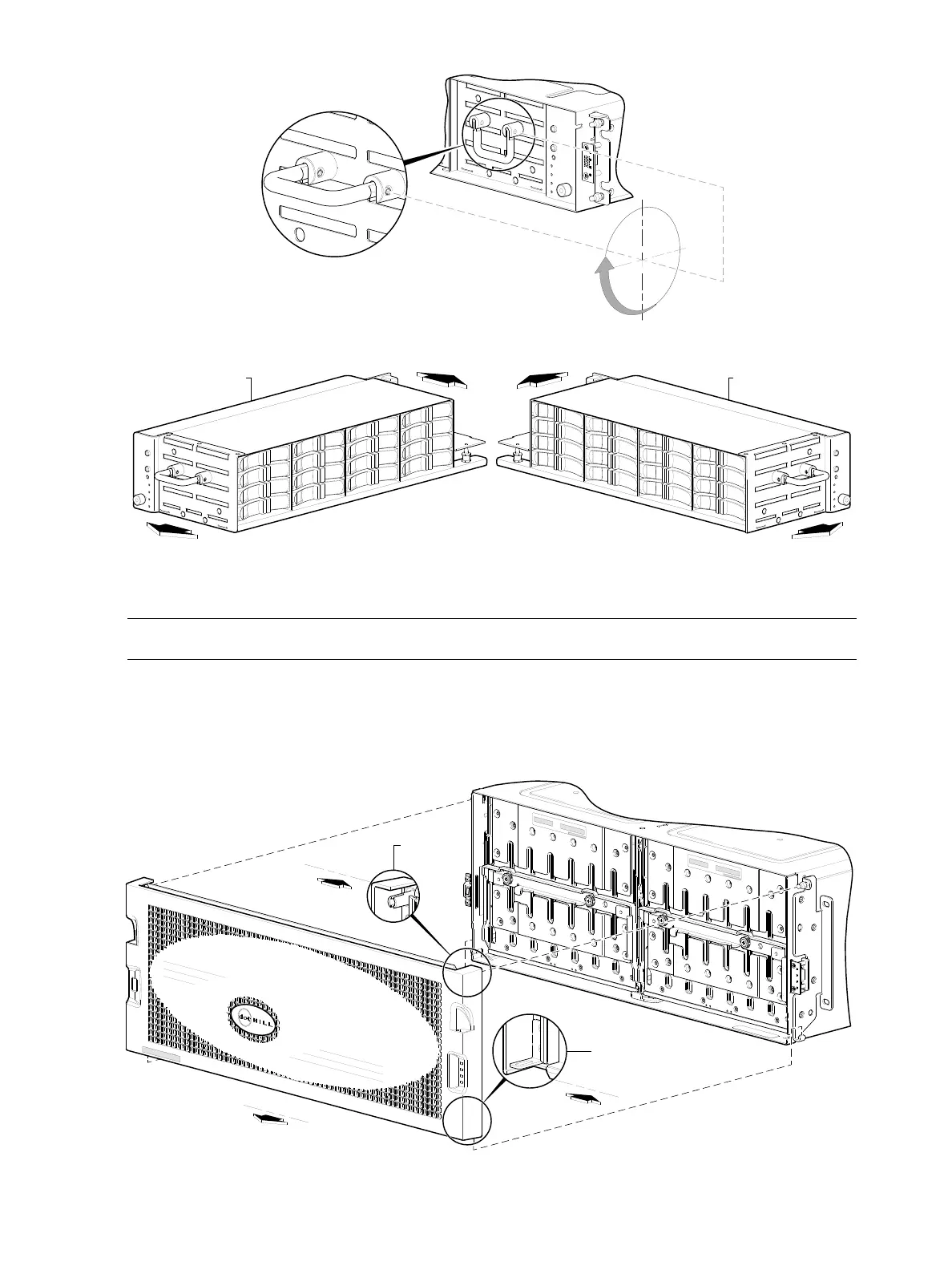
Figure 86 Drawer detail showing handle rotation and drawer travel (2U48)
NOTE: Bezel alignment for the 4U56 enclosure is shown in Figure 87 below.
4U—While facing the front of the enclosure, insert the index finger of each hand into the top of the
respective (left or right) pocket opening. Gently pull the top of the bezel while applying slight inward
pressure below to release the top sleeves from the ball studs. Lift the bezel upwards to allow the
angle-bracket slots to clear the upturned mounting flanges.
Figure 87 Partial assembly showing bezel alignment with 4U56 chassis
Revolve the handle 90from its stowed position to
its pull-position before pulling the drawer outward.
Drawer travels inward and outward along the drawer slide.
Drawers 0 or 1 Drawer 2
AssuredSAN
Vented grille is simplified for clarity
Back
Back
Slotted angle bracket
Sleeve
Front



 To Next Page