AssuredSAN 4004 Series Setup Guide 107
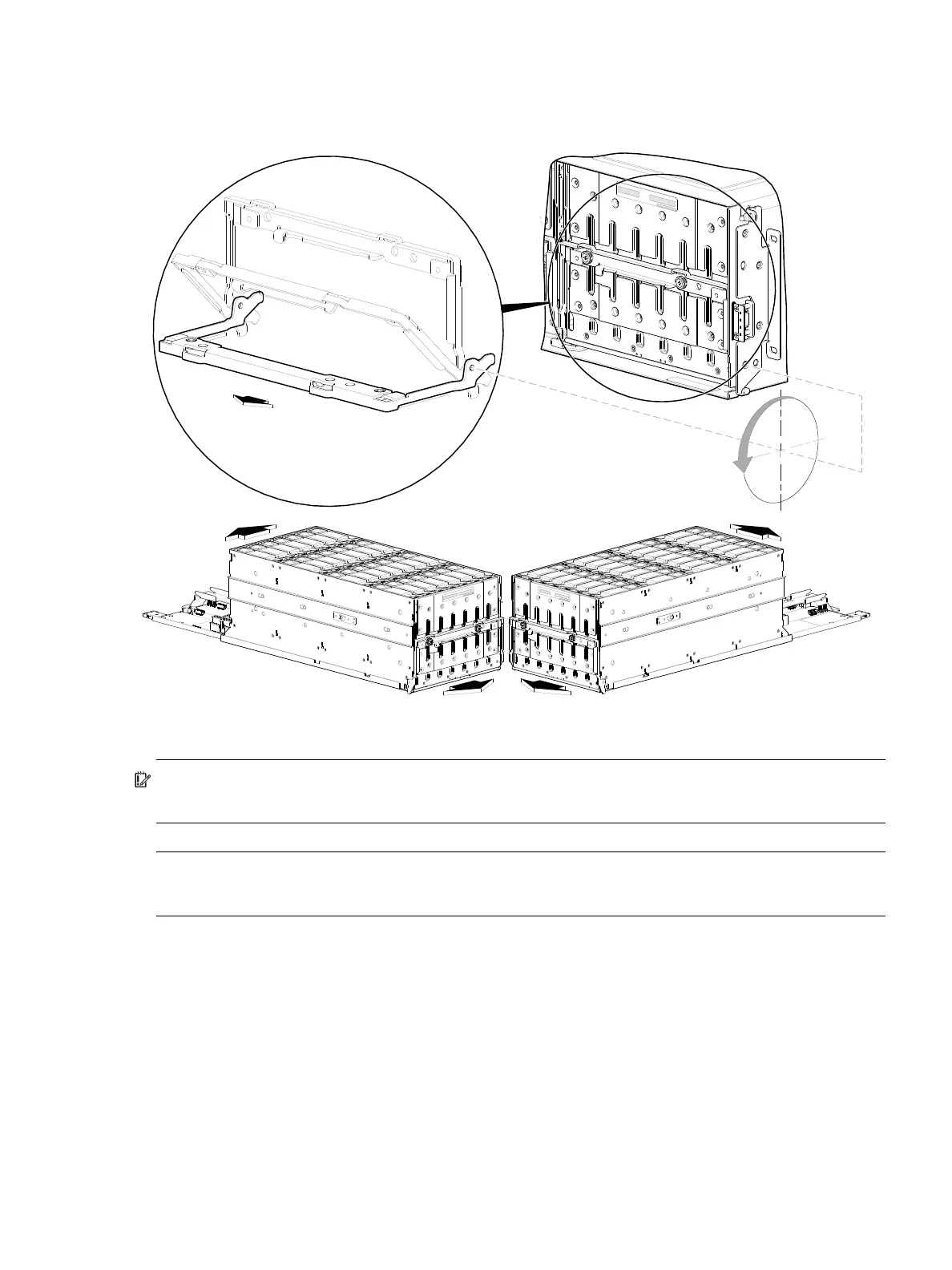
4U—Once you have removed the bezel, you can access the drawers. To open a drawer, you must first revolve
the pull-handle downwards by 90
to enable pulling the drawer outward for viewing disks
(see Figure 88 for
instructions about using 4U56 drawer handles)
. The handle can be in the stowed position when pushing the
drawer back into the enclosure along the drawer slide.
Figure 88 Drawer detail showing handle rotation and drawer travel (4U56)
IMPORTANT: The front panel enclosure illustrations that follow assume that you have removed the
enclosure bezel to reveal the underlying components.
NOTE: For more information about servicing or replacing the removable air filter option for 4U56
enclosures (Figure 87), refer to the enclosure bezel installation instructions included in your product ship kit.
90°
Drawer handle
S tow position
Pull position
Revolve handle to suit open
and close drawer actions.



 To Next Page