32 Installing the enclosures
Installing a disk module into a 2U16 drawer
IMPORTANT: Please review FDE considerations on page 37 before populating the 4004 Series enclosure
drawers.
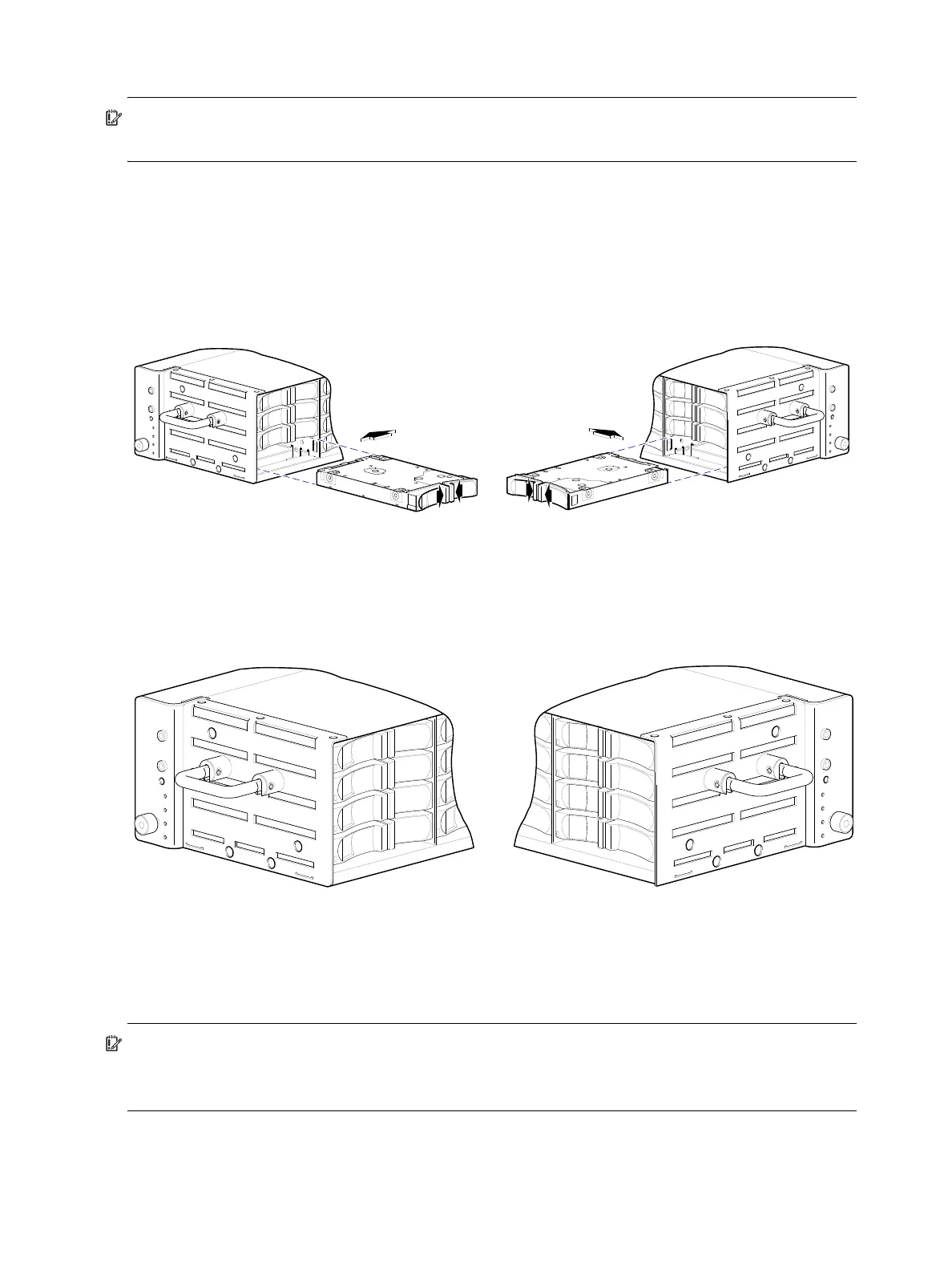
Refer to Figure 25 when orienting the disk drive module for insertion into the target drawer. If you are
installing a disk drive module in the left drawer or middle drawer, refer to the illustration on the left when
performing the step-procedure. If you are installing a disk drive module in the right drawer, refer to the
illustration on the right when performing this step-procedure.
Also see the admonition—following this procedure—concerning the installation of disk drive modules into
an operating enclosure (not powered-off).
Figure 25 Orient the disk for installation (2U48)
1. While supporting the bottom of the disk module with one hand (disk PCBA should be facing up and
latch release flanges should be facing out)—align the disk for insertion into the target disk slot.
2. Using your other hand, squeeze the latch release flanges together—so that the locking-nib will clear the
sheet metal bay wall—and insert the disk drive module into the target slot.
Figure 26 Secure the disk module into the drive slot (2U48)
3. Gently push the disk drive module into the slot until it latches in place.
The installed disk drive module should now appear as shown in the sectioned cutaway views of the
respective drawers in Figure 26.
IMPORTANT: Disk drive module replacement guidelines
When replacing disks in an operating enclosure, only one disk drive module can be replaced at a time
(see “Replacing a disk drive module” within the 4004 Series FRU Installation and Replacement Guide).
Align SFF 2.5" disk module for insertion into drive slot
Left or middle drawer Right drawer
Left or middle drawer Right drawer



 To Next Page