AssuredSAN 4004 Series Setup Guide 33
Populating drawers in 4U56 enclosures
Although the 4U56 chassis provides pre-assembled and pre-installed drawers, disk drive modules must be
installed into the drawers. In addition to locating your disk modules, you should become familiar with the
following concepts before populating the drawers:
• Full Disk Encryption (FDE) firmware feature (see FDE considerations on page 37).
• Preventing electrostatic discharge (see Electrostatic discharge appendix).
IMPORTANT: Please review the bullet topics above before populating the drawers.
Opening and closing a 4U28 drawer
You can open a drawer for visual inspection of disk bays. Before accessing the drawer via its handle, you
must first remove the enclosure bezel (see Enclosure bezel removal on page 104). Given that the enclosure
bezel is required to provide EMI protection, you should re-attach the bezel to the enclosure after examining
the drawer (see Enclosure bezel attachment on page 104).
1. Using a
Torx T15 or straight blade screwdriver,
loosen the two screws securing the handle to the front face
of the drawer.
Once the two screws on the target drawer are loosened, turn the thumbwheel counter-clockwise to
disengage the handle from it’s upright stowed position.
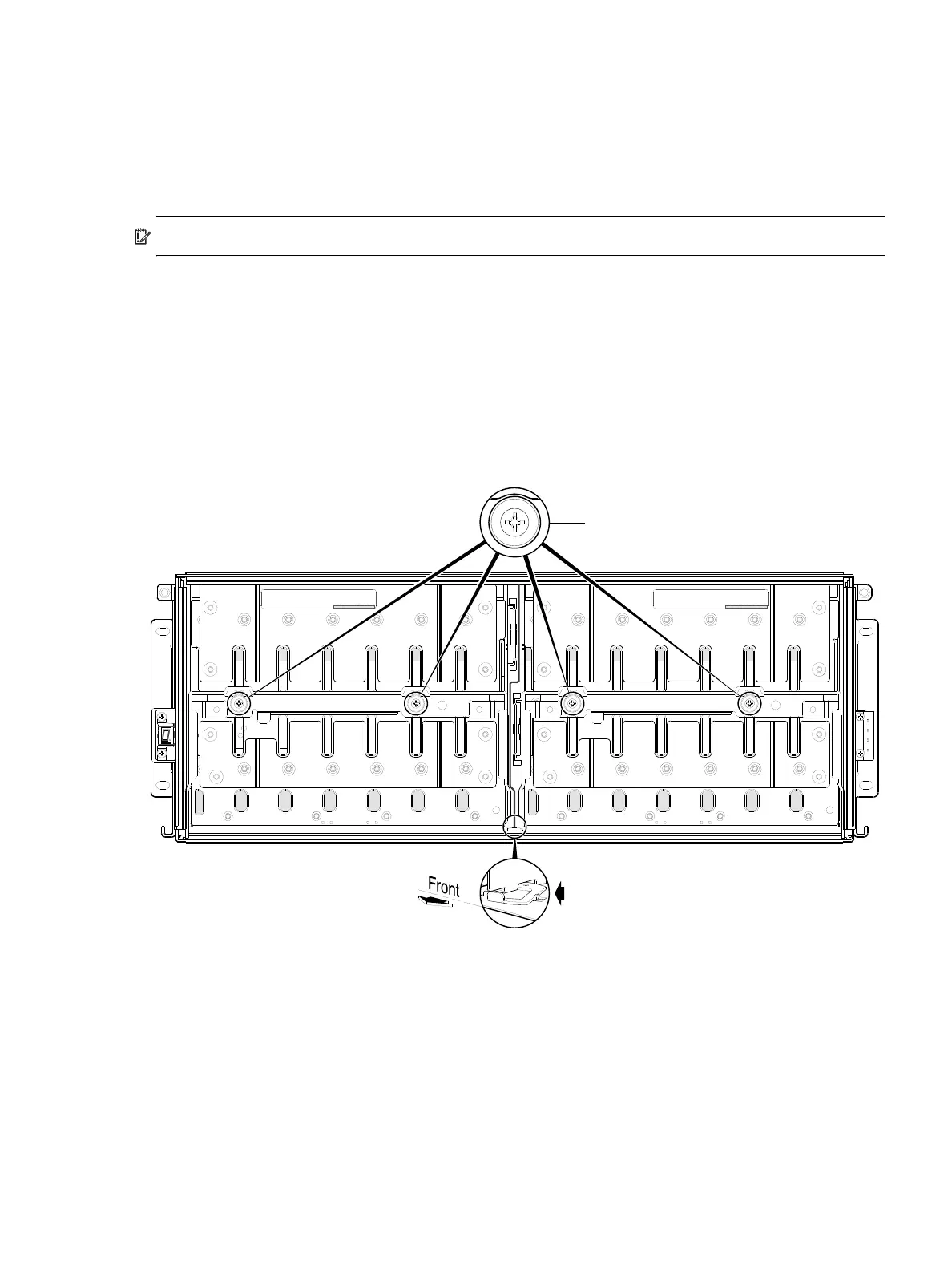
Figure 27 Opening a 4U28 drawer: loosen screws and move the drawer toggle
2. Move the drawer toggle to enable the target drawer to travel along the slide.
Move the toggle to the right to open Drawer 0 (left drawer); or move the toggle to the left to open
Drawer 1 (right drawer).
3. Revolve the drawer handle downwards by 90to enable pulling the drawer outward for viewing disk
slots.
DRAWER 0
DRIVES 0 − 27
PN: 21−00000590−00−01 rev A
DRAWER 1
DRIVES 28 − 55
PN: 21−00000590−00−02 rev A
Drawer toggle moved to right position
allows Drawer 0 to pull forward.
Bird’s eye right view (Drawer 1 hidden)
Note:
Loosen screws on target drawer
Enclosure front panel featuring
drawer access components



 To Next Page