18 Components
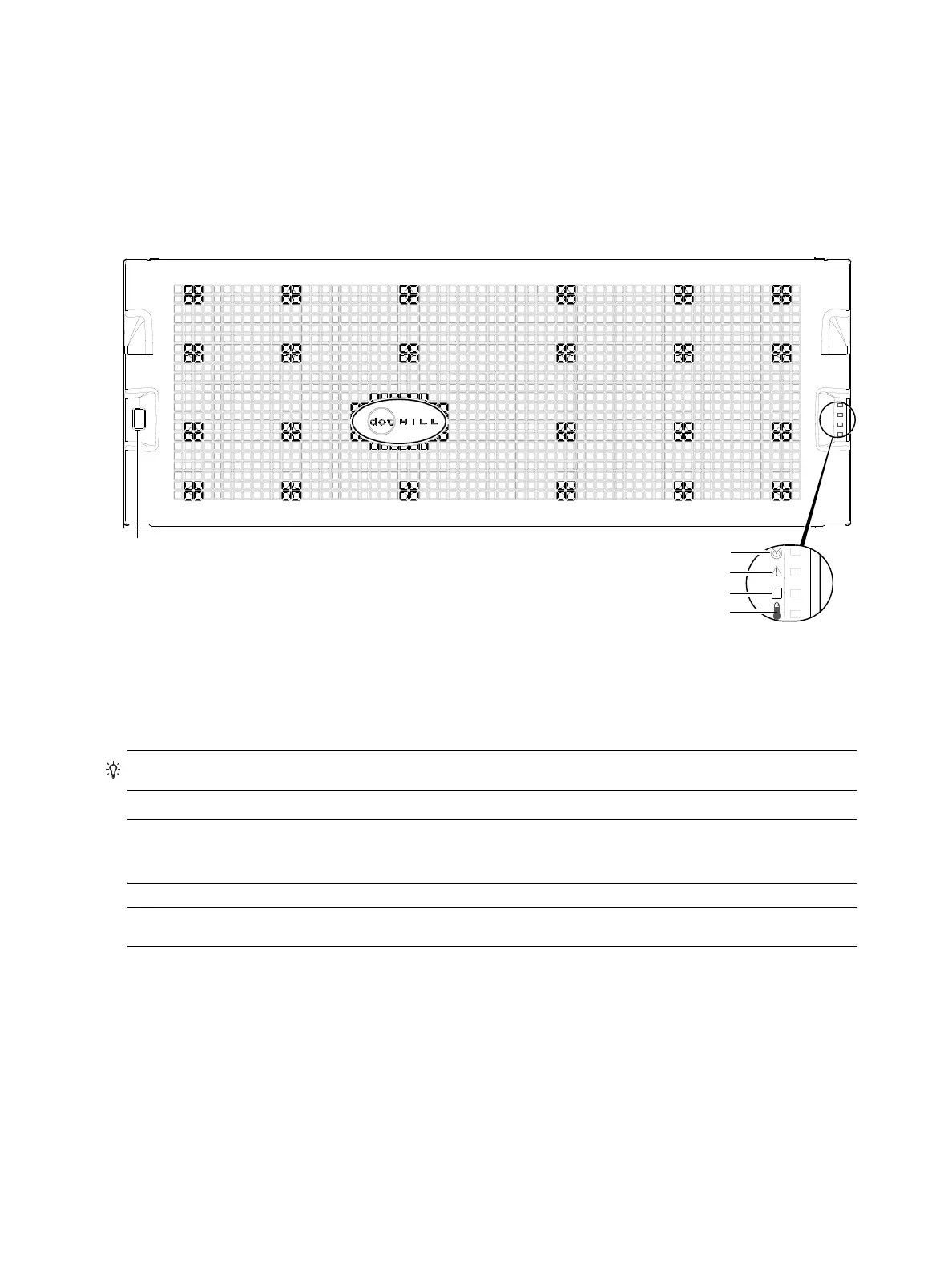
56-drive enclosure front panel components
4U56 enclosures support
dual-IOM configuration, and are equipped with either two redundant AC power
supply modules or two redundant DC power supply modules. Each PSU is controlled by a chassis-mounted
power switch (see Figure 105
on page 126
).
4U56 enclosure bezel installed
When the enclosure is in operation, the bezel should be installed on the front panel as shown in Figure 6.
The enclosure bezel is equipped with an EMI (Electromagnetic Interference) shield to provide protection
from the product. It also provides a serviceable air filter option for NEBS Level 3 compliance.
Figure 6 4U56 enclosure: front panel with bezel installed
TIP: See Enclosure bezel attachment and removal on page 104 and Figure 87 on page 106 (4U56).
NOTE: For more information about servicing or replacing the removable air filter option for 4U56
enclosures (Figure 87), refer to the enclosure bezel installation instructions included in your product ship kit.
NOTE: Front and rear panel LEDs for 4004 Series enclosures are described in LED descriptions.
2
3
4
5
Note: Remove this enclosure bezel to access the front panel components shown below.
1
1 Enclosure ID LED
2 Enclosure status LED: Unit Locator
3 Enclosure status LED: Fault/Service Required
4 Enclosure status LED: FRU OK
5 Enclosure status LED: Temperature Fault



 To Next Page