AssuredSAN 4004 Series Setup Guide 35
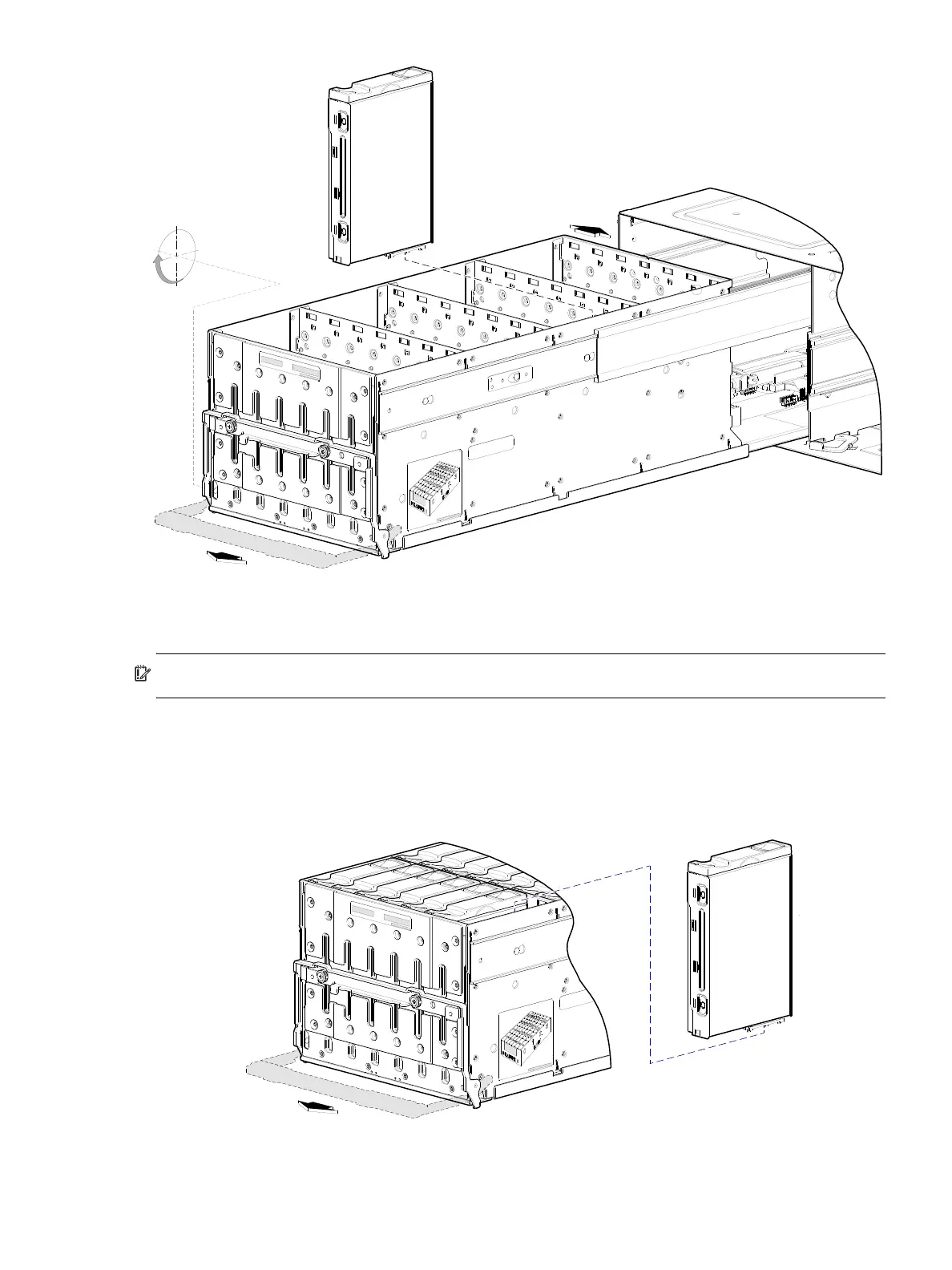
Figure 29 Align the disk module for installation into the open 4U28 drawer
Installing a disk module into a 4U28 drawer
IMPORTANT: Please review FDE considerations on page 37 before populating the enclosure drawers.
Refer to Figure 29 when orienting the disk drive module for insertion into the target drawer. The disk
installation procedure applies to the left drawer (Drawer 0) and the right drawer (Drawer 1). Disk row and
slot numbering for each drawer is provided on the sticker applied to the exterior wall of each drawer.
1. With the disk module standing on end—and the LEDs oriented to the left—insert the disk module into
the vertically-aligned disk slot, and seat it into the connector on the drawer PCBA.
Figure 30 Install a disk into a drawer slot (4U56)



 To Next Page